

Preserving Memories: Memorializing Your Facebook Account
By Tom Seest
At LegacyExplorations, we help people plan and explore their legacy by collecting information and news regarding end-of-life planning.
Please share this post with your friends, family, or business associates who may want help to plan or explore their legacy.
How to Memorialize a Facebook Account?
Facebook, whether you love it or loathe it, holds a treasure trove of memories for many. When someone passes away, those memories become even more valuable. Memorializing a Facebook account is a heartfelt way to honor the life of a loved one, ensuring that their legacy lives on in the digital space. Here’s how to navigate this sensitive yet meaningful process.
First off, it’s worth noting that you need to be either the deceased’s family member or an authorized representative to initiate the memorialization. This isn’t just a formality; it’s Facebook’s way of ensuring that the process is respectful and dignified. So, if you’re ready to take this step, you’ll need to gather any important documents, such as the account holder’s death certificate, to verify your claims.
Once you’ve got your ducks in a row, head over to Facebook’s Help Center. You might want to familiarize yourself with their mission of providing a safe environment for its users, even in death. Look for the “Memorialization Request” section. They’ll guide you through a series of prompts designed to help you fill out the necessary information about the deceased, including their full name, the link to their profile, and pertinent information to prove your relationship.
Now, let’s talk about the implications of memorialization. When an account is memorialized, it becomes a space where friends and family can gather to reminisce. Their profile will display the word “Remembering” next to their name. Posts can continue to serve as a testament to their impact, allowing loved ones to share memories and tributes. Just remember, however, that the account becomes a static monument—no new posts or messages will be allowed from the deceased.
As an important tip, consider informing friends and family about the memorialization. This can create a community of support and remembrance, allowing everyone to join together in a virtual space. It’s a bittersweet reminder that while the person may be gone, the memories remain woven into the fabric of our lives.
Follow these steps, and you’ll not only be following Facebook’s guidelines but also enriching the lives of those still here. In this digital age, taking a moment to remember our loved ones in a meaningful way can make all the difference.

How to Memorialize a Facebook Account?
How to Memorialize a Facebook Account?
- Memorializing a Facebook account helps honor the life of a deceased loved one and preserves memories.
- Only family members or authorized representatives can initiate the memorialization process.
- Gather necessary documents, such as the death certificate, to verify your connection to the deceased.
- Visit Facebook’s Help Center and navigate to the “Memorialization Request” section for guidance.
- A memorialized account displays “Remembering” next to the deceased’s name, allowing friends and family to reminisce.
- Inform friends and family about the memorialization to create a supportive community for remembrance.
- Following these steps helps enrich the lives of those still here, making a meaningful connection in a digital space.

How to Memorialize a Facebook Account?
Table Of Contents
- How to Memorialize a Facebook Account?
- How Do I Request To Memorialize A Facebook Account?
- What Information Do I Need To Provide For Memorialization?
- Are There Eligibility Criteria For Memorializing An Account?
- Can I Control Who Sees The Memorialized Account?
- Will Messages Or Posts Be Deleted When Memorialized?
- What Happens To Tagged Photos After Memorialization?
- How Can I Confirm If The Account Has Been Memorialized?
- Can Family Members Manage A Memorialized Account?
- How Do I Appeal If My Memorialization Request Is Denied?
- Is There A Difference Between Memorialization And Deactivation?
- Can I Change The Privacy Settings Of A Memorialized Account?
- How Does Facebook Verify The Death Of An Account Holder?
- What Are The Limitations Of A Memorialized Account?
- Can I Still Send Friend Requests To A Memorialized Account?
- How Long Does The Memorialization Process Take?
- Conclusion
- Other Resources
- Glossary Of Terms
- Other Questions
- Haiku
- Poem
- Checklist
How Do I Request To Memorialize A Facebook Account?
When it comes to handling a loved one’s Facebook account after they’ve passed away, the process may feel daunting, but breaking it down can make it a little more manageable—like tackling a home improvement project one step at a time. So, let’s dive into how you can request to memorialize a Facebook account.
First off, you’ll need to gather a few pieces of information. This is not an episode of a crime drama; it’s about honoring someone’s digital footprint. To get started, you’ll need the full name of the deceased, the URL of their Facebook profile, and proof of death. Proof can range from a news article to a death certificate, or even a memorial card—it doesn’t have to be a Shakespearean sonnet, just something that confirms they’ve shuffled off this mortal coil.
Once you’ve got your ducks in a row, navigate over to Facebook’s Memorialization Request page. You can’t miss it; it’s designed to lead you right where you need to go. Fill out the necessary fields—think of it as filling out your grocery list. Check the boxes, type in the details, and make sure everything is accurate. Facebook is a digital place filled with data, and they have no time for magic tricks that turn facts into fiction.
After you hit “submit,” the waiting game begins. This isn’t a quick process, and not everything can be fixed with a wrench and a little elbow grease. Facebook will review your request to ensure everything is above board and correctly formatted. They’re careful, and rightfully so, with matters involving profiles of the deceased. So, take a breath and be patient; good things often take time.
Once your request is approved, the account will be memorialized. It will transform into a digital shrine, preserving memories while ensuring that no one can log in and cause any chaos. Friends can still post memories and share their condolences, which is a beautiful way to keep the legacy alive. And if the bereaved family wants, they can choose a special legacy contact who can manage certain elements of the memorialized account.
This is about remembrance. So, while you’re navigating the intricacies of social media’s afterlife, remember the heart behind it all: honoring someone’s legacy in the digital world as beautifully as they did in life.

How Do I Request To Memorialize A Facebook Account?
How Do I Request To Memorialize A Facebook Account?
- Handling a loved one’s Facebook account after their passing can be overwhelming, but breaking it down into steps helps.
- Gather needed information: full name of the deceased, URL of their profile, and proof of death (e.g., news article, death certificate, memorial card).
- Navigate to Facebook’s Memorialization Request page to initiate the process.
- Fill out the request form accurately, ensuring all details are correct.
- After submitting the request, be patient as Facebook reviews it; this process may take some time.
- Once approved, the account will be memorialized, allowing friends to post memories while preventing further logins.
- Choose a legacy contact if desired, which lets a trusted person manage certain aspects of the memorialized account.

How Do I Request To Memorialize A Facebook Account?
What Information Do I Need To Provide For Memorialization?
When it comes to memorializing a loved one, the process can feel as daunting as assembling a complex piece of furniture without instructions. But fear not! Navigating this emotional journey is all about gathering the right pieces of information—like a well-oiled machine.
First things first, you’ll want to start with the basics: full name, date of birth, and date of passing. Sounds straightforward, right? It is, but these details are crucial. They serve as the skeleton of your memorial—without them, everything else can feel a bit like building a house without a foundation. Make sure to include nicknames or aliases. After all, you want your loved one remembered in the way they were truly known, not just by the name on their birth certificate.
Next up is biographical information. Think of it as seasoning; it adds flavor to the whole affair. Consider including significant life events, achievements, and milestones. Was your loved one a war veteran, a dedicated teacher, or someone who could make a mean apple pie? These stories and accomplishments breathe life into the memory you’re creating.
Don’t forget about family! Names of surviving relatives and their relationships to the deceased can help paint a fuller picture. This isn’t just about genealogy; it shows the bonds that mattered to your loved one. It’s the connections that give substance to a life lived.
Now, let’s talk about the fun part—the favorite things! This could be anything from favorite colors and songs to cherished hobbies or memorable quotes. These details add a personal touch that reminds everyone gathered just who this person was. Did they have an affinity for a specific flower? What about their favorite sports team? All these nuggets of information make the memorial unique and reflective of your loved one’s personality.
Finally, consider the logistics—the kind of memorial service, whether it’s a formal ceremony or a casual gathering. Will there be specific readings, music, or rituals? This planning is akin to choreographing the dance that honors a life—intentional and meaningful.
The information you provide for memorialization isn’t just about filling in blanks; it’s about crafting a narrative that honors someone you loved. Gather these details with care, and you’ll create a lasting tribute that truly encapsulates their spirit. With the right pieces in place, you can create a genuine reflection of a life well-lived, providing comfort to those who remain.

What Information Do I Need To Provide For Memorialization?
What Information Do I Need To Provide For Memorialization?
- Memorializing a loved one can be an emotional and complex process.
- Start with basic details: full name, date of birth, and date of passing, including nicknames.
- Incorporate biographical information to highlight significant life events and achievements.
- Include names of surviving relatives and their relationships to the deceased for a fuller picture.
- Add personal touches with favorite things, such as colors, songs, hobbies, and quotes.
- Consider logistics for the memorial service, including ceremony type and any specific readings or music.
- The information gathered should craft a narrative that honors the deceased and provides comfort to the living.

What Information Do I Need To Provide For Memorialization?
Are There Eligibility Criteria For Memorializing An Account?
When it comes to the digital afterlife, understanding the eligibility criteria for memorializing an account is crucial. It’s like trying to navigate a corn maze—challenging, but with a bit of guidance, you can make your way through. Memorializing, whether it’s on social media or other online platforms, is the process of turning someone’s account into a lasting tribute after they’ve passed away. But not just any account can be transformed into a memorial; specific conditions must be met.
First off, let’s address the elephant in the room: the individual needs to be deceased. Sounds obvious, right? But it’s a fundamental requirement. Without that stepping stone, you’re simply spinning your wheels. Most platforms require proof of death, which often necessitates submitting appropriate documentation, like a death certificate or obituary. It’s a way to maintain integrity while ensuring accounts aren’t cheerfully transformed into memorials by someone who just doesn’t want to let go.
Next up, you’ll want to ensure that you’re the authorized person to make that request. This typically includes family members or, in some cases, designated representatives. To put it bluntly, no one enjoys an unsanctioned case of digital identity theft, especially during a sensitive time. Platforms generally have stringent verification processes that help prevent unauthorized memorialization. So, if you’re thinking about turning Aunt Martha’s account into a shrine to her cat, you’d better have her permission—or at least, her family’s blessing.
Also worthy of mention is how many platforms address privacy concerns. If the deceased had specific privacy settings, those settings usually remain intact even after memorialization, protecting their digital legacy. This is about honoring the life lived while respecting the individual’s wishes and boundaries. Some platforms might allow friends to post tributes, while others might restrict activity altogether, turning the account into more of a digital tombstone—a place for reflection rather than interaction.
In summary, while the journey to memorializing an account can seem daunting, it’s essentially about respect, verification, and adherence to privacy settings. It might require a little paperwork and patience, but at the end of the day, you’re creating a space where memories can live on, and that’s definitely worth the effort.

Are There Eligibility Criteria For Memorializing An Account?
Are There Eligibility Criteria For Memorializing An Account?
- Digital afterlife involves eligibility criteria for memorializing accounts after death.
- Memorializing is turning an account into a tribute posthumously; not all accounts qualify.
- Key requirement: the individual must be deceased, with proof required (e.g., death certificate).
- Requests for memorialization must come from authorized individuals, typically family or representatives.
- Privacy concerns are addressed; deceased’s privacy settings generally remain intact post-memorialization.
- Some platforms allow tributes from friends, while others limit activity for a more reflective space.
- The memorialization process emphasizes respect, verification, and adherence to individual wishes.

Are There Eligibility Criteria For Memorializing An Account?
Can I Control Who Sees The Memorialized Account?
When a loved one passes away, their online presence can feel like a bittersweet echo of the good times shared. One way to keep their memory alive is through a memorialized account. But just because the account is memorialized doesn’t mean it operates in a vacuum. You might wonder: Who gets to see this digital shrine? Can I dictate who wanders through this archived space, or is it a free-for-all?
First, let’s get one thing straight: the emotions surrounding loss are complex, and technology doesn’t always make it easier. Memorialized accounts on social media platforms are intended to be respectful spaces for remembrance. When you memorialize an account, certain features change. For example, the account can’t be logged into, and friends can share memories and tributes. But what control do you have? That’s the real question.
Generally speaking, the privacy settings on a memorialized account remain similar to when the person was alive. If the deceased had their account set to public, it could potentially be viewed by anyone—family, friends, acquaintances, or even the curious stranger. Conversely, if it was set to private, only approved friends can access it. This means that while you can’t directly control who sees the account after it’s memorialized, you can influence it based on how the account was originally set up.
Another critical consideration is the content posted by friends or family members after the account has been memorialized. Users can still post memories, photos, and stories, and these might be visible to a wider audience, depending on the original privacy settings. So, if Aunt Sally decides to share an embarrassing childhood tale, it could go far beyond the inner circle if the account was public. It’s wise to communicate with those you expect to post, setting some boundaries about what should be shared and with whom.
Finally, it’s essential to check the individual policies of the social media platform hosting the memorialized account. Each site has its own rules and features regarding privacy and access. Familiarizing yourself with these can help you navigate this sensitive territory and ensure that your loved one’s online legacy is as special and well-protected as it deserves to be. Remember: in the world of social media, control may be something of an illusion, but awareness and preparation can go a long way.

Can I Control Who Sees The Memorialized Account?
Can I Control Who Sees The Memorialized Account?
- The online presence of a deceased loved one serves as a bittersweet reminder of shared memories.
- A memorialized account is a way to keep their memory alive, but it raises questions about who can view it.
- Memorialized accounts on social media are designated respectful spaces for remembrance.
- The privacy settings of the account remain similar to when the person was alive, affecting visibility.
- Friends and family can still post memories and tributes, which may reach a wider audience based on original settings.
- It’s important to set boundaries with those who may post on the memorialized account to manage content shared.
- Familiarizing yourself with the policies of the social media platform can help protect the loved one’s online legacy.

Can I Control Who Sees The Memorialized Account?
Will Messages Or Posts Be Deleted When Memorialized?
When we think about social media, it’s easy to get lost in the endless scroll of memes, momentous occasions, and the daily minutiae of life. Every post and every message carries a piece of the person who shared it. But what happens when that person passes away? The digital world has its own set of protocols, and one of the most significant actions that can be taken is the memorialization of an account.
Memorialization is the digital equivalent of laying a loved one to rest, preserving their online presence while respecting their absence. But there’s a lingering question that often arises: what becomes of the messages and posts once a profile is memorialized? It’s a legitimate concern because in our modern age, the digital footprint represents a tapestry of memories—some heartwarming, others painfully bittersweet.
So, let’s clear this up. When an account is memorialized, the posts, messages, and the essence of that individual remain intact. The account is switched into a kind of time capsule, preserving all the shared moments for friends and family to reflect on. Instead of vanishing, those memories linger, creating a lasting homage to the life lived. Friends and family can come back to share rememberances, post condolences, or simply relive the moments captured in photos and posts.
However, it’s worth noting that the privacy settings change. Only friends of the deceased can view the memorialized account, giving some needed privacy during a sensitive time. This means that any existing posts and messages are frozen in time; they don’t disappear, but the world at large can’t poke around through the digital attic, which is a thoughtful way to provide a respectful boundary.
But let’s talk about memorializing messages. While public posts stay put, private conversations may take on a different role. If you had a late-night chat filled with laughter or a heartfelt exchange of love, those messages become bittersweet treasures. They are not deleted, but access may change depending on the platform. Users often still can cherish those memories, but they are likely to be filtered through the lens of grief and fond remembrance.
In a world that often feels transient, memorialization serves as a reminder that while life moves forward, memories can be anchored in the digital realm—untouched, unforgotten, and enduring. It’s a gesture that honors those we’ve lost while providing the living a way to keep the conversation going, albeit in a different manner.

Will Messages Or Posts Be Deleted When Memorialized?
Will Messages Or Posts Be Deleted When Memorialized?
- Memorialization reflects the digital equivalent of laying a loved one to rest.
- When memorialized, all posts, messages, and shared moments are preserved as a tribute.
- The memorialized account serves as a time capsule for friends and family to reflect on memories.
- Only friends of the deceased can view the memorialized account, ensuring privacy.
- Existing posts and messages are preserved but access is limited to certain users.
- Private conversations may change in access but remain as cherished memories.
- Memorialization emphasizes that while life continues, memories can endure in the digital realm.

Will Messages Or Posts Be Deleted When Memorialized?
What Happens To Tagged Photos After Memorialization?
When a loved one passes away, the digital world often becomes an unintentional shrine to their memory. Social media platforms, with their algorithms and tagging features, create a tapestry woven with snapshots of life’s enduring moments. But what happens to those tagged photos once their account is memorialized? It’s a question that flits to the forefront of our minds even as we navigate the turbulent waters of grief.
First off, let’s understand the mechanics of memorialization. When a Facebook or Instagram account is designated as a memorial, it becomes a digital tombstone, allowing friends and family to gather virtually and reminisce. In this new digital realm, the profile remains visible, but with some important restrictions. The deceased’s profile can no longer be logged into, and their content is shielded from certain interactions, like tagging new people or appearing in search results to strangers. This is designed to maintain a sense of respect and privacy—a shield against the raucous distractions of the online world.
Now, tagged photos become a fascinating focal point in this digital landscape. They don’t disappear into the ether but rather linger like echoes in a quiet room. The photos that feature the departed still exist, still capture moments of joy, laughter, and perhaps even the bittersweet remembrance of days gone by. Friends and family can continue to scroll through their feeds and see these images, sparking memories and conversations that keep the flame of remembrance alive.
However, the dynamics shift. Friends can no longer tag the memorialized account in new photos—those intimate snapshots that another day might have included the departed are instead blank pages in an album that can only reminisce. This unfortunate alteration can evoke mixed feelings among those who wish to share. The existence of tagged photos acts as a reminder of life’s continuation, but it also highlights an absence, palpable in the new photographs that won’t hold that familiar face.
In essence, tagged photos after memorialization transition from shared experiences to cherished memories. They become conversation starters, opportunities to reflect, and gentle reminders of the cycle of life. The digital realm retains a piece of our loved ones, ensuring that, while they may be gone, their memory continues to be a part of our story. It’s a bittersweet gift of technology—one that allows us to celebrate the past while grappling with the pain of loss.

What Happens To Tagged Photos After Memorialization?
What Happens To Tagged Photos After Memorialization?
- The digital world often serves as an unintentional shrine to the memory of deceased loved ones.
- Memorialized social media accounts become digital tombstones, allowing friends and family to gather and reminisce.
- Once a profile is memorialized, it can no longer be logged into, and certain interactions are restricted.
- Tagged photos of the departed remain visible, sparking memories and conversations among friends and family.
- Friends can no longer tag the memorialized account in new photos, highlighting an absence in current moments.
- Tagged photos transition from shared experiences to cherished memories and conversation starters.
- This digital remembrance allows the memory of loved ones to continue as part of our story, blending celebration with grief.

What Happens To Tagged Photos After Memorialization?
How Can I Confirm If The Account Has Been Memorialized?
So, you’ve got a loved one who has passed on, and you want to ensure their social media account is treated with the dignity it deserves. Perhaps there are memories captured in photos or heartwarming posts that you want to preserve. The process might seem daunting at first, but confirming whether an account has been memorialized is relatively straightforward if you know where to look and what to do.
First off, it’s important to understand what “memorialized” means in the context of social media. Essentially, when an account is memorialized, it’s transformed from an active profile into a space that commemorates the person who has passed. This means that while the account can’t be logged into, it still allows friends and family to post memories and tributes, making it a digital gathering place for those left behind.
To verify if an account has been memorialized, start by searching for the profile in question on the platform you’re interested in—be it Facebook, Instagram, or another site. If the account has been memorialized, you’ll typically see a message indicating that the user has passed away, along with options to leave a tribute or reach out for further cooperation. Sometimes, the profile picture may remain, but the account’s privacy settings might shift, making it visible only to friends and family.
Next, try sending a message to the account. You won’t get a response, of course, but if the account is flagged as memorialized, you’ll often receive an automated reply or indicator that the account is no longer active—just another layer of confirmation, digging a little deeper into the digital graveyard to find those signs of life once lived.
If you’re still uncertain, contacting the social media platform directly can provide clarity. Each site has its own procedure for handling memorializations, and their support teams are typically well-equipped to assist you. Be prepared to provide some form of proof that you were connected to the deceased, perhaps through shared photos or mutual friends.
Finally, be gentle with yourself during this process. Confirming a memorialization is not just a bureaucratic task; it’s a step toward embracing the memories and honoring the legacy of someone you cared about. Digital or not, these connections matter, so take the time to ensure they’re treated right. Keep the spirit alive, even in the virtual realm.

How Can I Confirm If The Account Has Been Memorialized?
How Can I Confirm If The Account Has Been Memorialized?
- When a loved one passes, it’s important to treat their social media account with dignity.
- Memorializing an account turns it from an active profile into a commemorative space.
- Memorialized accounts allow friends and family to post memories and tributes.
- To verify if an account is memorialized, search for the profile on the relevant platform.
- An automated message may indicate the account is memorialized if you send a message.
- Contacting the social media platform can clarify the memorialization process; proof of connection may be required.
- Take time to honor the memories and legacy of the deceased during this process.

How Can I Confirm If The Account Has Been Memorialized?
Can Family Members Manage A Memorialized Account?
When it comes to navigating the emotional landscape of a loved one’s digital afterlife, the discussion around memorialized accounts becomes crucial. Imagine this: you’ve just lost someone dear, and as you sift through their social media presence, you realize their online persona is now a static snapshot of who they were. But what happens next? Can family members step in to manage what was once an active presence, or are they left to reminisce in silence?
First, let’s get one thing straight – a memorialized account is designed to serve as a digital tribute, honoring the memory of the person who has passed away. It preserves their posts and interactions, allowing friends and family to share memories and support one another during their time of grief. However, it’s not as simple as just updating a status or responding to comments. Most platforms have specific protocols that stick to privacy measures, ensuring that the deceased’s account remains protected.
So, can family members manage these accounts? In many cases, the answer is a cautious yes, but with some important caveats. Some social media platforms allow designated family members to become “legacy contacts” or grant permissions to manage the account. This can include the ability to post tributes, respond to messages, and curate the legacy left behind. It provides an opportunity to maintain a connection with the community that formed around your loved one, giving you a space to celebrate their life.
However, this power doesn’t come without its responsibilities. It’s critical to approach account management with sensitivity. After all, what you post reflects not just on you, but on the memory of the individual you’re trying to honor. Think of this task as a delicate balance between preserving their essence and respecting the privacy they valued in life.
Before seeking to manage a memorialized account, check the specific guidelines of the platform in question. Each site varies in terms of what’s permitted and the process for gaining access. Take a moment to consult with family members or close friends so that the approach is unified, preserving the collective memory and sentiment.
In a world where our digital footprints often linger long after we’re gone, handling a memorialized account is less about managing an online profile and more about cherishing a legacy. It’s a brave step into the realm of remembrance—honoring not just the past, but the connections that continue to bind us.

Can Family Members Manage A Memorialized Account?
Can Family Members Manage A Memorialized Account?
- Navigating the emotional landscape of a loved one’s digital afterlife and the importance of memorialized accounts.
- A memorialized account serves as a digital tribute, preserving the deceased’s online presence for family and friends.
- Family members may manage these accounts as “legacy contacts” with permissions to post tributes and interact with others.
- Account management requires sensitivity, balancing the deceased’s essence with the respect for their privacy.
- Guidelines for managing memorialized accounts vary by platform; checking specific rules is essential.
- Seeking input from family and friends helps unify the approach to managing the deceased’s online legacy.
- Handling a memorialized account is a way to cherish and honor both the past and ongoing connections.

Can Family Members Manage A Memorialized Account?
How Do I Appeal If My Memorialization Request Is Denied?
First off, let’s tackle the emotional terrain of a memorialization request. This is usually tied to the passing of a loved one or a significant chapter in someone’s life, and it can be downright gut-wrenching when that request gets turned down. But here’s the deal: even in the face of disappointment, you still have options. Think of this as a DIY project—not an easy one, but definitely manageable.
Start by understanding why your request was denied. It might be due to several reasons—insufficient documentation, not meeting the platform’s guidelines, or a lack of verification. Imagine it like a recipe gone awry; you need to check the ingredients first. The platform typically provides a brief rationale for the denial, and it’s crucial to grasp that before proceeding.
Once you’ve got the reasons down, it’s time to gather your materials. This is akin to rounding up all the tools for a home improvement job. Collect any necessary documentation that was missing or any new information that strengthens your case. This could include proof of account ownership or documentation that aligns with the platform’s memorialization policies. The clearer and more organized you are, the easier it will be for whoever is reviewing your appeal to understand your perspective.
Next, draft your appeal. A well-crafted appeal is your final pitch, so make it count! Be concise yet thorough. Lay out your case logically—start with the facts, state your emotional connection to the individual, and clearly explain why memorialization is essential. Remember to maintain a respectful tone. You’re not hurling insults; you’re making a heartfelt request for a second look.
After submitting, patience is key. Just like constructing a piece of furniture, you have to give it time to come together. The review process varies, but as long as you’ve done your part, you’ll be in good shape. If you don’t hear back in a reasonable timeframe, a friendly follow-up can show that you’re sincere and committed to the process.
If your appeal is still denied, don’t throw in the towel just yet. Some platforms allow for multiple appeals or have additional channels where you can present your case. Keep pushing, keep advocating. After all, this memorialization is about honoring a life, and that’s worth fighting for.
In the grand scheme of things, appealing a memorialization request isn’t just about checking a box—it’s about ensuring that memories endure, and sometimes, you have to roll up your sleeves and put in the effort to make that happen.

How Do I Appeal If My Memorialization Request Is Denied?
How Do I Appeal If My Memorialization Request Is Denied?
- Memorialization requests are often tied to the loss of a loved one and can be emotionally challenging, especially if denied.
- Understand the reasons for the denial, which may include insufficient documentation or not meeting platform guidelines.
- Gather necessary materials, such as proof of account ownership or relevant documentation, to support your case.
- Draft a respectful and well-structured appeal, clearly outlining your emotional connection and the importance of memorialization.
- Be patient after submission, as the review process can take time; a friendly follow-up may demonstrate sincerity.
- If your appeal is denied again, explore additional appeal options or channels to present your case.
- Advocating for memorialization is vital for honoring a life and preserving cherished memories.

How Do I Appeal If My Memorialization Request Is Denied?
Is There A Difference Between Memorialization And Deactivation?
When it comes to navigating the digital afterlife, two terms often come up: memorialization and deactivation. At first glance, they may seem interchangeable—just a couple of administrative tasks that come about when someone has passed. However, peel back the layers, and you’ll find they represent two very different approaches to how we engage with our online presence after we’ve shuffled off this mortal coil.
Memorialization is essentially a digital tribute. Think of it as a quiet homage to someone’s life. When a social media account is memorialized, it transforms into a space where memories can be celebrated rather than simply forgotten. Friends and family can share stories, post photos, and keep the individual’s memory alive in a virtual realm. This is especially poignant during anniversaries or significant life events—like birthdays or holidays—when it feels right to reminisce and honor the legacy of a loved one. The account usually remains accessible to approved friends, allowing for a shared experience of remembrance.
On the other hand, deactivation is akin to drawing the curtain on a stage. It’s a decision that removes the account from public view; it disappears, leaving no digital footprint for others to find. While it may seem like a straightforward way to eliminate an online presence, it doesn’t allow room for the living to mourn collectively or to find solace in shared memories. Deactivating an account represents finality—a recognition that the digital version of that person is no longer participating in the online dialogue.
Now, it’s important to acknowledge that each approach has its own set of implications and emotional undertones. Many find comfort in the continuity of a memorialized account, as it creates a space where love and remembrance can thrive. Others might feel that a deactivated account allows for a more personal form of closure, freeing them from the reminders of a lost connection.
The choice between memorialization and deactivation is deeply personal. It’s a reflection on how we navigate grief, connection, and the digital world. Whichever path is chosen, what truly matters is the respect and love we carry for those who have left us, ensuring that their memories, whether shared or private, continue to resonate in our hearts.

Is There A Difference Between Memorialization And Deactivation?
Is There A Difference Between Memorialization And Deactivation?
- Memorialization and deactivation are two distinct approaches to handling online presence after death.
- Memorialization serves as a digital tribute, allowing friends and family to celebrate the deceased’s life and memories.
- Memorialized accounts remain accessible to approved friends for shared experiences of remembrance.
- Deactivation removes the account from public view, symbolizing finality and eliminating the digital footprint.
- Deactivation does not facilitate collective mourning or shared memories among the living.
- Each approach carries unique emotional implications, with memorialization fostering continuity and connection.
- The decision between memorialization and deactivation is personal and reflects individual grief and connection to the deceased.
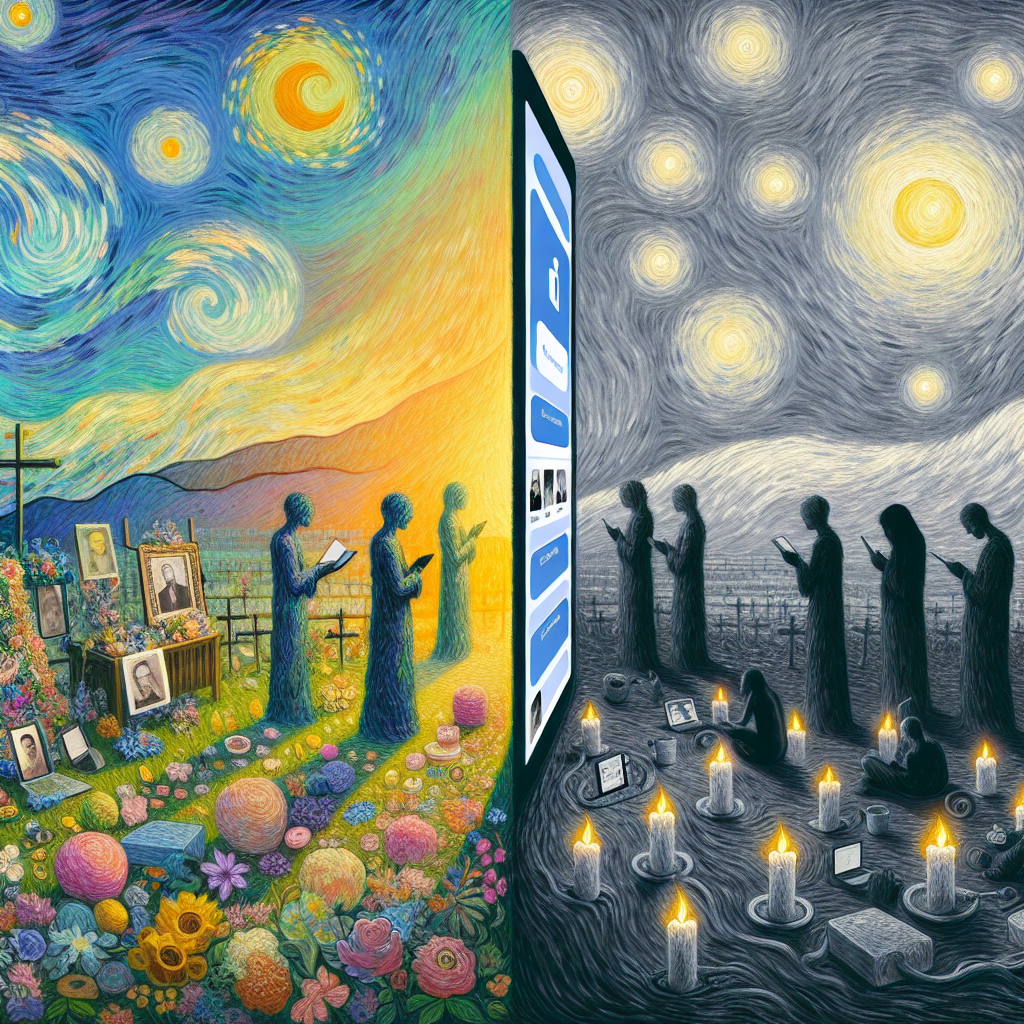
Is There A Difference Between Memorialization And Deactivation?
Can I Change The Privacy Settings Of A Memorialized Account?
When it comes to social media, we all have that one friend who can’t help but post every detail of their life, from breakfast burritos to late-night musings. But what if that friend passes away? Their account often gets memorialized, turning it into a digital time capsule—a place where memories, posts, and comments live on. However, with that tribute comes a unique set of questions, especially about privacy settings.
So, can you change the privacy settings of a memorialized account? The short answer is, yes, but it comes with its own set of caveats. First off, you need to understand what it means to have an account memorialized. Essentially, a memorialized account is frozen in time, meaning the original settings and privacy controls are locked in place. But don’t fret just yet; there’s a way to navigate these tricky waters.
When a Facebook account is memorialized, it generally remains visible to friends and family, allowing them to reminisce and share their own memories. However, if you’re looking to change who can see posts, comments, or the account in general, that’s going to take some finesse. Typically, only a legacy contact—someone designated by the deceased while they were alive—will have the ability to manage these settings. This means if you’re not that person, you might be out of luck.
For those who do have the privilege of being the legacy contact, the process is relatively straightforward. You can adjust settings to ensure only certain friends can see the account, or even limit commenting permissions to reduce unwanted interactions. But be mindful: any changes you make are not going to resurrect that digital presence; they only affect the audience. The essence of that person and their memories remain as they always were, etched into the pixels of our screens.
Moreover, it’s vital to respect the memories that others hold. The act of scrolling through posts can be therapeutic, but it can also reopen wounds. So, if you’re considering altering privacy settings, think about how those changes impact not just your experience, but the collective memory shared by friends and family. Handling a memorialized account should be approached with care, respect, and a healthy dose of consideration for those left behind. It’s not just an account; it’s a piece of someone’s life worth honoring.

Can I Change The Privacy Settings Of A Memorialized Account?
Can I Change The Privacy Settings Of A Memorialized Account?
- Social media accounts can serve as digital memorials after a user passes away.
- A memorialized account is essentially locked in place regarding original privacy settings.
- Only a designated legacy contact can manage the privacy settings of the memorialized account.
- Legacy contacts can adjust visibility and commenting permissions for the account.
- Changes to privacy settings do not revive the deceased’s digital presence; they only affect who can see the account.
- It’s important to consider how privacy changes impact the shared memories of friends and family.
- Handling memorialized accounts requires care, respect, and consideration for the emotional sentiments of others.

Can I Change The Privacy Settings Of A Memorialized Account?
How Does Facebook Verify The Death Of An Account Holder?
Navigating the digital landscape can be a little like treading through a minefield, especially when it comes to sensitive matters like the passing of a loved one. With billions of users, Facebook has become a sprawling digital community where memories are shared, birthdays are celebrated, and, unfortunately, the circle of life plays out in full view. So, when an account holder passes away, the question arises: how does Facebook verify that the person is actually, well, no longer with us?
First off, let’s talk about the elephant in the room: you can’t just waltz in and declare someone deceased without some solid proof. Facebook takes this responsibility seriously. The verification process is not just a rubber stamp operation; it’s more like navigating a complicated labyrinth of digital red tape. To initiate the process, someone—typically a close friend or family member—must report the account. This is done through a specialized form where the claimant must provide certain details about the deceased. Think of it as a mini-interview, where there’s no room for ambiguity.
Now, here’s where it gets interesting. Facebook requires documentation. What does that mean? Well, it often includes a death certificate or some other legal proof of death. By asking for this kind of verification, Facebook ensures that they’re not inadvertently memorializing someone who simply took a long vacation or decided to live off the grid. In a world teeming with misinformation, protecting the integrity of its platform is crucial.
Once that documentation is submitted, Facebook’s team, composed of real human beings—believe it or not—steps in to review it. They sift through the information to ensure it checks out. If everything aligns, the account can be either memorialized or, in some cases, completely deleted. Memorialized accounts become a digital shrine where friends and family can reminisce, share their thoughts, and keep the memory alive in a way that is both touching and respectful.
The entire process may seem cumbersome, but it reflects a broader ethos that social media platforms are now beginning to embrace. This isn’t just about clicks and likes; it’s about real people and the legacies they leave behind. In a world where everyone is connected online, Facebook’s method for verifying death underscores the importance of honoring those connections, even in the face of loss.

How Does Facebook Verify The Death Of An Account Holder?
How Does Facebook Verify The Death Of An Account Holder?
- Navigating the digital landscape can be as challenging as a minefield, especially regarding sensitive topics like death.
- Facebook serves as a vast digital community for sharing memories and marking life events, including the deaths of account holders.
- To verify someone’s death, a close friend or family member must report the account through a specialized form, providing clear details.
- Facebook requires documentation, such as a death certificate, to prevent mistakenly memorializing someone who’s alive.
- After documentation submission, a team of individuals at Facebook reviews the information to ensure its validity.
- Depending on the outcome, accounts may be memorialized or deleted, allowing friends and family to honor memories respectfully.
- The process reflects a broader social media ethos of valuing real people and their legacies, emphasizing connections in times of loss.

How Does Facebook Verify The Death Of An Account Holder?
What Are The Limitations Of A Memorialized Account?
In the digital age, where our lives are often more present online than they are in the flesh, the concept of memorialized accounts serves as a bittersweet double-edged sword. These accounts—set to remember loved ones who have passed—offer a virtual sanctuary for friends and family, a place to reminisce and share their love. However, like anything worth its weight in sentiment, memorialized accounts come with their own set of limitations that can leave you wishing for a little more.
To start with, let’s talk accessibility. Once an account is memorialized, it primarily exists as a digital grave marker. The account is no longer a space for the deceased to interact with the living; it transforms into a public viewing area where memories are cherished but conversations are silenced. Friends and family can share their tributes, but the once vibrant chat threads and lively exchanges are traded for a more static presence. This can feel like a bittersweet echo, a reminder of what once was, but also a barrier to healing and moving forward.
Then there’s the control—or lack thereof—over the narrative. When a person passes away, their social media identity solidifies into a digital reflection that may not entirely capture who they were. Posts and pictures don’t tell the whole story; they filter life through a lens that may miss the nuances of a complex individual. Those who are left behind might feel a responsibility to curate this virtual shrine correctly, ensuring that it honors their loved one. But what happens when memories diverge? The risk of misrepresentation becomes a heavy burden to bear.
Privacy concerns also loom large over memorialized accounts. While it’s crucial for loved ones to share their thoughts and feelings, there’s no guarantee that the information they post will remain private. These accounts can be searched publicly, leaving loved ones potentially exposed to unwanted attention. This can create an awkward dichotomy—celebrating a life well-lived while managing the unease of an audience you didn’t ask for.
Finally, let’s not forget contrast. While some find solace in scrolling through memories, others may feel increasingly isolated as they engage with an account frozen in time. The memorialized platform may lack the warmth of shared experiences, reducing interactions to mere reflections rather than meaningful connections.
A memorialized account is a poignant but limited tribute that highlights the delicate balance between remembrance and moving on. It’s a testament to the human experience, capturing love, loss, and the complex journey of grief in a sometimes unforgiving digital landscape.

What Are The Limitations Of A Memorialized Account?
What Are The Limitations Of A Memorialized Account?
- Memorialized accounts serve as virtual sanctuaries for friends and family to reminisce about loved ones who have passed.
- Once an account is memorialized, it becomes a static presence, hindering live interactions and conversations.
- Those left behind may feel responsible for accurately curating the account, risking misrepresentation of the deceased.
- Privacy concerns arise as memorialized accounts can be publicly searched, exposing loved ones to unwanted attention.
- Engaging with a memorialized account can create feelings of isolation in some, contrasting with others who find solace.
- The accounts capture the complexities of grief, highlighting the tension between remembrance and moving forward.
- Ultimately, memorialized accounts reflect the delicate balance of love and loss in the digital landscape.

What Are The Limitations Of A Memorialized Account?
Can I Still Send Friend Requests To A Memorialized Account?
Life is a fragile tapestry woven from connections, experiences, and memories. When someone passes away, their social media presence often persists, leaving us to navigate the murky waters of digital remembrance. So, you might be asking yourself, “Can I still send friend requests to a memorialized account?” The answer is more nuanced than a simple yes or no.
First, let’s unpack what a memorialized account even is. When Facebook takes the tough step of memorializing an account, it transforms the profile into a digital shrine of sorts. This process can happen upon the request of a designated family member or friend, or automatically after a user passes away. These profiles maintain some semblance of life, allowing friends and loved ones to share memories, celebrate birthdays, and comment on posts, but they live by a different set of rules.
Now, here’s the kicker: Sending friend requests to these memorialized accounts is a no-go. Facebook is serious about respecting the dignity of the deceased and their families. The platform recognizes that, while your intentions might be rooted in love and fond memories, adding new connections to a memorial account can muddy the waters. It’s a bit like trying to plant new flowers on a gravesite; while you might mean well, it may not be what the family wants or needs.
However, do not despair. There are still ways to honor the memory of your loved one. Instead of sending a friend request, consider sharing your thoughts and memories in the comments of their posts. You can reminisce about shared moments and celebrate their life with those who are also mourning their loss. If you’ve got a particular sentiment you’d like to share but feel it deserves a bit more privacy, consider reaching out to a mutual friend or family member to pass along those thoughts.
In the grand scheme of things, social media is a tool for connection—but it’s also a space where we must tread lightly. Respect is paramount when it comes to memorialized accounts. While you might be tempted to reach out, sometimes the best way to honor those who have departed is to cherish the memories in your heart and share them in a more thoughtful, respectful manner. After all, it’s not just about the clicks; it’s about the feelings behind them.

Can I Still Send Friend Requests To A Memorialized Account?
Can I Still Send Friend Requests To A Memorialized Account?
- Life is a fragile tapestry of connections, experiences, and memories.
- Memorialized accounts on social media serve as digital shrines after someone passes away.
- These accounts allow friends and family to share memories, celebrate events, and comment on posts.
- Sending friend requests to memorialized accounts is not permitted to respect the deceased and their families.
- Rather than sending friend requests, consider sharing thoughts and memories in comments.
- For private sentiments, reach out to a mutual friend or family member to convey those feelings.
- Respecting the memory of the deceased is crucial—honor them through thoughtful and considerate expressions.

Can I Still Send Friend Requests To A Memorialized Account?
How Long Does The Memorialization Process Take?
When it comes to memorialization, the timeline can be as variable as the stories we carry with us. Just like crafting a well-worn tool or perfecting a recipe passed down through generations, memorizing someone’s life can’t be rushed. It’s a deeply personal journey, one that takes time, reflection, and often collaboration among many people.
First, let’s talk about the planning stage. This initial phase can happen as soon as you’re ready to start honoring your loved one’s memory. It’s the time for brainstorming, gathering ideas, and considering what type of memorial fits the life you’re celebrating—be it a simple gathering, a dedicated space, or a more elaborate event. Here, timelines can stretch from a few weeks to several months as families navigate their emotions, ideas, and logistics.
Once the planning is underway, it’s time to shift gears into the actual memorialization process. If you’re creating something like a commemorative plaque, a bench, or perhaps an online memorial, the time it takes to finalize these projects varies widely based on several factors—materials, artisans’ availability, permits, you name it. It’s not unusual for these tangible forms of remembrance to take anywhere from a couple of weeks to several months to come to fruition.
Now, let’s address a common question: what about the emotional timeline? Ah, this part is where it gets complex. Different people heal at different rates, and the act of remembering can ebb and flow. For some, finding closure is a swift journey, while for others, it’s a winding road filled with twists and turns. It’s perfectly normal for emotions to rise to the surface unexpectedly, often when least expected. Processing grief and celebrating a life well-lived isn’t bound by the clock; it’s a rich tapestry woven from love, loss, and the memories left behind.
Finally, consider the aftermath of the memorial. Often, the impact of this process lingers long after the ceremony is over, stirring thoughts and discussions among family members and friends. It’s a ripple effect that continues to shape how we remember, honor, and celebrate those we’ve lost.
The memorialization process isn’t a race. It’s a unique journey, shaped by individual stories and circumstances, deserving of patience and care, unfolding in its own time.

How Long Does The Memorialization Process Take?
How Long Does The Memorialization Process Take?
- The memorialization timeline is variable and deeply personal, much like crafting a tool or recipe.
- The planning stage involves brainstorming and gathering ideas for a memorial, which may take weeks to months.
- Creation of tangible memorials (plaque, bench, online memorial) involves varying timelines based on materials and logistics.
- Emotional healing during memorialization is complex, with individuals processing grief at different rates.
- Finding closure is a unique journey, often bringing unexpected emotions to the surface.
- The aftermath of memorialization continues to affect family and friends, shaping memories and discussions.
- The process is not a race; it requires patience and care, unfolding in its own time.

How Long Does The Memorialization Process Take?
Conclusion
In this whirlwind of life and loss, navigating the digital aftermath of a loved one’s passing can feel like a chore. But let’s take a moment to reflect on something profoundly meaningful: memorializing a Facebook account. It’s not just a bureaucratic task; it’s a heartfelt journey that honors the memories of those we hold dear. So, what does it really mean to memorialize an account, and how does it work?
First off, let’s get one thing straight: this process isn’t meant for just anyone. You need to be a family member or an authorized representative—sort of like a designated driver for the emotional ride you’re about to take. You’ve got to gather obligatory documentation like the death certificate to confirm you’re in the right lane. Once you’ve got what you need, you head to Facebook’s Help Center, where you’ll find the Memorialization Request section. It’s almost like checking your toolbox before a home project—make sure everything is in order.
Once an account is memorialized, it becomes a sacred space—the digital equivalent of a gravestone. Friends and family can share memories, stories, and loving tributes, all while the account itself takes on a new identity, marked by a simple “Remembering” tag. But remember, this isn’t about posting new content; it’s a static space for reflection, allowing memories to thrive without the intrusion of everyday chatter.
And let’s not forget your loved ones’ privacy; the privacy settings that existed during their life usually remain intact, creating intentional boundaries. It’s a chance to gather, share, and reminisce without risk of unwelcome visitors. You can even designate a legacy contact, someone who can manage the account and keep the memory alive.
However, while memorialization serves as a poignant tribute, it does come with limitations. For some, those limitations can feel constrictive, and navigating the digital world around a loved one’s loss can be a difficult path. You can’t send friend requests or create new content on the memorialized account, and privacy settings may further confound emotions. Despite that, these virtual memorials foster community and connection, reminding us that memories don’t just fade away—they live on, beautifully woven into the digital fabric of our lives.
In the end, memorializing a Facebook account is about more than just checking boxes. It’s about honoring a life lived, ensuring that the memories remain accessible in a world that often feels transient. It gives us a way to reconnect with those we’ve lost and continue the conversation, even when they cannot respond. So take the plunge; take the time. It’s a tender act of love that allows us to carry those memories forward while we navigate the complexities of grief in the digital age.

Conclusion
Conclusion:
- Memorializing a Facebook account is a heartfelt process that honors a loved one’s memory.
- The process is restricted to family members or authorized representatives, requiring documentation like a death certificate.
- After gathering necessary documentation, one must navigate to Facebook’s Help Center to request memorialization.
- A memorialized account serves as a digital gravestone, allowing friends and family to share memories without new content being added.
- The account retains the original privacy settings, offering a safe space for reflection and reminiscence.
- Limitations exist, such as the inability to send friend requests or create new posts on a memorialized account.
- Overall, memorializing a Facebook account allows connections to persist, ensuring memories live on in a transient digital world.

Conclusion
Other Resources

Other Resources
Here is a list of other resources you can review online to learn more:
- “Request to Memorialize or Remove an Account”
- “Reporting a deceased person or a Facebook account that …”
- “Memorialization”
- “Social Media Finality Support”
- “Social Media Accounts After Death: Memorialization Options”
- “How to Memorialize a Facebook Account”
- “Legacy Contacts | Facebook Help Center”
- “Special Request for Medically Incapacitated or Deceased …”

Other Resources
Glossary Terms
How to Memorialize a Facebook Account? – Glossary Of Terms
1. Memorialization: The process of transforming a Facebook account into a memorialized account to honor a deceased individual.
2. Legacy Contact: A trusted person designated by a Facebook user who can manage the memorialized account, such as responding to friend requests and updating profile information.
3. Commemorate: To honor and remember someone by celebrating their life and preserving their legacy, often through social media.
4. Privacy Settings: Controls that determine who can see the content on a Facebook account, which may be adjusted in memorialized accounts.
5. Deletion: The permanent removal of a Facebook account, which can happen if no action is taken to memorialize it after a user’s death.
6. Tribute: A post or message on social media shared in honor of someone who has passed away.
7. Digital Legacy: The presence and information that a deceased person leaves behind on the internet, including social media profiles.
8. Facebook Policy: The rules set by Facebook regarding the management of accounts after a user has passed away.
9. Profile Picture: The image displayed on a user’s profile, which may be updated to reflect their memory in a memorialized account.
10. Time Capsule: A metaphor for the way social media can preserve memories and moments of a person’s life for future generations.
11. Obituary: A published notice of a person’s death, which may be shared on social media to inform friends and family.
12. Friend Requests: Invitations sent to connect with other users, which may be managed by a legacy contact in a memorialized account.
13. In Memoriam: A phrase used to express remembrance, often seen in posts or events dedicated to honoring someone who has passed.
14. Account Access: The ability to log into a Facebook account, which is typically restricted for memorialized accounts.
15. Fan Page: A public page that can be created to celebrate and honor the memory of a deceased individual.
16. Announcement: A public statement regarding a person’s death, which may be posted on social media to inform friends and followers.
17. Timeline: The chronological feed of posts, photos, and videos shared by a user, which remains visible in a memorialized account.
18. Guestbook: An online space where people can leave condolence messages, memories, and tributes for a deceased person.
19. Commemoration Tools: Features or options provided by social media platforms to help users honor the memory of deceased individuals.
20. Recognition: Acknowledging someone’s contributions, achievements, or memory through posts and interactions on social media.
21. User Support: Resources and assistance provided by Facebook to help users navigate the memorialization process.
22. Family Notification: The process of informing relatives or close friends about the death of a user and the memorialization of their account.
23. Digital Footprint: The trail of data and information that a person leaves online, which may be managed posthumously on social media.
24. Grief Support: Resources and communities available on social media that provide assistance to individuals coping with loss.
25. Memorial Page: A dedicated page on social media created to collect memories, tributes, and updates about a deceased individual.
26. Content Moderation: The process of overseeing posts and comments on a memorialized account to manage inappropriate content.
27. Virtual Memorial: An online event or gathering held to remember and celebrate the life of someone who has passed away.
28. Social Media Etiquette: Guidelines for respectful behavior and communication regarding posts about deceased individuals.
29. Archive: To save or preserve social media posts and photos for private memories or future reference, often relevant after a user’s death.
30. Closure: A process of finding emotional peace following a loss, which may be facilitated by sharing memories on social media.

Glossary Of Terms
Other Questions
How to Memorialize a Facebook Account? – Other Questions
If you wish to explore and discover more, consider looking for answers to these questions:
- What are the steps to follow after a memorialization request is approved?
- Can I delete posts or tags from a memorialized account?
- How long does it take for Facebook to memorialize an account?
- What if I don’t have the required documentation to memorialize an account?
- Can friends still communicate through the memorialized account?
- What should I do if I can’t find the memorialized account?
- Are there any options to honor the deceased outside of social media?
- How can I help my family cope with the loss while using the memorialized account?
- What should I consider before memorializing someone’s account?
- How do memorialized accounts differ across other social media platforms?

Other Questions
Haiku
How to Memorialize a Facebook Account? – A Haiku
Memories preserved,
In a digital shrine shared—
Love remains, still felt.

Haiku
Poem
How to Memorialize a Facebook Account? – A Poem
In the realm where memories reside,
Facebook weaves its timeless thread,
A tapestry of laughter and tears,
When loved ones pass, their voices spread.
To honor those who’ve left this place,
A memorial can take its form,
A sacred space where hearts embrace,
In electronic stillness, warmth is born.
Gather documents, the proof of loss,
A death certificate to uphold,
With love, you navigate this cross,
To safeguard stories yet untold.
“Remembering” whispers at their name,
A static shrine where echoes live,
No new posts, yet love’s not tame,
For friends can share, and tributes give.
Connect the family, reach out wide,
A community to support and grieve,
In this virtual home, side by side,
Together, memories can weave.
Privacy wraps around the past,
Amidst cherished tales and treasured sights,
An echoing reminder, meant to last,
While tagged photos bask in soft moonlights.
Verification calls for solid ground,
To keep the space both kind and true,
A guardian to hold the love profound,
As we remember all they knew.
But have in mind the limits here,
The digital mat is thick with thread,
While heartstrings tug, they may not steer,
Each post a marker of life once led.
Friend requests must softly fade,
Into the backdrop of shared remains,
For a cherished soul, no new bonds made,
Leave the past where no longing pains.
So let the memorialization flow,
In measured time, like thoughts of yore,
For memories bloom, in all we know,
Their essence lives, forevermore.

Poem
Checklist
How to Memorialize a Facebook Account? – A Checklist
Steps to Prepare for Memorialization
1. Confirm Your Eligibility:
_____ Ensure you are a family member or authorized representative.
2. Gather Necessary Documents:
_____ Collect the deceased’s death certificate.
_____ Gather any additional documents that may verify your relationship (e. g. , memorial card, news articles).
3. Access Facebook’s Help Center:
_____ Navigate to the “Memorialization Request” section for guidance.
Information to Provide in Your Request
4. Basic Information:
_____ Full name of the deceased.
_____ Date of birth.
_____ Date of passing.
_____ Links to their Facebook profile.
5. Biographical Details:
_____ Significant life events, achievements, and milestones.
_____ Names of surviving relatives and their relationships to the deceased.
_____ Favorite things (colors, songs, quotes, hobbies).
6. Memorial Service Preferences:
_____ Determine the type of memorial service if applicable.
_____ Consider any specific readings, music, or rituals.
Communicating the Memorialization
7. Inform Friends and Family:
_____ Notify loved ones about the memorialization to create a supportive community.
After Memorialization
8. Understand Account Limitations:
_____ Recognize that the account will be changed to a “Remembering” status, and no new posts or messages can be created by the deceased.
9. Privacy Settings Overview:
_____ Understand that privacy settings remain consistent with those the deceased chose during their lifetime.
Managing the Memorialized Account
10. Designate a Legacy Contact:
_____ If appropriate, choose a family member or friend to manage postings and interactions on the memorialized account.
If Your Request is Denied
11. Review the Denial Reason:
_____ Identify why your memorialization request was denied.
_____ Gather any missing documentation.
12. Draft an Appeal:
_____ Create a respectful and articulate case for your appeal, outlining your connection to the deceased and the importance of memorialization.
Additional Considerations
13. Control Over Viewing:
_____ Understand that the visibility of a memorialized account is based on the original privacy settings.
14. Preservation of Posts and Messages:
_____ Know that posts and messages will remain intact but will have changed access restrictions.
15. Check Account Memorialization Confirmation:
_____ Search for the profile to confirm its memorialized status.
Long-Term Remembrance
16. Explore Ongoing Remembrance Methods:
_____ Consider creating or contributing to online memorials or tribute pages beyond the social media platform.
This checklist serves as a guide to help you navigate the sensitive process of memorializing a Facebook account while preserving the memories of your loved one.

Checklist
At LegacyExplorations, we help people plan and explore their legacy by collecting information and news regarding end-of-life planning.
Please share this post with your friends, family, or business associates who may want help to plan or explore their legacy.