

Preserving And Honoring Your LinkedIn Legacy
By Tom Seest
At LegacyExplorations, we help people plan and explore their legacy by collecting information and news regarding end-of-life planning.
Please share this post with your friends, family, or business associates who may want help to plan or explore their legacy.
How to Memorialize a LinkedIn Account?
So, you’ve made it to this point—facing the reality that a loved one has passed away and now the digital footprints they left behind need some tending. Among those footprints might be a LinkedIn account, a virtual resume that chronicles their professional journey. It’s not just a collection of skills and jobs; it’s a snapshot of a life spent hustling through the nine-to-five grind, collaborating on projects, and forging connections that may have turned into lifelong friendships. When memories blend with technology, it’s essential to manage that aspect of their legacy appropriately.
Step 1: Understand the Importance of Memorialization
Before diving into the nuts and bolts of memorializing an account, let’s take a moment to reflect. LinkedIn is far more than a professional networking site. It’s a gallery of accomplishments, a testament to individual resilience, and a repository of shared wisdom. Memorializing the account honors that legacy, allowing friends and colleagues to reminisce, share stories, and connect over fond memories. Think of it as providing a digital resting place for their professional persona.
Step 2: Gather the Necessary Documentation
Now, let’s get practical. If you’re the appointed steward of this digital tribute, you’ll need to officially establish that you have the right to memorialize the account. LinkedIn requires a few pieces of documentation—such as a copy of the death certificate or an obituary. This isn’t just bureaucratic red tape; it’s the platform’s way of ensuring control over the accounts of those who’ve passed on.
Step 3: Initiate the Memorialization Process
Once you’ve got your documentation ready, head over to LinkedIn’s Help Center. Here, you’ll find the forms designed to guide you through the memorialization process. Fill those bad boys out accurately and submit your information. In many cases, LinkedIn will convert the account into a memorialized state within a few days. During this time, the account will shift from an active professional profile into a place where memories can be cherished.
Step 4: Share and Connect
After the account is memorialized, encourage others to visit and share their memories. The discussion doesn’t have to end; instead, it can broaden the stories that define a person’s legacy. Use this space to reminisce about the remarkable moments they brought to your life and to others. After all, even in the digital age, it’s often the shared moments that resonate the most, long after the screen goes dark.

How to Memorialize a LinkedIn Account?
How to Memorialize a LinkedIn Account?
- Understanding the importance of memorializing a LinkedIn account, which chronicles a loved one’s professional journey.
- Recognizing LinkedIn as more than a networking site, serving as a gallery of accomplishments and a digital resting place.
- Gathering necessary documentation, such as a death certificate or obituary, to establish the right to memorialize the account.
- Initiating the memorialization process by visiting LinkedIn’s Help Center and filling out the required forms.
- Awaiting the conversion of the account into a memorialized state, allowing for cherished memories to be shared.
- Encouraging others to visit the memorialized account to reminisce and share stories about the deceased.
- Emphasizing the importance of shared moments and connections in honoring a person’s legacy, even in the digital age.

How to Memorialize a LinkedIn Account?
Table Of Contents
- How to Memorialize a LinkedIn Account?
- How Can I Request To Memorialize A LinkedIn Account?
- What Information Do I Need To Provide For Memorialization?
- Is It Possible To Reactivate A Memorialized LinkedIn Account?
- How Long Does The Memorialization Process Take On LinkedIn?
- Will A Memorialized Account Still Appear In Search Results?
- Can I Edit The Profile Of A Memorialized LinkedIn Account?
- What Is The Significance Of Memorializing A LinkedIn Account?
- How Does Memorialization Affect Job Postings And Recommendations?
- Conclusion
- Other Resources
- Glossary Of Terms
- Other Questions
- Haiku
- Poem
- Checklist
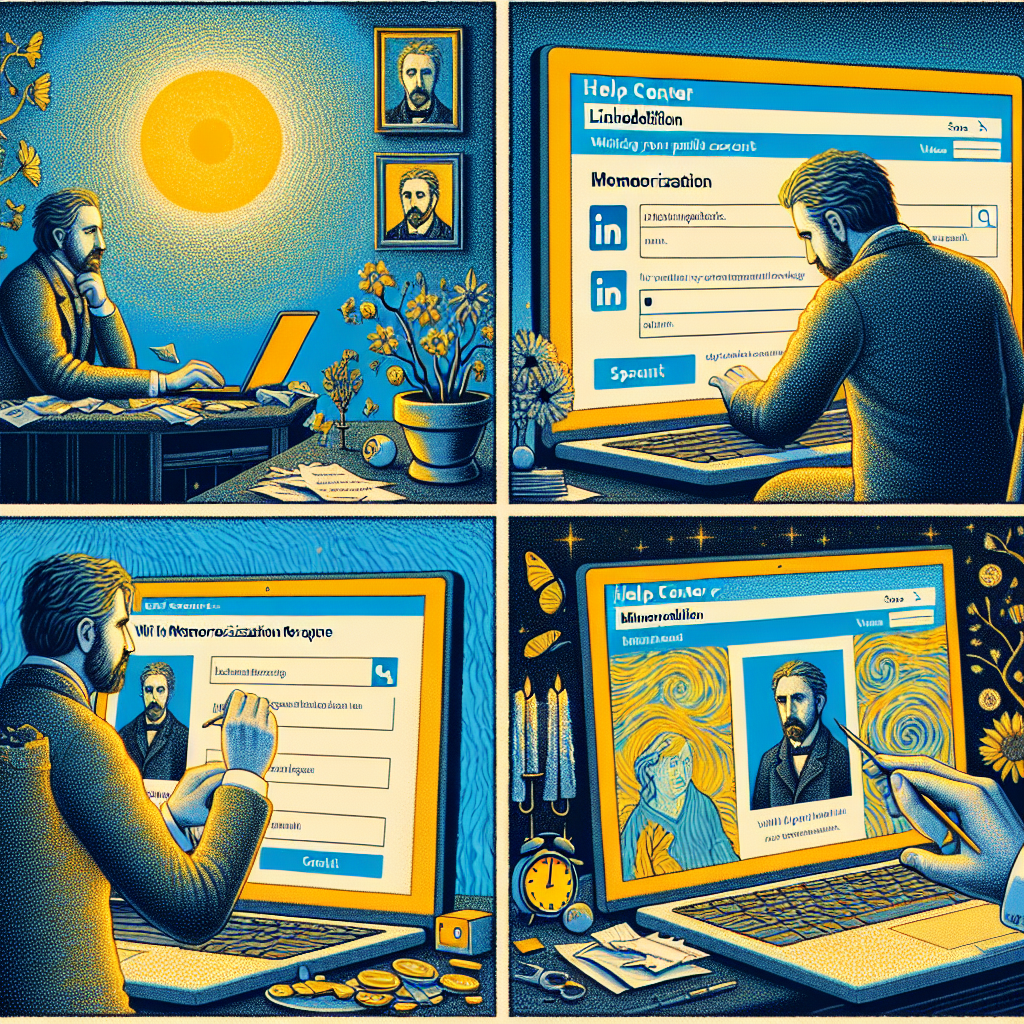
How Can I Request To Memorialize A LinkedIn Account?
When it comes to memorializing a LinkedIn account, you’re treading in a sensitive space—one that requires a careful touch and a clear understanding of the platform’s policies. So, let’s break this down step by step, much like tackling a gritty job you never thought you’d do.
First off, it’s crucial to understand what memorialization entails. In essence, it transforms a profile into a tribute of sorts, allowing the individual’s network to celebrate their career achievements while preserving their digital footprint. It’s like keeping a toolbox on the wall not just for decoration but as a reminder of the diligent work that was done. This process is about respect and remembrance.
Step One: Gather Your Information
Before you make your request, ensure you have all the necessary information at hand. You’ll need the full name of the individual whose account you wish to memorialize, along with their email address tied to the LinkedIn account. If you’re not the account holder, having proof of your relationship—like a personal connection or an obituary—can help strengthen your case. This isn’t a request you can make on a whim or with half-hearted details; you need to be prepared.
Step Two: Access the Help Center
Next, head over to LinkedIn’s Help Center—think of it as a toolbox designed for users to fix their tech-related issues. Search for “memorializing an account” to find detailed guidance. LinkedIn is pretty straightforward, so you’ll uncover their formal policy regarding this somber yet necessary task.
Step Three: Fill Out the Form
Once you’ve familiarized yourself with their guidelines, it’s time to fill out the memorialization request form. This is a critical point—be honest and thorough in your explanations. You want LinkedIn to understand the significance of this request, so avoid skimming over details. Precision and clarity will go a long way, like following the right procedures in a repair manual.
Step Four: Be Patient
After hitting submit, it’s a waiting game. Just like waiting for paint to dry or a tool to cool off after repairs, LinkedIn will review your request. Don’t expect immediate results; good things take time, especially when they involve honoring someone’s legacy.
Memorializing a LinkedIn account is about more than just clicks and forms; it’s a meaningful step in preserving a person’s professional narrative, ensuring that their contributions and connections live on. Approach it thoughtfully, and you’ll navigate this task with the respect it deserves.
How Can I Request To Memorialize A LinkedIn Account?
How Can I Request To Memorialize A LinkedIn Account?
- Memorializing a LinkedIn account transforms a profile into a tribute, preserving the individual’s achievements and digital footprint.
- Gather necessary information before requesting: full name, email address, and proof of relationship if not the account holder.
- Access LinkedIn’s Help Center and search for “memorializing an account” to find guidance and formal policies.
- Fill out the memorialization request form with honesty and clarity, emphasizing the significance of the request.
- After submission, be patient as LinkedIn reviews your request; expect delays as honoring a legacy takes time.
- The process is a meaningful step in preserving a person’s professional narrative and contributions.
- Approach the task thoughtfully to navigate it with the respect it deserves.

How Can I Request To Memorialize A LinkedIn Account?
What Information Do I Need To Provide For Memorialization?
When it comes to memorializing a loved one, the task can feel as daunting as trying to navigate a maze blindfolded. But fear not; the process doesn’t have to be a ghostly ordeal. It’s about honoring the life of someone who mattered to you, and a little preparation goes a long way in ensuring that their memory is celebrated as they would have wished. So, grab a notepad, and let’s break down the essentials.
First off, you’ll want to compile the basics: full name, date of birth, and date of passing. This might sound simple, but it’s the foundation upon which everything else is built. Having these details at the ready saves time and keeps things moving smoothly. Trust me, no one wants to fumble with paperwork in a time when emotions are running high, so getting this info locked down upfront is crucial.
Next up, consider any personal anecdotes or stories that encapsulate who your loved one was. Were they known for that infectious laugh? Did they have a knack for gardening or fixing just about anything? Jotting down these quirks and characteristics can provide a more holistic picture of their personality and legacy. After all, a memorial isn’t just a stone and some words—it’s a representation of a life well-lived.
You’ll also want to think about their military service or notable achievements. If they served in the armed forces or made significant contributions to their community, these aspects deserve to be highlighted. People should know about the doctor who healed others or the teacher who inspired the next generation. These details add depth and context to the memorial, allowing others to appreciate the life that was led.
Another important factor to consider is the wishes of the deceased. Did they have any specific preferences for their memorial service? From the type of ceremony to the music played, honoring their wishes can be a comforting aspect of the planning process. If they left behind any written guidance, make sure to include that in your planning conversations.
Finally, if you’re contemplating a particular location or type of memorial—be it a traditional burial, a scattering of ashes, or a celebratory gathering—be prepared to articulate those ideas. Each of these choices reflects a piece of who that person was in life, and having a clear vision can make the entire experience feel more personal and meaningful.
Memorialization is an opportunity—it’s your chance to celebrate a unique life and give others a glimpse into the soul of someone you loved deeply. So, gather your thoughts, embrace the memories, and remember: every detail matters.

What Information Do I Need To Provide For Memorialization?
What Information Do I Need To Provide For Memorialization?
- Compile essential details: full name, date of birth, and date of passing for the memorialization.
- Collect personal anecdotes and stories that showcase the loved one’s personality and legacy.
- Highlight any military service or notable achievements that reflect the individual’s contributions.
- Consider the wishes of the deceased regarding their memorial service preferences.
- Explore types of memorials, such as traditional burials, scattering ashes, or celebratory gatherings.
- Use memorialization as an opportunity to celebrate a unique life and share it with others.
- Remember that every detail matters in creating a meaningful representation of the loved one.

What Information Do I Need To Provide For Memorialization?
Is It Possible To Reactivate A Memorialized LinkedIn Account?
So, you’ve found yourself in the unfortunate position of having a LinkedIn account that’s been memorialized. Maybe it’s a result of a sudden career change, or perhaps you just made a less-than-stellar decision when it came to your online presence. Whatever the case, you’re not alone. Plenty of folks wonder if it’s even possible to reactivate those dormant professional profiles once LinkedIn decides to hit the pause button—after all, LinkedIn isn’t just a digital rolodex; it’s a pathway to new opportunities, connections, and growth.
First things first, let’s get this out of the way: LinkedIn’s memorialization process is akin to putting a “Do Not Disturb” sign on your account. You’re no longer just another profile in the vast sea of professionals; your account has been treated with the utmost respect, much like a faded photo lining the walls of an old business. This action typically occurs due to inactivity, prolonged absence, or even a wrongturn on the digital highway.
Now, the real question arises: Can you bring that profile back to life? If you find yourself yearning for your account to resurface from its digital grave, the answer, in most cases, is a resounding “maybe.” Depending on the reason for the memorialization, the path to reactivation may vary. If you’ve been memorialized due to inactivity, reaching out to LinkedIn’s customer support is usually the first logical step. Explain your situation concisely, and who knows? You might just get a friendly support agent willing to bring your profile back from the brink.
However, if your account was memorialized for reasons involving policy violations or something a tad more serious, things get a bit more complicated—and maybe a bit more daunting. In such cases, it’s crucial to closely read any communications from LinkedIn. Appeal processes exist, but it’s essential to understand that they’re not always foolproof.
Lastly, ensure that you re-engage actively with your account once it’s reactivated. Start posting relevant content, connect with your peers, and rebuild your professional network. After all, it’s not just about having a pulse; it’s about breathing new life into your LinkedIn presence. So, if you’re determined to get that account back, approach the process with a little grit, some patience, and a dash of hope—because in the world of LinkedIn, every profile deserves a chance at a comeback.

Is It Possible To Reactivate A Memorialized LinkedIn Account?
Is It Possible To Reactivate A Memorialized LinkedIn Account?
- LinkedIn accounts can be memorialized due to inactivity or other reasons, resulting in limited access.
- This process is similar to a “Do Not Disturb” sign, indicating respect for the account’s status.
- Reactivating a memorialized account is possible, but depends on the reason for its memorialization.
- If memorialized due to inactivity, contacting LinkedIn’s customer support is recommended for potential reactivation.
- For policy violations or serious issues, understanding LinkedIn’s communications and the appeal process is crucial.
- After reactivation, active engagement on the platform is essential to rebuild your professional network.
- Approach the reactivation process with patience, determination, and hope for a successful comeback.

Is It Possible To Reactivate A Memorialized LinkedIn Account?
How Long Does The Memorialization Process Take On LinkedIn?
When it comes to memorializing a LinkedIn profile, you’re navigating a rather sensitive digital space—a space where personal and professional lives intertwine in a web of connections, recommendations, and memories. The process of memorialization is designed to honor a user’s professional legacy while allowing their connections to remember and celebrate their life once they’ve passed. But how long does this process actually take? Well, like many things in life, it’s not an exact science.
First off, it helps to understand that LinkedIn takes this task seriously. When a request for memorialization is filed—typically initiated by a family member, colleague, or trusted contact—LinkedIn goes through a careful review process. They need to verify the information provided to ensure it’s not just a casual request. You see, this isn’t just a feature of the platform; it’s a compassionate step designed to safeguard the legacy of the person who is no longer with us.
Typically, the memorialization process can take anywhere from a few days to a couple of weeks. This range depends largely on how busy LinkedIn’s team is at the time and the completeness of the information provided in the request. If all necessary documentation is in order and the team isn’t swamped, you might just find favorable results in under a week. On the flip side, if LinkedIn requests additional information or clarification, you can expect that timeline to stretch a bit longer.
But let’s not forget the emotional toll this process can have on those left behind. While digital profiles may run on data, the people involved are very much real. The act of memorializing a LinkedIn profile is often intertwined with grief, nostalgia, and a celebration of a life well-lived. It’s a chance for colleagues and friends to reconnect as they share stories and express condolences, grounding the digital experience in the warmth of human connection.
Remember, once the memorialization is complete, the profile transforms. No longer can it be edited or changed by anyone, which codifies the individual’s professional persona in a delicate, enduring state. Connections may still engage, share memories, and even leave messages, reminding us that while a life may have ended, its impact continues far beyond the confines of a virtual plate.
So there you have it. The memorialization process on LinkedIn honors the legacy of the deceased with the care and attention it deserves, taking anywhere from a few days to a couple of weeks, all while allowing the living to pause, reflect, and celebrate the journey of a life well-lived.

How Long Does The Memorialization Process Take On LinkedIn?
How Long Does The Memorialization Process Take On LinkedIn?
- The memorialization process on LinkedIn is a sensitive task honoring a user’s professional legacy.
- Requests for memorialization are typically initiated by family members, colleagues, or trusted contacts.
- LinkedIn conducts a careful review of the request to verify the information provided.
- The process usually takes from a few days to a couple of weeks, depending on workload and information completeness.
- Emotional factors such as grief and nostalgia influence the experience of those left behind.
- Once memorialized, a profile can no longer be edited, solidifying the individual’s professional persona.
- The process allows connections to share memories, express condolences, and celebrate the deceased’s impact.

How Long Does The Memorialization Process Take On LinkedIn?
Will A Memorialized Account Still Appear In Search Results?
Navigating the digital landscape after losing a loved one can feel like wandering through a thick fog. One minute, everything seems familiar; the next, you’re unsure of where to turn or what to expect. When a social media profile is memorialized, it brings with it a distinct set of questions, not least of which is whether that account will still show up in search results.
First things first: when an account is memorialized, it transitions from a living, breathing entity into a respectful tribute—a digital representation of someone’s journey and story. The platform’s purpose in memorializing an account is twofold: it allows friends and family to commemorate the individual’s life while providing privacy and a sense of dignity to those left behind.
So, will the memorialized account pop up when someone conducts a search? The short answer is yes, but with some caveats. Memorialized accounts generally remain visible on the platform, making it possible for others to seek out that memory. Whether it’s friends reminiscing or new people discovering a shared connection, the account essentially serves as a shrine within the vast expanse of social media.
However, it’s important to understand how privacy settings change upon memorialization. While the account remains visible to the public or friends, depending on their previous privacy settings, users searching for it might not find it as easily as before—after all, this is about commemorating a life, not thrusting it into the spotlight. If the page was private prior to memorialization, only accepted friends can view it. Meanwhile, search engines might index these accounts differently than active ones, occasionally limiting their visibility online.
The goal of memorializing accounts is to ensure that the digital memories of our loved ones remain accessible yet respected. The search results for these accounts won’t be as immediately prevalent or prominent as those of living profiles, but that doesn’t mean they are lost in the ether. They exist in that special digital nook, waiting for those who wish to remember, share, and celebrate their lives.
So, while the world continues to move forward, those cherished memories still linger online, a testament to a life well-lived, offering solace to those who seek connection amidst the loss. In this fast-paced digital age, memorial accounts serve as reminders that even in the virtual sphere, some things are meant to endure.

Will A Memorialized Account Still Appear In Search Results?
Will A Memorialized Account Still Appear In Search Results?
- Memorialized accounts represent a person’s journey and story as a digital tribute.
- They allow friends and family to commemorate the individual’s life while ensuring privacy and dignity.
- Memorialized accounts generally remain visible on social media platforms.
- Search results for memorialized accounts may include them, but visibility may vary due to privacy settings.
- If the account was private before memorialization, only accepted friends can view it.
- Search engines may index memorialized accounts differently, potentially limiting their online visibility.
- These accounts serve as enduring digital memories, providing solace to those seeking connection with their lost loved ones.

Will A Memorialized Account Still Appear In Search Results?
Can I Edit The Profile Of A Memorialized LinkedIn Account?
When it comes to LinkedIn, the social platform designed for professional networking, you might find yourself in a delicate position if a colleague, friend, or family member passes away. A memorialized account is LinkedIn’s way of paying tribute to those who have departed, preserving their digital footprint while also respecting the solemnity of their absence. But that’s where the lines get a bit blurry. Can you, or should you, edit the profile of a memorialized account?
The short answer? No, you can’t just waltz in and make changes like flipping through a photo album. Once an account is memorialized, LinkedIn locks down the profile to protect the integrity of the deceased’s information and to honor their legacy. In essence, it’s a way for the platform to ensure that memories remain intact, free from the wear and tear of social media whims. After all, a professional profile isn’t just a digital rolodex; it’s a snapshot of a person’s career, their aspirations, and the connections they fostered throughout their life.
However, there is a crucial aspect to this situation you might want to pay attention to. If you are a close friend or family member, you can reach out to LinkedIn with requests related to the account. This doesn’t mean you can start rewriting history, but you can report the account for other actions—like removing it or closing it altogether. The folks at LinkedIn understand that this isn’t just another technical formality; they know that the death of a person leaves a space that can be filled with emotions, memories, and sometimes, unresolved matters.
If you find yourself in this position, take a moment to reflect. Think about what that person would have wanted. Would they have wanted their legacy to remain untouched, a tribute to their professional life? Or would they have cherished the memory being led by those who cherished them? It’s a sensitive navigational process and one that should be approached with utmost respect.
While you can’t tinker with the details on a memorialized LinkedIn account, you can certainly engage with it emotionally—remembering, honoring, and keeping their memory alive through stories shared and friendships rekindled. After all, that’s really what connects us in the professional world: the humanity behind the resumes.

Can I Edit The Profile Of A Memorialized LinkedIn Account?
Can I Edit The Profile Of A Memorialized LinkedIn Account?
- A memorialized LinkedIn account honors deceased individuals and preserves their professional legacy.
- Once an account is memorialized, editing the profile is not permitted to maintain the integrity of the information.
- Memorialized accounts serve as a tribute, protecting memories from social media changes.
- Close friends or family can contact LinkedIn for specific requests related to the account, like closure or removal.
- This process is sensitive and should be approached with respect and reflection on the deceased’s wishes.
- While edits can’t be made, emotional engagement is encouraged through stories and shared memories.
- The humanity behind professional connections matters, emphasizing the personal impact of relationships.

Can I Edit The Profile Of A Memorialized LinkedIn Account?
What Is The Significance Of Memorializing A LinkedIn Account?
In today’s digital age, online identities hold a profound significance. Think about it: your online professional persona transcends mere employment history and skill sets. It’s a curated representation of your journey, intertwined with connections, achievements, and aspirations. So, what happens when the unthinkable occurs—when that life’s journey comes to a sudden halt? This is where the concept of memorializing a LinkedIn account enters the conversation.
Memorializing a LinkedIn account is more than a digital formalism; it’s a respectful acknowledgment of a person’s professional legacy. It’s about preserving the essence of who they were in their career, showcasing their accomplishments, and honoring the relationships they built. When someone passes, their LinkedIn profile serves as a digital monument, providing a space for colleagues and friends to reflect on what that individual contributed to their industry and community.
But it’s not just an idle tribute. In a world increasingly defined by connectivity, a memorialized account acts as a conduit for ongoing relationships. It allows former colleagues, clients, and even students to pay their respects, to share memories, and to celebrate the achievements of a life fully lived. Through this remembrance, we ensure that their influence doesn’t just flicker out like an old lightbulb but continues to radiate in the professional spheres they once graced.
Memorializing also serves practical purposes. It allows others to connect with a legacy, to gain insights from the person’s professional journey, or perhaps even to find inspiration in their career choices. By turning the account into a memorial, LinkedIn transforms into a vault of wisdom, offering lessons not only in skills and experiences but in resilience, integrity, and passion for one’s work.
Moreover, this act is a reminder for the rest of us to be proactive about our own digital footprints. Life is unpredictable, and while we hope for longevity, it’s crucial to think about what we leave behind. Memorialized accounts prompt us to consider how our professional legacy might be viewed by future generations. How will our career paths and achievements be remembered? What impact did we truly have?
In essence, memorializing a LinkedIn account serves as a powerful, poignant reminder that behind every profile is a story waiting to be told—one that deserves to endure. It reinforces the notion that in our professional lives, we are all connected, and that connection matters, even when we’re no longer here to nurture it ourselves.

What Is The Significance Of Memorializing A LinkedIn Account?
What Is The Significance Of Memorializing A LinkedIn Account?
- Online identities represent more than just employment history; they reflect a person’s professional journey.
- Memorializing a LinkedIn account acknowledges and honors a person’s professional legacy after their passing.
- A memorialized profile serves as a digital monument for colleagues and friends to reflect on the individual’s contributions.
- It allows ongoing connections, enabling others to share memories and celebrate the achievements of the deceased.
- Memorialized accounts provide practical insights into the individual’s professional journey and inspire others.
- The act of memorializing prompts individuals to reflect on their own digital footprints and professional legacies.
- Ultimately, it reinforces the idea that every professional story deserves to be remembered and celebrated.

What Is The Significance Of Memorializing A LinkedIn Account?
How Does Memorialization Affect Job Postings And Recommendations?
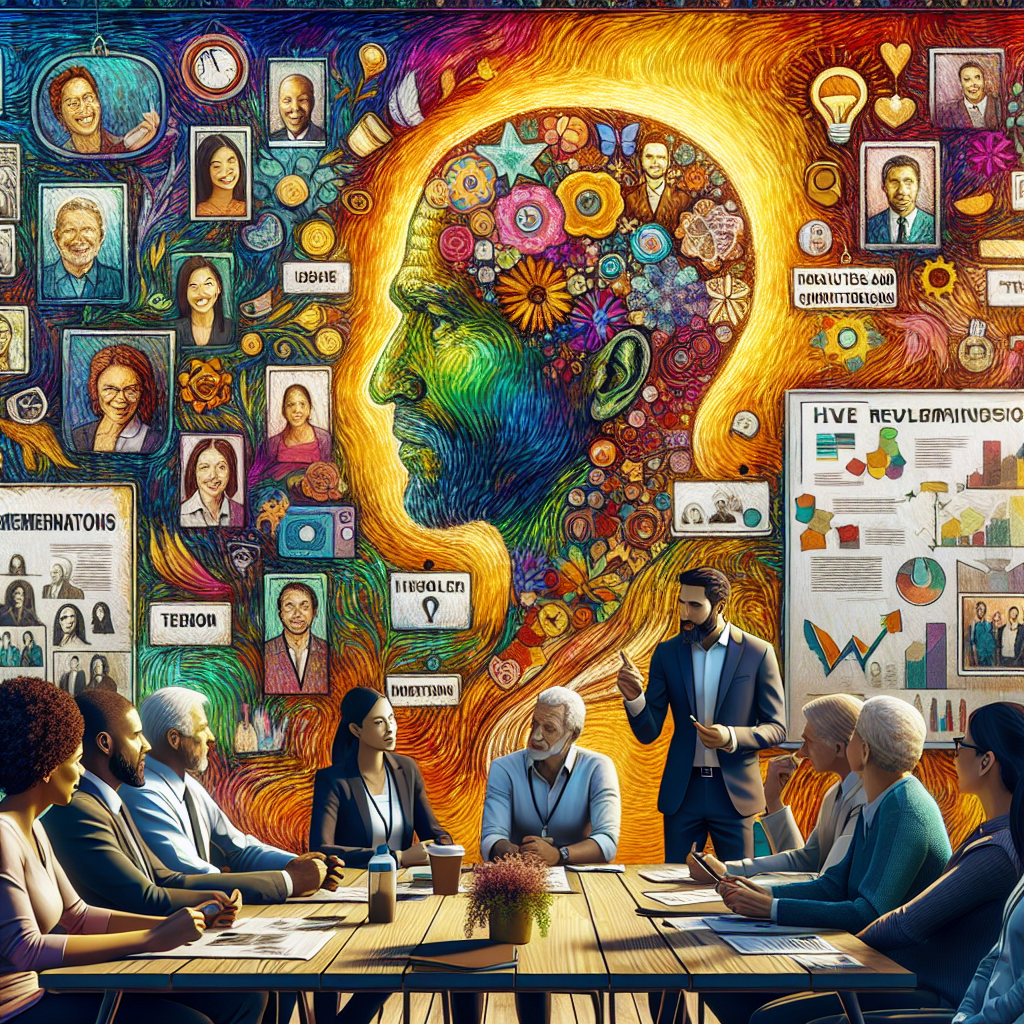
Memorialization—it’s a hefty word that often gets tossed around in discussions about life, loss, and legacy. But in the world of work, particularly when it comes to job postings and recommendations, it takes on a different meaning. To put it plainly, memorialization in the workplace relates to how the memories of valued colleagues shape how businesses operate long after they’ve moved on. This impact ripples into job postings and recommendations, creating a culture that can either thrive or flounder.
Take a moment to think about the last time you saw a job posting filled with flowery language, endless perks, and a few obligatory lines about “valuing our people.” More often than not, those postings reflect the hallmarks of a company culture that honors the contributions of its past employees. When a former team member is memorialized for their hard work and dedication—remembered fondly in meetings or mentioned in a heartfelt recommendation—it sets a standard. New postings will naturally reflect that culture, aiming to attract candidates who can carry that torch forward.
But what happens when a company glosses over the legacies of its predecessors? The job postings become transactional. They lack the soul—the human element that creates a deeper connection with potential applicants. This is akin to walking into a diner that had glorious burgers in their heyday but now serves reheated meals lacking their former flair. Employees want to join a place with character, and when the memories of great work and great workers are enshrined in that culture, it resonates in the job postings.
Moreover, recommendations play an essential role in this equation, connecting the dots between past and present. When workers share their experiences of former colleagues, they don’t just pass along skills and accolades—they craft a narrative. That narrative helps future generations understand the ethos of a company, creating a familial bond across the teams. “You know, Barry used to say…,” becomes a powerful tool in shaping the values that define a workspace.
So, whether it’s through a job title or a heartfelt recommendation, memorialization underscores the vitality of remembering our roots. It’s about honoring the past while inviting new talents to join a thriving tapestry woven from the threads of what made the company great in the first place. Next time you’re drafting a job posting, ask yourself: Are we preserving our history, or merely offering a transaction? In that answer lies the future.

How Does Memorialization Affect Job Postings And Recommendations?
How Does Memorialization Affect Job Postings And Recommendations?
- Memorialization in the workplace refers to how the memories of valued colleagues influence business operations after they’ve left.
- Job postings reflect company culture, often characterized by how past employees are honored and remembered.
- Memorializing former team members sets a standard, influencing future job postings to attract like-minded candidates.
- Neglecting the legacies of predecessors can result in transactional job postings that lack personal connection.
- Recommendations create narratives that link past and present employees, fostering a sense of community and ethos.
- Honoring the past through memorialization helps attract new talent, enriching the company culture.
- When drafting job postings, consider the importance of preserving company history versus simply offering a transaction.
How Does Memorialization Affect Job Postings And Recommendations?
Conclusion
As we wrap up this exploration of memorializing a LinkedIn account, let’s take a moment to acknowledge just how entwined our digital lives are with our personal stories. Losing a loved one is never easy, and navigating their online legacy can feel like a daunting task. However, memorializing their LinkedIn account is more than just a technical formality; it’s a genuine tribute to the life they led and the contributions they made. Think of it as creating a digital shrine, a place where their professional endeavors can be honored by those who knew, worked with, or benefitted from their influence.
This process invites reflection and camaraderie. It opens the door for friends and colleagues to gather, share anecdotes, and celebrate the achievements of someone who left a significant mark on their lives. Much like a toolbox reminding you of past projects, a memorialized LinkedIn account stands as a testament to a career filled with dedication and hard work.
As you dive into the practical steps—gathering necessary documentation, navigating LinkedIn’s Help Center, and patiently awaiting the memorialization process—you’re also participating in an important ritual of remembrance. It’s a chance to boldly say, “This life mattered, and here are the ways that it rippled through the world.”
After taking the formal steps, it’s essential to invite others into this space. Sharing memories and rekindling connections not only honors the individual but nurtures the relationships they built. While the account transitions into a permanent tribute, it shouldn’t be a silent monument. It deserves to be a lively canvas where stories continue to be told—a place where the impacts of one life are both celebrated and cherished.
And remember, memorializing a LinkedIn account serves a dual purpose: it preserves a professional narrative while also challenging all of us to reflect on our digital footprints. Life is unpredictable, and thinking about how we want to be remembered online adds a layer of contemplation to our daily hustle.
So, the next time you’re managing your digital legacy, whether it’s your own or someone else’s, remember that every click is a chance to honor a life well-lived. In the end, it’s the stories and connections we foster that matter most, encompassing a journey that echoes long after the final login.

Conclusion
Conclusion:
- Memorializing a LinkedIn account intertwines digital lives with personal stories.
- Losing a loved one complicates the task of managing their online legacy.
- Memorializing is a tribute to the individual’s life and professional contributions.
- The process encourages reflection and sharing among friends and colleagues.
- A memorialized LinkedIn account serves as a testament to one’s career and achievements.
- Inviting others to share memories nurtures relationships while honoring the individual.
- Memorialization prompts reflection on our own digital footprints and legacy.

Conclusion
Other Resources

Other Resources
Here is a list of other resources you can review online to learn more:
- “Memorialize or close the account of a deceased member”
- “Deceased LinkedIn member | LinkedIn Help”
- “How To Manage Your Digital Accounts After Your Death”

Other Resources
Glossary Terms
How to Memorialize a LinkedIn Account? – Glossary Of Terms
1. Memorialization: The process of converting a live LinkedIn account into a memorialized state following the user’s death, preserving the profile for remembrance.
2. Account Holder: The individual who owns and manages the LinkedIn account prior to memorialization.
3. Profile: The collection of information, including experiences, skills, and endorsements, presented on a LinkedIn account.
4. Connection: A professional relationship established between two LinkedIn users, allowing for networking and communication.
5. Legacy Contact: A designated person who can manage and oversee the memorialized account on behalf of the deceased user.
6. Tribute: A post or message that honors or remembers the deceased individual, often left by colleagues or connections on the memorialized profile.
7. Privacy Settings: Options within LinkedIn allowing the user to control who sees their information; settings may need adjustment following memorialization.
8. Memorialized Account: A LinkedIn profile that has been converted to a state that prevents further edits but preserves the content for viewing.
9. Notification: A message communicated to LinkedIn contacts about the user’s passing, typically included in memorialization requests.
10. Verification: The process of confirming the user’s death, often required by LinkedIn to proceed with memorialization.
11. Account Closure: The process of permanently deleting a LinkedIn account upon the request of the deceased user’s family.
12. Profile View: The act of visiting a LinkedIn profile to engage with the memorialized content, allowing others to reminisce.
13. Endorsements: Recognitions of skills provided by connections, which remain visible on a memorialized profile.
14. Commemoration: An act of remembering and honoring the deceased, often reflected in messages left on their profile.
15. Tribute Page: A webpage dedicated to honoring the life and accomplishments of the deceased individual, linked to their memorialized account.
16. Data Retention: The policy regarding how long LinkedIn keeps user data after the account has been memorialized.
17. User Agreement: The terms and conditions governing LinkedIn usage, including the process for memorializing accounts following death.
18. LinkedIn InMail: A private messaging feature allowing users to communicate directly, which is disabled on memorialized accounts.
19. Professional Network: The collective group of connections on LinkedIn, which remains accessible even after a profile is memorialized.
20. Profile Settings: The options available to customize the display and privacy of a user’s LinkedIn profile.
21. Healing Process: The emotional journey taken by friends and family after the death of an individual, which can be aided by memorialized accounts.
22. User Experience: The feelings and interactions of users when visiting a memorialized account and engaging with the content.
23. Profile Acknowledgment: A public display of respect, such as likes and comments, directed towards the deceased’s profile after memorialization.
24. Legacy Visibility: The extent to which the contributions and professional achievements of the deceased person remain visible on LinkedIn.
25. Contextual Posting: The practice of sharing memories or achievements related to the deceased’s professional life on their memorialized profile.
26. Social Media Ethics: The moral principles governing actions taken on social platforms, especially concerning respect for the deceased.
27. Emotional Closure: The psychological resolution experienced by family and friends as they honor and remember the deceased through their online presence.
28. Account Retrieval: The process through which family members can access memorialized accounts for closure or to gather information.
29. Support Network: The community of connections and friends who provide emotional support to family members after the loss.
30. LinkedIn Community Guidelines: The rules set forth by LinkedIn regarding user behavior and the treatment of accounts post-mortem.

Glossary Of Terms
Other Questions
How to Memorialize a LinkedIn Account? – Other Questions
If you wish to explore and discover more, consider looking for answers to these questions:
- What steps can I take to ensure a smooth memorialization process for a LinkedIn account?
- Can I memorialize a LinkedIn account if I am not a direct relative?
- What happens to the connections of a memorialized LinkedIn account?
- Are there any restrictions on who can view a memorialized LinkedIn account?
- What types of information can I share on a memorialized LinkedIn account?
- How should I communicate about a memorialized LinkedIn account to colleagues and friends?
- Is it possible to add new connections to a memorialized LinkedIn account?
- Can I leave messages or condolences on a memorialized LinkedIn account?
- What happens to the content of the memorialized account after the memorialization process?
- How long do I have to wait for LinkedIn to complete the memorialization process?

Other Questions
Haiku
How to Memorialize a LinkedIn Account? – A Haiku
In memory we pause,
Digital echoes linger,
Life’s tale etched in links.

Haiku
Poem
How to Memorialize a LinkedIn Account? – A Poem
In the realm where connections thrive,
A soul departs, yet memories survive.
LinkedIn’s tapestry, woven so tight,
Now seeks to honor one shining light.
A journey chronicled in skills and roles,
Their legacy lingered, echoing souls.
To memorialize is to cherish the past,
A digital resting place, a tribute steadfast.
Gather the papers, a death certificate’s call,
For LinkedIn respects those who’ve known it all.
Step into the Help Center, where guidance stands clear,
To navigate this path with reverence and care.
Fill out the forms with heartfelt prose,
Precision and clarity; let your love expose.
As days turn to weeks in this solemn wait,
The profile transforms, sealed by fate.
A shrine for the stories, connections still bloom,
Friends visit to share, dispelling the gloom.
In this sacred space, the legacy thrives,
With laughter and gratitude, their spirit survives.
Yet remember, dear steward, the boundaries drawn,
Editing locked, but warmth is reborn.
Remember the quirks, the joys they bestowed,
In the tales that unite us, their essence flowed.
A nod to the past as new roots take hold,
In job postings and letters, their memories told.
They live on in us, through heart and through deed,
As we weave their legacy into our own seed.
In this digital age where the world feels so vast,
Honor the journey, let the connections last.
For even when shadows blend with the light,
The stories of lives will continue to write.

Poem
Checklist
How to Memorialize a LinkedIn Account? – A Checklist
Preparing for Memorialization
1. Reflect on the Importance of Memorialization
_____ Understand that memorializing honors the memory and legacy of the individual.
2. Gather Necessary Documentation
_____ Obtain a copy of the death certificate or obituary.
_____ Prepare the full name and email address tied to the LinkedIn account.
Initiating the Memorialization Process
3. Access LinkedIn’s Help Center
_____ Navigate to LinkedIn’s Help Center and search for “memorializing an account”.
4. Complete the Memorialization Request Form
_____ Fill out the form with accurate and thorough information.
_____ Include the specific reasons for the memorialization.
5. Submit Your Request and Be Patient
_____ Understand that the review process may take a few days to a couple of weeks.
After Memorialization
6. Encourage Sharing of Memories
_____ Invite friends and colleagues to visit the memorialized account and share their reflections.
7. Understand Search Visibility
_____ Acknowledge that memorialized accounts may still appear in search results but visibility might be limited based on prior privacy settings.
8. Respect Editing Restrictions
_____ Remember that you cannot edit the memorialized account; its integrity and content are preserved.
Additional Considerations
9. Consider the Wishes of the Deceased
_____ Reflect on any specific memorial wishes the person may have left behind.
10. Create a Personal Tribute
_____ Jot down personal anecdotes, achievements, and military service that could be shared as memories of the individual.
Final Thoughts
11. Engage with the Memorialized Account
_____ Keep their memory alive through stories, recollections, and conversations with others who knew them.
12. Reflect on Your Own Digital Legacy
_____ Think about your digital footprint and the impact it might have on others in the future.
This checklist can be utilized as a guiding tool for family members or friends who are looking to honor the legacy of a loved one through the formal memorialization of their LinkedIn account.

Checklist
At LegacyExplorations, we help people plan and explore their legacy by collecting information and news regarding end-of-life planning.
Please share this post with your friends, family, or business associates who may want help to plan or explore their legacy.