

Preserving Memories: The Ultimate Guide
By Tom Seest
At LegacyExplorations, we help people plan and explore their legacy by collecting information and news regarding end-of-life planning.
Please share this post with your friends, family, or business associates who may want help to plan or explore their legacy.
How to Memorialize an Instagram Account?
In the world of social media, where moments are captured and shared at the speed of light, losing someone can feel like having the rug pulled out from under us. It’s a harsh reality that many face, but amid the grief, there’s a chance to celebrate the life of a loved one through their digital presence. If you’ve found yourself in the unfortunate position of needing to memorialize an Instagram account, let’s walk through the steps, plain and simple.
First and foremost, it’s crucial to understand what memorializing an account really means. When you opt to memorialize an Instagram account, you’re essentially creating a space where friends, family, and admirers can come together to remember and honor the individual. It allows the account to remain as a digital living tribute, preserving memories in a way that feels both genuine and respectful.
To get started, you’ll need to be ready to jump into Instagram’s policies. Only an immediate family member or a close friend can request this change, so gather your thoughts and visit the Help Center on Instagram’s website for guidance. You’ll need to fill out a form, providing necessary information like the account holder’s username and proof of death, which could be an obituary or a news article. It may feel a bit technical, but don’t let it deter you—it’s a worthwhile task worth undertaking.
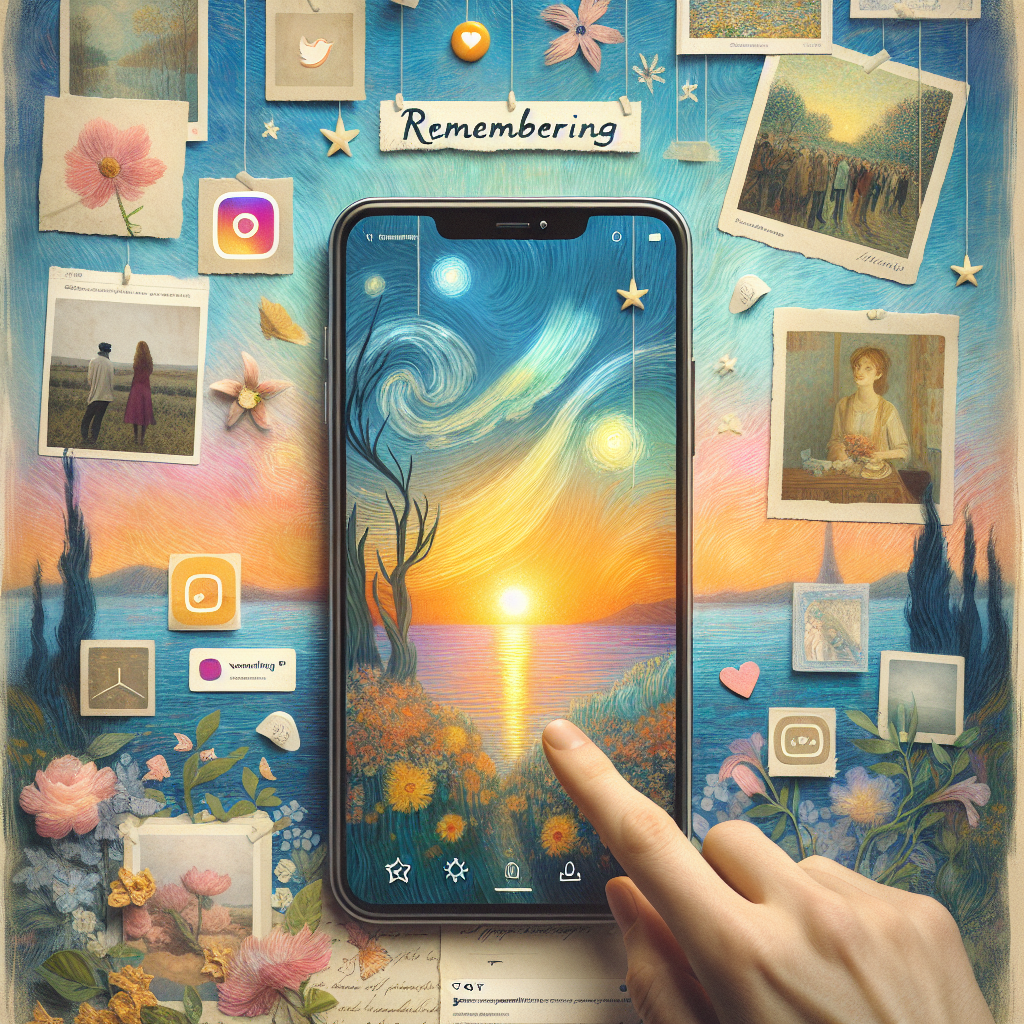
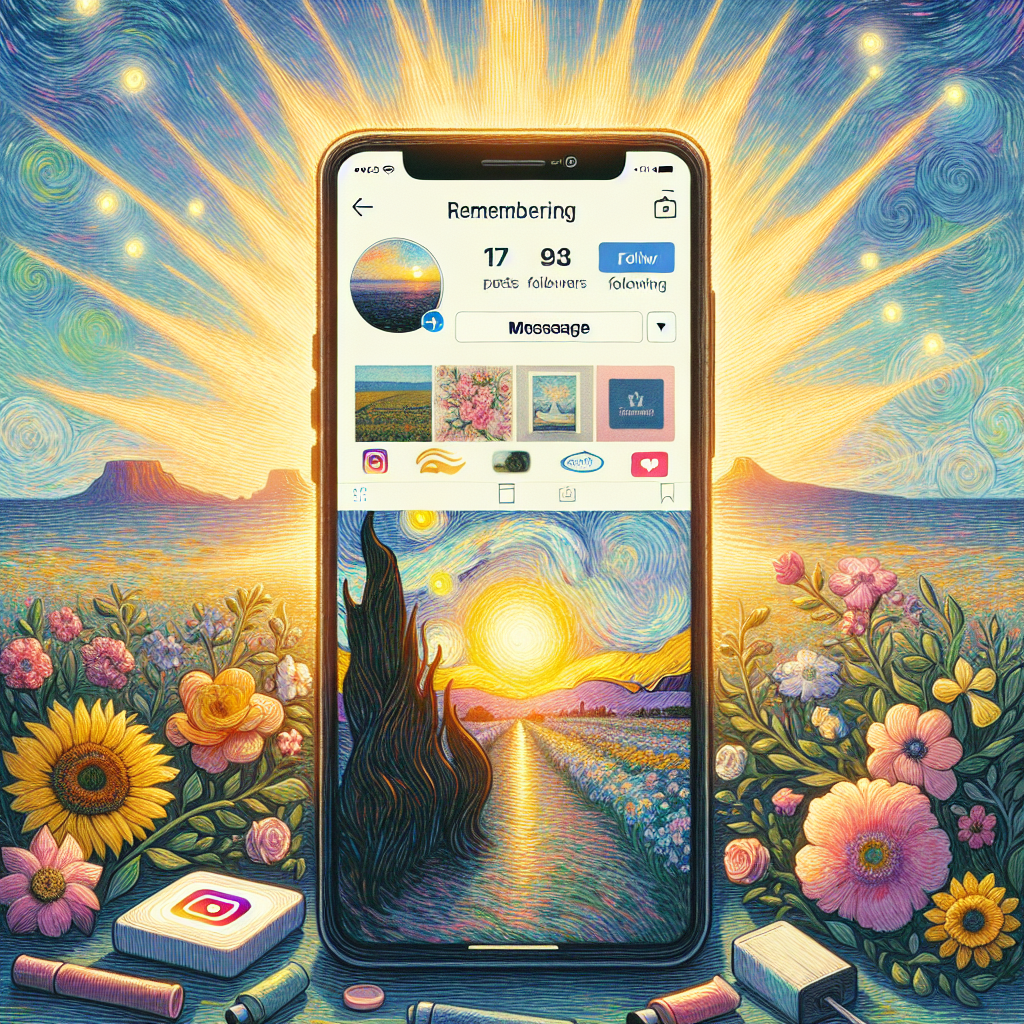
Once the account is memorialized, it undergoes some changes. For example, the word “Remembering” will tag the username, allowing visitors to recognize the account’s purpose. Certain features will be switched off, including the ability to log in or to edit the bio. Comments can remain active, providing friends an opportunity to share their memories. It’s a subtle reminder that while the physical presence may have vanished, the impact they made continues to echo digitally.
Also, consider turning on post notifications for the account. This way, you can stay connected to any interactions friends might have in the comments, ensuring the memory of your loved one lives on vibrant and alive in the hearts of those who knew them.
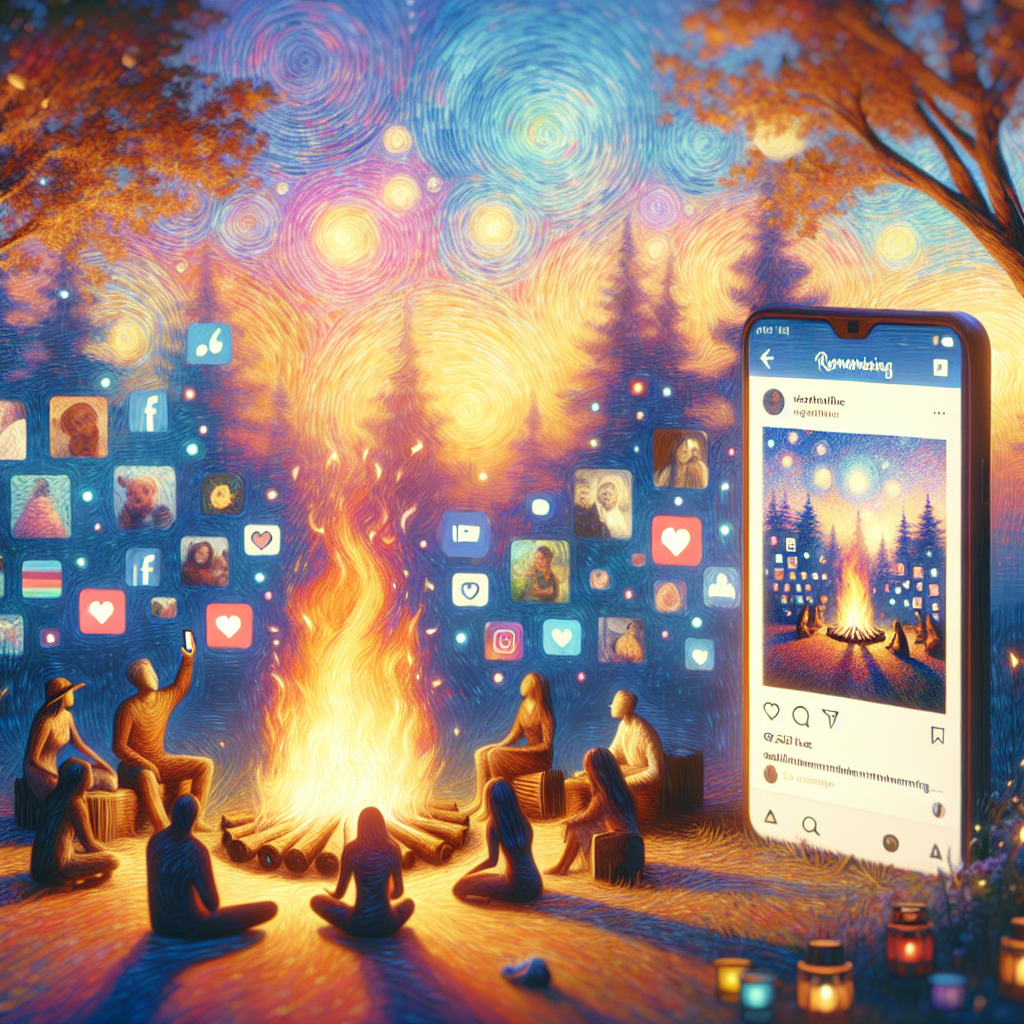
So, while it’s a bittersweet endeavor to memorialize an account, it’s also a meaningful one. It lets us gather around the digital campfire of memories and celebrate the good times, reminding us that love and connection endure, even beyond life itself. It’s about honoring a life well-lived, one snapshot at a time.
How to Memorialize an Instagram Account?
How to Memorialize an Instagram Account?
- Memorializing an Instagram account allows friends and family to celebrate and honor a loved one’s life through their digital presence.
- Only immediate family members or close friends can request the memorialization process on Instagram.
- To memorialize, visit Instagram’s Help Center and fill out a form with necessary information, including the account holder’s username and proof of death.
- Once memorialized, the account displays “Remembering” on the username and disables features like logging in and editing the bio.
- Comments remain active, enabling friends to share memories and reflections on the account.
- Turning on post notifications helps keep the memory alive by allowing you to stay connected with friend interactions on the account.
- Memorializing an account serves as a way to honor a life well-lived and maintain connections with loved ones digitally.
How to Memorialize an Instagram Account?
Table Of Contents
- How to Memorialize an Instagram Account?
- How Can I Memorialize An Instagram Account?
- What Documents Are Needed?
- Who Can Request The Memorialization?
- Can I Memorialize A Personal Or Business Account?
- What Happens To The Account After Memorialization?
- Is There A Way To Un-Memorialize An Account?
- How Does Instagram Determine Authenticity?
- Can Friends And Family Still See The Account?
- Are Comments And Posts Still Visible After Memorialization?
- How Long Does The Memorialization Process Take?
- Can I Change The Profile Picture Or Bio After Memorialization?
- How Can I Pay Tribute Using The Memorialized Account?
- Are There Any Restrictions On Memorialized Accounts?
- How Will My Privacy Be Affected After Memorialization?
- What Are The Emotional Benefits Of Memorializing An Account?
- Conclusion
- Other Resources
- Glossary Of Terms
- Other Questions
- Haiku
- Poem
- Checklist
How Can I Memorialize An Instagram Account?
There comes a time in life when we must come to terms with the bittersweet reality of loss. For many, social media platforms like Instagram serve as digital scrapbooks of our cherished memories, housing snapshots of laughter, joy, and everything in between. So, what happens to those precious accounts when the person behind them has passed? That’s where the concept of memorializing an Instagram account comes into play.
First off, what does it mean to memorialize an account? Simply put, it transforms the profile into a dedicated space for remembrance. It’s not just a button you click; it’s a thoughtful gesture that shows respect for the life once lived and the connections made. To start this process, a family member or someone close needs to provide proof of death, which might entail submitting documents like a death certificate. You’ll want to initiate contact through the Instagram Help Center, where you’ll be guided through the steps.
Once memorialized, the account remains visible to followers, which creates a virtual gathering place for friends and family to share memories. It essentially becomes a digital shrine, where users can leave comments, like past posts, and reflect on the moments that embody the spirit of the departed. This not only keeps their memory alive but also offers a sense of comfort in knowing that their legacy continues in the hearts of others.
However, it’s essential to remember that memorialized accounts can’t be altered. The profile picture, bio, and posts remain as they were. While this may feel limiting, think of it as preserving a snapshot in time—one that reflects who they were and the experiences they shared. There’s a beauty in that stillness, a reminder that life, in all its chaos, can also be beautifully serene.
For those who wish to take action beyond simply memorializing, consider sharing this information with loved ones. Encourage others to post stories or photos, keeping the joyous moments alive rather than dwelling solely on the absence. In this digital age, where connections can feel fleeting, a memorialized Instagram account serves as a tribute not just to the individual but to the rich tapestry of human experience.
So, while the world moves on, taking a moment to cherish and sprinkle those memories on an Instagram account can be a profound way to honor a life well-lived.

How Can I Memorialize An Instagram Account?
How Can I Memorialize An Instagram Account?
- Loss is a bittersweet reality, and social media can serve as a digital scrapbook for cherished memories.
- Memorializing an Instagram account transforms it into a dedicated space for remembrance.
- The process requires a family member or someone close to provide proof of death, such as a death certificate.
- Memorialized accounts remain visible, allowing friends and family to share memories and reflect on the departed.
- Once memorialized, accounts cannot be altered, preserving a snapshot in time that reflects the individual.
- Encouraging loved ones to share stories or photos can help keep joyful moments alive.
- Memorialized accounts offer a profound way to honor a life well-lived amidst a swiftly moving world.

How Can I Memorialize An Instagram Account?
What Documents Are Needed?
When it comes to navigating the labyrinth of paperwork required for various processes—be it securing a job, applying for a loan, or even just booking a flight—it can feel like you’re trying to solve a Rubik’s Cube blindfolded. But fear not! With a little preparation and the right attitude, you can tackle this daunting task head-on. So, let’s break it down in a way that’s as straightforward as a good old-fashioned handshake.
First, let’s talk identification. Whether you’re signing up for a new gig or heading to the DMV, a government-issued ID is non-negotiable. This typically means a driver’s license, passport, or some form of state ID. If you don’t have one of these bad boys yet, well, it might be time to make that trip to the photo shop—just remember, the last thing you want is a picture that looks like you’re auditioning for a horror film.
Next on the list is proof of residency or where you claim to hang your hat at night. This can usually be demonstrated with a utility bill, lease agreement, or bank statement that bears your name and address. Remember, whatever you provide should be up-to-date—nothing screams “I’m not organized” quite like a four-year-old electric bill.
Now, if we’re talking job applications or contracts, you’re going to want those professional references lined up. This isn’t a popularity contest; these are people who can vouch for your work ethic and character. Think of your references as a solid backup band—you don’t want a bunch of off-key soloists ready to crash the gig when it’s showtime.
Also, don’t forget any relevant certifications or educational diplomas that might give you a leg up. Completed a specialized trade school? Have a degree? Those documents can be crucial, especially in fields that value credentials. Keep them handy—you never know when you might need to prove you’ve got the chops.
Finally, depending on your journey, you may need financial documents like pay stubs, tax returns, or bank statements. If it feels like you’re handing over financial secrets, that’s just the way the game is played. Transparency is key.
So, gather those documents and get ready to roll up your sleeves. Sure, it can be tedious, but trust me—having your ducks in a row will save you a ton of headaches down the line. And who doesn’t want to streamline the process so they can get back to what really matters in life?

What Documents Are Needed?
What Documents Are Needed?
- Navigating paperwork for jobs, loans, and flights can feel overwhelming, but preparation simplifies the process.
- A government-issued ID (driver’s license, passport, or state ID) is essential for most applications.
- Proof of residency can be shown through utility bills, lease agreements, or bank statements with your name and current address.
- Professional references are important for job applications; choose credible individuals who can vouch for your work ethic.
- Relevant certifications and educational diplomas can enhance your application, especially in credential-focused fields.
- Be prepared to provide financial documents, like pay stubs and tax returns, as transparency is crucial.
- Gathering documents may be tedious, but being organized will save you time and stress in the long run.

What Documents Are Needed?
Who Can Request The Memorialization?
Memorialization—the act of honoring someone who has passed away by preserving their digital presence—may seem like a straightforward process, but navigating the maze of policies and protocols can feel a bit like trying to find your way through a foggy corn maze on a dark autumn night. So, who exactly has the authority to trigger this solemn yet necessary task?
To start, the immediate family members of the deceased are often the primary candidates for initiating the memorialization process. This includes the spouse, children, parents, or siblings of the departed. They bear a unique connection to the individual, infused with years of shared experiences, laughter, and, yes, even the occasional squabble. Because of this bond, social media platforms tend to place a great deal of trust in these family members. They hold the emotional weight—and the legal documentation—that can help verify a death.
But here’s the catch: the definition of “immediate family” can vary from platform to platform. Some may accept requests from distant relatives or even close friends, while others may have more stringent requirements. In an age where our relationships are often defined by a series of likes and shares, understanding these nuances is crucial. It’s akin to navigating a family reunion where everyone claims a piece of the pie, but only a select few truly get to serve it.
Then we have the legal representatives—think estate executors or personal representatives. These folks come equipped with the legal clout that can streamline the memorialization request. When someone has passed, the executor of their estate typically has the authority to handle their affairs, including any digital remnants. This means they can step in and take care of things, ensuring that the loved one’s online presence reflects their legacy rather than a chaotic mishmash of unedited selfies from 2009.
It’s worth noting that most platforms require documentation to process these requests, such as death certificates or links to obituaries. So if you’re thinking about starting this process in the wake of losing someone, be prepared to gather your paperwork. It’s just part of the game.
In summary, while immediate family members are generally the go-to for requesting memorialization, you might also find that legal representatives can play a pivotal role. Keep in mind that every platform has its own set of rules and requirements, so knowing the lay of the land can go a long way in carving a fitting digital tribute for those we cherish.
Who Can Request The Memorialization?
Who Can Request The Memorialization?
- Memorialization is the process of honoring a deceased person’s digital presence.
- Immediate family members (spouse, children, parents, siblings) are typically the primary candidates for initiating memorialization.
- The definition of “immediate family” varies by social media platform, allowing for different requesters.
- Legal representatives, such as estate executors, also have the authority to request memorialization.
- Documentation, such as death certificates or obituaries, is usually required for processing these requests.
- Understanding each platform’s rules is essential for creating an appropriate digital tribute.
- Navigating the memorialization process can be complex, akin to a foggy maze.

Who Can Request The Memorialization?
Can I Memorialize A Personal Or Business Account?
When it comes to our online presence, we invest time and energy crafting a digital persona that reflects our values, interests, and the very essence of who we are. But what happens when that persona needs to be preserved in a way that honors and respects the legacy of a loved one or a beloved business? Enter the concept of memorialization—a vital option that allows users to keep their memories alive even after they’re gone.
Let’s get one thing straight: memorializing an account isn’t just about hitting a button and calling it a day. It’s a thoughtful process, often laden with emotions and questions. For personal accounts, the major social media platforms have implemented features to help families remember their loved ones. This usually involves selecting a trusted contact who can manage the account or submitting a request with the necessary documentation to validate the request. They don’t just hand over the keys to the castle without a good reason. It’s a delicate balance between honoring a memory and respecting the privacy and integrity of the digital space.
Now, if we’re talking about business accounts, the conversation gets a tad trickier. Memorializing a business account can be invaluable—perhaps the brand has created an undeniable legacy or a unique community that deserves to withstand the test of time. However, businesses typically lack the same memorialization features as personal accounts. Usually, it’s about transitioning the account into a managed state where the content can still be accessed, but no further engagement occurs. Business owners should alert the platform and potentially consider creating a tributing page or a post that communicates the closure with grace and clarity.
Amidst the heartfelt sentiment of preserving an account, there’s also practicality. It’s essential to gather all relevant credentials, consent documents, and social media terms of service that govern these actions. Each platform has its quirks, so understanding the fine print can make all the difference.
Ultimately, it’s about celebrating the lives and legacies that we pour our passion into—whether it’s a personal account filled with memories or a business that changed lives. So yes, you can memorialize those accounts, but be prepared for the emotional and procedural journey that accompanies it. After all, our digital footprints deserve the same respect as the lives they represent.

Can I Memorialize A Personal Or Business Account?
Can I Memorialize A Personal Or Business Account?
- Digital personas reflect our values and essence in online presence.
- Memorialization is crucial for preserving the legacy of loved ones or businesses.
- The process of memorializing accounts is thoughtful and emotional.
- Major social media platforms offer features for memorializing personal accounts with trusted contacts.
- Memorializing business accounts is more complex, lacking the features available for personal accounts.
- Practicality involves gathering credentials and understanding platform-specific rules.
- Memorialization is about honoring lives and legacies, demanding respect for digital footprints.

Can I Memorialize A Personal Or Business Account?
What Happens To The Account After Memorialization?
Picture this: a vibrant online profile that once buzzed with activity has now become a digital echo. When someone passes away, their social media account undergoes a process known as memorialization. This process is like putting a gentle, protective bubble around the deceased’s digital footprint, ensuring their legacy can be preserved while respecting the feelings of the loved ones they leave behind.
Once an account is memorialized, the first thing you’ll notice is that the profile becomes a time capsule. The user’s photos, posts, and memories remain intact, allowing friends and family to revisit shared moments and celebrate the life that was lived. New visitors to the profile will see that this person has passed away, usually marked with the word “Remembering” where the name usually appears, a respectful touch that serves as a gentle reminder of the loss.
But don’t expect any new updates—memorialized accounts can’t be logged into or altered by anyone, including family or friends. The account won’t send birthday reminders, friend requests, or notifications. All those lively interactions that once characterized the profile will transform into a one-way street, allowing others to comment and share memories, but not to engage as before.
What about privacy, you ask? Good question! Memorialization kick-starts a series of privacy adjustments. Only friends of the deceased will be able to see their posts and updates, ensuring that personal moments are kept within a trusted circle. It’s a comforting thought, really—you can celebrate your loved one without the worry of strangers peering in.
If you’re looking to pay tribute, memorialized accounts often allow users to post on the timeline or create a stream of memories. This can be a cathartic experience, enabling family and friends to reminisce, share stories, or simply express their feelings. Additionally, certain platforms allow for the appointment of legacy contacts, individuals entrusted to manage certain features of the account, ensuring the deceased’s online presence is honored in a way that aligns with their values.
Ultimately, the goal of this entire process is respect—a delicate balancing act between remembrance and privacy. Memorialization ensures that loved ones can keep their memories alive in a respectful, safe environment, allowing them to heal and cherish the past without feeling the pressure of a buzzing notification or an invitation to engage. In a world fixated on connectivity, it’s a well-earned sanctuary.

What Happens To The Account After Memorialization?
What Happens To The Account After Memorialization?
- Memorialization transforms a deceased person’s social media account into a protective digital memorial.
- The profile retains user’s photos and memories, allowing loved ones to celebrate their life.
- The profile is marked with “Remembering,” signaling the user has passed away.
- Memorialized accounts cannot be logged into or altered by anyone, including family and friends.
- Only friends of the deceased can view posts, ensuring privacy within a trusted circle.
- Users can post tributes and memories on the timeline, fostering a supportive environment for reminiscence.
- The process aims to respect the deceased’s legacy while allowing loved ones to heal without notifications or engagement pressure.

What Happens To The Account After Memorialization?
Is There A Way To Un-Memorialize An Account?
In the vast digital landscape we navigate every day, social media has become more than just a way to share memes and photos of our dinners; it’s a repository of our lives—even the lives of those who have departed. When someone passes away, friends and family can choose to memorialize their social media accounts, transforming these online spaces into lasting tributes. But what if, down the line, you have a change of heart? Is there a way to un-memorialize an account?
Let’s break this down, step by step.
First, it’s important to know that many platforms have specialized policies in place for these situations. For instance, Facebook, in its infinite wisdom, allows loved ones to transition an account to a memorialization status to honor the deceased. But they don’t exactly roll out the welcome mat for reversing that decision. Un-memorializing an account isn’t as simple as flipping a switch. You see, Facebook values the dignity of its users, even posthumously. What was once a lively space for selfies and status updates now serves as a quiet gateway for remembrance.
If you decide that you want to return an account to a normal state (perhaps for a living person who’s in a bit of a “digital hibernation”), you have to take a different route. The original account holder—or someone with their password and credentials—has the power to reactivate it. So, if you happen to be a close friend or family member holding onto their login information, it’s a green light for you. Just log in, and voilà! Back to the life of online activity.
However, if the account was memorialized and you don’t have those credentials? You’re in a tight spot. The best course of action is to reach out to the platform’s support team. But brace yourself—this is where you’ll face labyrinthine processes and red tape that could rival the complexities of a government bureaucracy. Prepare to provide documentation, explain the situation, and possibly even face a waiting game.
At the end of the day, un-memorializing an account isn’t as straightforward as pulling a lever. It demands a mix of the right permissions, patience, and the understanding that sometimes, these digital memorials deserve to stay just as they are—silent, respectful spaces honoring lives lived.

Is There A Way To Un-Memorialize An Account?
Is There A Way To Un-Memorialize An Account?
- Social media has evolved into a repository for personal lives, including those who have passed away.
- Account memorialization allows family and friends to honor deceased individuals online.
- Reversing the memorialization of an account is not straightforward and varies by platform.
- Facebook allows accounts to be memorialized but is strict about un-memorializing them.
- Only the original account holder or someone with their login credentials can reactivate a memorialized account.
- If credentials are unavailable, contacting the platform’s support team is necessary but can be complicated.
- Un-memorializing requires permissions and patience, acknowledging that some digital memorials may be best left undisturbed.

Is There A Way To Un-Memorialize An Account?
How Does Instagram Determine Authenticity?
In a world where anyone can be a star with just a flick of a finger, Instagram has a lot on its plate, and one of its key responsibilities is to determine who’s real and who’s just playing dress-up in the vast online carnival. So, how does this platform sift through the endless stream of profiles, posts, and pixels to figure out who’s authentic and who’s not? Spoiler alert: it’s not just a guessing game.
First off, let’s talk about the data—oh yes, the glorious, sprawling heap of it. Instagram uses algorithms to analyze user behavior. It looks at everything from how often you post to how you engage with others. A bot might churn out posts at a frenetic pace, but genuine accounts often have a more varied rhythm. They like, comment, and share in a way that feels organic, rather than robotic. You see, real people have interests, moods, and, dare I say it, flaws that come through in their online activity. If an account looks like it was designed by a factory, chances are it’s not making authentic content.
Then there’s the whole business of verifying identities. To combat the impersonation epidemic, Instagram offers a blue checkmark—a badge of honor earned through stringent verification processes. Organizations, public figures, and influential users need to provide proof of identity, and they have to stay in line with Instagram’s policies. It’s a bit like joining an exclusive club where the bouncer at the door isn’t just asking for your ID; he’s checking your story and your credentials—because no one wants a phony lurking around.
Now, we can’t ignore the community’s role in this authenticity shuffle. User reports and interactions help the platform learn. If a profile is suspected of being fake, Instagram allows users to report it. This crowdsourced approach adds another layer of accountability, showcasing how we, the community, wield power in crafting the digital landscape.
Lastly, let’s not forget those pesky algorithms that analyze content quality too. If a photo is of poor resolution or hyper-edited to the point of being unrecognizable, it might raise a red flag. Authenticity isn’t just about sharing who you are; it’s also about being genuine in the visual stories you tell.
So, the next time you scroll through your feed, remember: behind every swipe and scroll lies a complex system dedicated to unearthing the real from the reel. Instagram is on a mission, and it takes authenticity seriously—because in a world full of mirrors, it’s refreshing to see a true reflection.
How Does Instagram Determine Authenticity?
How Does Instagram Determine Authenticity?
- Instagram faces the challenge of distinguishing between real users and impersonators in a vast online space.
- Algorithms analyze user behavior, looking at posting frequency and engagement patterns to assess authenticity.
- Genuine accounts show varied online activity, contrasting with bots that produce content at a rapid, repetitive pace.
- Instagram offers a blue checkmark for verified accounts, which require proof of identity and compliance with platform policies.
- User reports play a critical role in identifying fake profiles, highlighting community accountability in maintaining authenticity.
- Algorithms also evaluate content quality, flagging overly edited or low-resolution images as potential fakes.
- Instagram employs a complex system to ensure authenticity, recognizing the importance of genuine online presence.

How Does Instagram Determine Authenticity?
Can Friends And Family Still See The Account?
In this age of digital footprints and social networking, the question of whether friends and family can still access your online accounts has taken on a life of its own. Picture this: You’re scrolling through your preferred platform when you come across a post that makes you pause, think, and, in some cases, cringe. It could be a status update from an old buddy, a quirky meme from a distant cousin, or even a photo that is best left in the past. Once it’s out there, it’s out there—but what happens when the proverbial lights go out and someone decides to take a step back from the digital world?
When an individual opts to deactivate their social media account, it raises questions about access for those left behind. In general, the answer is both straightforward and a bit slippery, like trying to catch grease with bare hands. During the deactivation process, the platform typically prevents others from viewing the account. It’s as if the digital door has been firmly shut, the lights turned off, and the “do not disturb” sign is unmistakably hanging. Friends and family will no longer be able to see posts, photos, or any updates—at least not inside the confines of the deactivated account.
However, the situation gets trickier when you factor in the nuances of privacy settings and shared content. For example, if your posts are tagged by someone else or visible to mutual connections, those pieces of digital real estate might still float around in cyberspace, available for friends and family to stumble upon. It’s a bit like throwing a party at your house and forgetting to lock the back door—just because you’re not throwing the party anymore doesn’t mean others can’t waltz in.
Additionally, let’s consider the advent of “the archive.” Many platforms allow users to save memories, posts, and images privately. Friends and family could be digging through their own archives, potentially unearthing shared moments that still carry sentimental weight, even if they can’t directly access your current account. So, while your deactivated account is akin to a closed chapter, those shared stories may linger in the minds and devices of others.
At the end of the day, the relationship between a person and their digital presence is complex, filled with overlapping connections and echoes of past interactions. Friends and family may not see your account, but they can still feel your impact long after you’ve unplugged. It’s a testament to the connections we create, even in a world where the digital curtain can be pulled closed on a whim.

Can Friends And Family Still See The Account?
Can Friends And Family Still See The Account?
- The question of whether friends and family can access your online accounts arises when someone steps back from social media.
- Deactivating an account generally prevents others from viewing it, akin to shutting a digital door.
- Privacy settings and shared content can allow posts to remain visible to friends and family, despite account deactivation.
- Tagged posts or mutual connections can lead to shared content being accessible, similar to forgetting to lock a back door.
- Many platforms offer an archive feature, enabling users to privately save memories and content.
- Friends and family may remember shared moments, even if they can’t access the deactivated account directly.
- The digital presence of an individual remains impactful, reflecting the complexities of online relationships.

Can Friends And Family Still See The Account?
Are Comments And Posts Still Visible After Memorialization?
When a loved one passes away, the last thing you want to think about is how their online presence will continue after they’ve gone. But in a world where social media dominates, that online footprint doesn’t just disappear. In fact, when a Facebook account is memorialized, comments and posts from that account remain visible to the friends and family who knew and loved that person. It’s as if their digital essence is frozen in time—a snapshot of who they were, with all the love, laughter, and memories they shared.
Memorialization is a thoughtful gesture from social media platforms. It transforms a regular profile into a space of remembrance. The account takes on new meaning, offering a safe haven for those left behind to reflect and to mourn, to share their grief and celebrate the life that’s been lived. Friends can visit the profile, leave tributes, and share stories in the comments, ensuring that the spirit of the departed lives on in the hearts of those who cherish their memory.
However, this isn’t just a digital memorial; it’s a living album of connections and interactions. Posts that the individual created during their lifetime remain intact—photos, status updates, and everything else that made them who they were. This can serve as a comforting reminder for family and friends, propelling cherished memories back to the surface. And for those who didn’t know them as well, it becomes a window into their life, showcasing their interests, passions, and personality—an interactive epitaph in a sense.
That said, not everyone is equipped to navigate this new reality. Grieving on social media can be tricky. Comments might provoke a tidal wave of emotions, stirring nostalgia or heartache. It’s important for those left behind to control how they engage with this digital remembrance. Profiles can be adjusted so that only close friends or family can post or comment, creating a more intimate setting for remembrance.
For many, the idea of a loved one’s online presence continuing after death can feel haunting, or even invasive. But it’s also a chance to celebrate a life lived, to honor their memory in a space that felt genuine to them. Social media holds onto these remnants of lives, allowing us to revisit them whenever we need a moment of connection, a whisper from the past that reminds us we’re never really alone.

Are Comments And Posts Still Visible After Memorialization?
Are Comments And Posts Still Visible After Memorialization?
- The online presence of deceased loved ones persists, especially on social media platforms like Facebook.
- Memorialization of accounts serves as a space for remembrance, allowing friends and family to reflect and mourn.
- Memorialized profiles preserve posts, photos, and updates, acting as a comforting reminder of the departed person’s life.
- The digital memorial depicts an interactive epitaph, showcasing the interests and personality of the deceased.
- Navigating grief on social media can be difficult, with comments potentially stirring strong emotions.
- Users can adjust privacy settings on profiles to create a more intimate space for remembrance.
- While some may feel discomfort with a continued online presence, it also provides opportunities to celebrate and honor lives lived.

Are Comments And Posts Still Visible After Memorialization?
How Long Does The Memorialization Process Take?
When it comes to memorializing a loved one, patience isn’t just a virtue; it’s part of the process. The timeline for memorialization can vary widely based on several factors, from the choice of memorial itself to the specific customs and regulations of the location. So, let’s roll up our sleeves and dig into what you can expect when embarking on this emotional journey.
First off, the type of memorialization you choose will significantly influence how long the process takes. If you’re opting for something like a traditional gravestone, you might be looking at anywhere from a few weeks to several months. This includes the time it takes to order the stone, have it designed, and then installed in the cemetery—after all, these aren’t just decorative pieces; they’re meant to honor a life with dignity.
Then there’s the red tape to navigate. Different cemeteries have different requirements, which may include permits and approvals before any kind of memorial can be put in place. These regulations can slow things down, especially in areas where they take preservation and landscaping into account. You may be eager to see that tribute erected, but it’s essential to let things unfold according to the rules.
If you choose to go with a more modern or personalized approach—say, an eco-friendly memorial or a bench in a favorite park—you may experience a different timeline. Companies that specialize in these unique memorial options often have their own processes that can accelerate or, conversely, extend the timeframe based on demand and design complexity.
Beyond logistics, there’s also the emotional aspect to consider. Family and friends often need time to grieve and come together to determine the best way to memorialize a life. Whether it’s a small family gathering, a large community event, or an intimate ceremony, coordinating schedules can take time. It’s not just about the physical memorial; it’s about creating a meaningful tribute that resonates with everyone involved.
How long the memorialization process takes is like life itself—unpredictable and unique to each situation. The most important takeaway is to allow yourself and those you care about the time and space needed to remember, reflect, and ultimately celebrate the life that was. After all, a hasty process won’t do justice to the lasting legacy you’re trying to create.

How Long Does The Memorialization Process Take?
How Long Does The Memorialization Process Take?
- The timeline for memorialization varies based on several factors, including the type of memorial and location-specific customs.
- Traditional gravestone installations can take from a few weeks to several months, considering the ordering, design, and installation processes.
- Cemeteries often have different requirements, including permits and approvals, which can delay the memorialization process.
- Modern or personalized memorial options may have different timelines based on demand and design complexity.
- The emotional aspect of memorialization requires time for family and friends to grieve and coordinate plans.
- Creating a meaningful tribute involves collaboration among loved ones, affecting the overall timeline.
- Ultimately, the memorialization process is unpredictable and unique to each situation, emphasizing the importance of patience.

How Long Does The Memorialization Process Take?
Can I Change The Profile Picture Or Bio After Memorialization?
When it comes to social media and technology, the rules often feel more like guidelines issued by a well-meaning but slightly confused patron at a diner. The questions swirl around, especially when the topic shifts to memorialization on platforms like Facebook. After a loved one has passed, you might wonder if you can still tweak their profile picture or rewrite a bit of their bio. Well, grab a cup of coffee and let’s sort through this.
When a profile gets memorialized, it’s akin to putting a gentle barrier around that digital space. The aim is to honor the individual’s memory and provide a respectful atmosphere for friends and family to share their thoughts, stories, and memories. Understandably, this doesn’t come without its own set of rules.
Once a profile is marked as memorialized, the changes you can make become quite limited, akin to trying to repaint a classic car in a museum. You can’t just slap on a fresh coat of paint whenever you feel like it. To answer the burning question: No, you generally cannot change the profile picture or bio of a memorialized account. The very essence of that profile is rooted in preserving the memory of the individual as they lived.
However, there are exceptions worth noting. If you were designated as a legacy contact prior to the individual’s passing, congratulations! You’ve got the keys to that vintage car—so to speak. As a legacy contact, you have the privilege of managing certain aspects of the memorialized account, which may include updating the profile and ensuring it’s a fitting tribute to the person it represents.
For everyone else—family members, friends, and even the random acquaintance—it’s a matter of honoring the “status quo.” This means leaving the profile picture and bio just as they were, preserving the digital footprint of your loved one. This limitation, while frustrating, can be seen as a way to maintain the authenticity of their representation online.
So, while you may want to refresh a profile picture or put a witty spin on their bio, remember this: the digital world may change, but the memories we cherish should remain untouched. In a sense, it’s a beautiful reminder that some things, much like a well-loved truck, are best left as they are—distinctive, timeless, and full of stories waiting to be told.

Can I Change The Profile Picture Or Bio After Memorialization?
Can I Change The Profile Picture Or Bio After Memorialization?
- Memorialization on social media platforms like Facebook sets limitations on account changes.
- Once a profile is memorialized, updating the profile picture or bio is generally not allowed.
- The purpose of memorialization is to honor the individual’s memory and maintain a respectful space for sharing.
- Only designated legacy contacts have the ability to manage certain aspects of memorialized accounts.
- Other family members and friends should honor the original profile information to preserve the person’s digital footprint.
- This limitation helps maintain the authenticity of the individual’s representation online.
- The importance of cherishing memories is emphasized over the need for digital updates.

Can I Change The Profile Picture Or Bio After Memorialization?
How Can I Pay Tribute Using The Memorialized Account?
In the digital age, our lives are woven into the fabric of social media, and when we lose someone close to us, those online footprints can become a profound tool for remembrance. A memorialized account can serve as a virtual sanctuary, allowing friends and family to celebrate and honor the life of a loved one long after they’ve departed. So how do you navigate this emotional space? Well, let’s break it down.
First, you’ve got to get on the platform where the memorialized account lives. Whether it’s Facebook, Instagram, or another social media site, log in and find the profile of the person you’re remembering. Once you’re there, the first thing that strikes you might be the stillness—the world has stopped for them, but you’re still moving forward.
Now, take a moment to soak it all in. Look through their photos, scrolling past memories that remind you of laughter, love, and perhaps even their questionable fashion choices. This isn’t just a trip down memory lane; it’s a chance to relive the joy they brought into your life.
Next, consider leaving a tribute. Many platforms allow you to post on their timeline, and trust me, this can be one of the most cathartic experiences. Share a story that encapsulates their essence—something that showcases their spirit or maybe a time they made you laugh so hard you cried. These remarks can be like little sparks, igniting the warmth of reminiscence not just for you, but for others who knew them.
But it doesn’t stop there! You can also engage with existing tributes. Comment on friends’ posts, share your thoughts, and continue the dialogue about the person you both cherished. This isn’t just about reliving the past; it’s about weaving a communal tapestry of love and remembrance, ensuring their spirit continues to resonate.
Perhaps host a virtual gathering to share memories and thoughts, using the memorialized account as a backdrop. Invite others to join in—a collective homage that underscores the impact they had on all your lives. Consider organizing a charity drive or an event in their honor—bringing good into the world as a tribute to their legacy.
A memorialized account isn’t just a digital relic; it’s a living, breathing testament to a life well-lived. Embrace it, use it, and let it help you pay tribute in a way that keeps their memory alive in both your heart and the hearts of others.

How Can I Pay Tribute Using The Memorialized Account?
How Can I Pay Tribute Using The Memorialized Account?
- The digital age uses social media as a powerful tool for remembering loved ones who have passed away.
- A memorialized account acts as a virtual sanctuary for friends and family to honor the deceased.
- Access the memorialized account on platforms like Facebook or Instagram to find the person’s profile.
- Relive joyful memories by exploring photos and posts, reflecting on the essence of the deceased.
- Leave a personal tribute or story on their timeline to share cherished memories and feelings.
- Engage with existing tributes by commenting and connecting with others to create a communal remembrance.
- Consider hosting virtual gatherings or charity events to honor their legacy and keep their memory alive.

How Can I Pay Tribute Using The Memorialized Account?
Are There Any Restrictions On Memorialized Accounts?
When a loved one passes away, the digital echoes of their life linger on social media, crafting a virtual monument to who they were. These memorialized accounts serve as a place for friends and family to share memories, celebrate their life, and, for a moment, hold onto the essence of someone who is no longer physically present. But like any sacred ground, there are rules and restrictions governing how these accounts operate in the vast online wilderness.
To begin with, it’s important to note that the very act of memorializing an account changes its function. The social media platform steps in to ensure that the original intent of the account remains intact, meaning no one can log in to post fresh content or update profile pictures. Once memorialized, the account becomes a static repository of memories: a place for tributes and remembrances, but not a space for new participation from the deceased.
However, there are certain restrictions that keep this virtual shrine from becoming just another neglected corner of the internet. For instance, the account must be verified as belonging to someone who has indeed passed away, usually requiring a death certificate or proof from family members. This gatekeeping serves not only to protect the integrity of the account but also to honor the memory of the individual effectively.
Moreover, these accounts often have limited functionality. While friends can leave comments and post memories, features such as messaging and friend requests are typically disabled. This is fitting given the circumstances; the goal is to preserve rather than actively engage.
Another consideration is privacy settings. The family can choose visibility options, deciding who can see the account and what content is shared publicly. This means that each memorialized account serves as a canvas that can be tailored to the family’s wishes, ensuring that the digital legacy should reflect the life lived.
Lastly, if you were hoping to integrate a memorialized account into a more interactive platform—think integrating with apps or creating new groups—it’s not quite that simple. Most platforms keep the features pared down, emphasizing respectful remembrance over casual connection.
In essence, while memorialized accounts act as digital tributes, they come with a set of guidelines designed to honor the departed and protect their memory. They offer a space for grief, reflection, and connection without veering into unfettered digital chaos.

Are There Any Restrictions On Memorialized Accounts?
Are There Any Restrictions On Memorialized Accounts?
- Digital remnants of deceased loved ones remain on social media, creating a virtual memorial.
- Once memorialized, accounts become static, preserving memories without allowing new posts or updates.
- Verification is required to memorialize an account, often needing a death certificate or proof from family.
- Memorialized accounts have limited functionality, disabling features like messaging and friend requests.
- Privacy settings allow families to control who can see the account and what content is shared.
- Integration with interactive platforms is restricted, prioritizing respectful remembrance.
- Overall, guidelines for memorialized accounts ensure respect and protection for the memory of the deceased.

Are There Any Restrictions On Memorialized Accounts?
How Will My Privacy Be Affected After Memorialization?
When we talk about memorialization—whether it’s an online account or a digital legacy—we’re tiptoeing into a territory that many don’t fully understand. On the surface, it seems simple: you pass on, and your digital presence takes a perpetual bow. But let’s be real for a second—what does that really mean for your privacy and the memories you leave behind?
First off, think about your online footprint. Social media pages filled with pictures, thoughts, and connections—these aren’t just digital storefronts; they’re repositories of your life’s narrative. When someone memorializes your account, they’re essentially telling the world, “Hey, here’s a snapshot of who this person was.” Sounds harmless enough, but what most folks overlook is that memories can be a double-edged sword.
For starters, there are privacy settings that might have been tucked away in the dusty corners of your account. Once you’re memorialized, those settings could change—or worse, disappear altogether. Friends and family might post comments or share memories that open a floodgate of uninvited attention. What if an estranged relative or an old acquaintance decides to wade into those waters? Your carefully curated privacy can quickly unravel, leaving behind not just echoes of your life but breadcrumbs for anyone who cares to follow.
Next, let’s talk about control—or the lack thereof. In life, you can audit your digital presence, fine-tuning every post and image to reflect the version of you that you want others to see. But in death? The reins are handed over, often to people who might not share your views on what should be shared or hidden. They may not realize your privacy preferences or wish to keep certain chapters of your life out of sight. It’s like handing your diary to a friend who feels every page tells a story worth sharing.
Lastly, consider the implications of data retention. Depending on the platform, memorialized accounts can linger indefinitely. This means that your private moments, those candid shots and heartfelt messages, could live on, circulating among friends and surpassing the boundaries of your intended audience. The digital world doesn’t come with an eraser; it comes with an archive, and once it’s out there, good luck getting it back.
In short, if you’re leaning toward a digital farewell, take the time to reflect on the implications for your privacy. It’s your life story, after all—make sure it’s told the way you’d want it remembered. The choices you make now will echo long after the lights go out.

How Will My Privacy Be Affected After Memorialization?
How Will My Privacy Be Affected After Memorialization?
- Memorialization of digital accounts involves complex considerations regarding privacy and memories.
- Your online presence serves as a repository of life’s narrative, not just a digital storefront.
- Privacy settings may change or vanish upon memorialization, leading to potential unwanted attention.
- Control over your digital legacy is often relinquished, potentially affecting how your life story is shared.
- Friends and family could share memories that expose private moments to a wider audience.
- Memorialized accounts can persist indefinitely, posing risks to your private data.
- It’s crucial to consider the implications of a digital farewell and ensure your life story is told as you wish.

How Will My Privacy Be Affected After Memorialization?
What Are The Emotional Benefits Of Memorializing An Account?
In a world that often feels like it’s spinning too fast, the act of memorializing an account offers a poignant moment to pause, reflect, and reconnect. This process isn’t just about pixels or posts—it’s about preserving a piece of someone’s life story. The emotional benefits are both profound and multifaceted.
First and foremost, memorializing an account serves as a tribute to the individual whose presence may no longer be felt in the everyday hustle. It’s a way for friends and family to honor their memory, to keep the essence of who they were alive in the digital realm. Just as a gravestone marks a physical resting place, a memorialized account stands as a symbol in the virtual landscape, allowing us to remember and celebrate the lives of those we’ve lost. There’s something cathartic about this commemoration, a crucial step in the grieving process that helps to transform sorrow into remembrance.
Moreover, those who post and interact with a memorialized account often find solace in sharing memories. The comments, likes, and tributes collectively build a digital scrapbook of cherished moments, serving as both a balm for aching hearts and a reaffirmation of connection. Friends and relatives can rekindle stories that might have been buried under the weight of time, bonding over shared experiences and rekindling old friendships in the process. It’s a powerful reminder that love and relationships transcend even death.
Memorial accounts also present a unique opportunity for reflection and personal growth. For many, taking the time to revisit shared moments can provide clarity about their own lives. It prompts introspection about what truly matters and encourages a deeper appreciation for the fleeting nature of time. Each shared photograph, every heartfelt message, turns into a touchstone that reminds us to cherish the living just as much as we celebrate the departed.
Lastly, these memorialized spaces foster community. They create a platform for support among those who are grieving, a digital gathering place where individuals can share their pain, joy, and understanding. Each interaction breathes life into the narrative of the person remembered, stitching together a fabric of love that endures beyond physical presence.
In essence, memorializing an account is more than just a digital act; it’s an emotional lifeline—a sanctuary for memories, healing, and connection that resonates long after someone has moved on. It gives us the chance to reflect, revive, and embrace the stories that make us human.

What Are The Emotional Benefits Of Memorializing An Account?
What Are The Emotional Benefits Of Memorializing An Account?
- Memorializing an account provides a moment to pause, reflect, and reconnect in a fast-paced world.
- It serves as a tribute to individuals whose presence is missed, honoring their memory in the digital realm.
- Memorialized accounts act as symbols in the virtual landscape, allowing us to remember and celebrate lost lives.
- Sharing memories on memorial accounts helps transform sorrow into remembrance and provides cathartic relief.
- These accounts encourage the rekindling of old friendships and shared experiences through collective tributes.
- They prompt personal reflection and a deeper appreciation for what truly matters in life.
- Memorialized spaces foster community support, creating a platform for sharing pain and understanding among the grieving.

What Are The Emotional Benefits Of Memorializing An Account?
Conclusion
In the heart of our bustling digital world, social media has become a powerful canvas, painting the stories of our lives—even the bittersweet chapters filled with loss. Memorializing an Instagram account transforms it into a sacred space, allowing friends and family to gather around a digital campfire to remember a loved one. It’s not just an action; it’s an embrace of their essence, a way to honor the impact they had on your life, and a gentle reminder that love doesn’t vanish; it simply evolves.
Memorialization is a thoughtful process with specific guidelines. An immediate family member or a close friend must kick off the proceedings. They’ll need to jump through a few hoops, like providing documents that confirm their loved one has passed, and perhaps even filling out a form at Instagram’s Help Center. Yes, it’s a hassle, but it’s a necessary step to establish authenticity. Once memorialized, the account morphs into a static tribute. You’ll see the word “Remembering” next to their username, signalling to visitors that this is a space for reflection and remembrance.
Now, unlike a regular account which buzzes with activity, a memorialized account has its features limited. Friends can leave comments, share memories, and like posts, but the account won’t be updated or edited. It’s like a delicate shrine that stands unchanged amidst the whirlwind of life. This doesn’t hinder the expressions of love or camaraderie; in fact, it can deepen them. Friends and family will have a chance to reflect, to comment, to post tributes, recapturing those joyful memories, and even sharing stories that illustrate the spirit of the departed.
But while the process has its safeguards, it’s essential to be mindful of privacy. The memories shared and cared for should be approached with respect and sensitivity. Once the account is memorialized, only approved friends can see the content, ensuring that personal shared moments remain within trusted circles.
In the end, memorializing an Instagram account is about navigating the delicate balance between nostalgia and healing. It allows those left behind to transform their grief into celebration, to gather around the digital remnants of a life well-lived, reminding us all that in this whirlwind of existence, love still prevails—one snapshot, one story at a time. So if you find yourself in this position, lean into the process. It’s a meaningful way to honor a legacy and a heartfelt reminder that while physical presence fades, the connections we forge continue to resonate.

Conclusion
Conclusion:
- Social media serves as a powerful platform for memorializing lives, including those lost.
- Memorializing an Instagram account creates a sacred space for friends and family to remember a loved one.
- The process requires an immediate family member or close friend to provide documentation confirming the individual’s passing.
- Once memorialized, the account becomes a static tribute with “Remembering” displayed next to the username.
- Interactions on the memorialized account are limited to comments, memories, and likes; no updates or edits can be made.
- Privacy is prioritized, with content viewable only by approved friends to maintain personal shared moments within trusted circles.
- Memorializing helps transform grief into celebration, reinforcing that love persists beyond physical presence.
Conclusion
Other Resources

Other Resources
Here is a list of other resources you can review online to learn more:

Other Resources
Glossary Terms
How to Memorialize an Instagram Account? – Glossary Of Terms
1. Memorialization: The process of turning a social media account into a tribute, preserving it in a way that honors the legacy of a deceased user.
2. Instagram: A popular social media platform focused on sharing photos and videos, allowing users to connect and engage through visual content.
3. Legacy Contact: A person designated by a user to manage their account after death, which includes the ability to memorialize the account.
4. Profile: The personal page of an Instagram user that displays their bio, profile picture, posts, and followers.
5. Privacy Settings: Options in Instagram that allow users to control who can view their content and who can follow them.
6. Tribute: A post or a series of posts created in honor of someone who has passed away, often containing memories and heartfelt messages.
7. Account Verification: A process in which Instagram confirms the authenticity of an account, typically for public figures or brands.
8. In Memoriam: A phrase or content that pays tribute to someone who has died, typically used on memorial accounts.
9. Bio: The brief description found in an Instagram profile, typically including personal information and links.
10. Post: Any photo, video, or text shared on Instagram by a user.
11. Comment: A response or message left by users under a post to express thoughts, feelings, or condolences.
12. Follower: A user who subscribes to another user’s account to see their posts in their feed.
13. Spam Accounts: Fake or inactive accounts that may follow or interact with users but often serve malicious purposes.
14. Direct Messages (DMs): Private messages sent between users on Instagram that are not visible to the public.
15. Content Archive: A feature that allows users to hide posts from their profile without permanently deleting them.
16. Data Download: A request to obtain a copy of all the data from an Instagram account, including photos, videos, and messages.
17. Tagging: The act of mentioning another user in a post or comment to highlight their presence and connect them with the content.
18. Remembrance Page: A dedicated space where friends and family can share memories and tributes for a deceased loved one.
19. Community Guidelines: Instagram’s rules and standards governing acceptable behavior and content on the platform.
20. Account Deactivation: The process of temporarily disabling an account which can prevent others from viewing it.
21. Visual Storytelling: Using photos and videos to share experiences, reminisce, and honor someone’s life creatively.
22. Hashtag: A word or phrase preceded by a ‘#’ symbol used to categorize content and make it discoverable.
23. Echoing Posts: Reposting memories or tributes that keep a deceased person’s memory alive on social media.
24. Account Security: Measures taken to protect an Instagram account from unauthorized access, important before memorializing.
25. Support Resources: Guides, helplines, and services available to assist those grieving and managing memorial accounts.
26. User Agreement: The terms and conditions set forth by Instagram that govern how users can operate on the platform.
27. Digital Footprint: The online presence and activities of a user, including posts, likes, and interactions on social media.
28. Family Remembrance: Coordinated initiatives by family members to remember and cherish the life of a deceased relative on social media.
29. Public Page: An Instagram account setting that allows anyone to view posts and profile details without restrictions.
30. Grief Support: Emotional assistance offered to those mourning the loss of a loved one, often found in community forums and discussions.

Glossary Of Terms
Other Questions
How to Memorialize an Instagram Account? – Other Questions
If you wish to explore and discover more, consider looking for answers to these questions:
- What are the specific steps to memorialize an Instagram account?
- What proof of death is needed for the memorialization process?
- How long does the memorialization process typically take?
- What happens to the content of the account once it is memorialized?
- Can I still access the memorialized account myself?
- What implications does memorializing have on the privacy of the deceased’s account?
- Are there specific restrictions on who can view a memorialized account?
- Can a memorialized account be added to posthumously managed accounts?
- What if I want to memorialize multiple accounts of the deceased?
- What happens if the deceased had private accounts before passing?
- Can I remove any content that I feel is inappropriate from a memorialized account?
- What are the emotional impacts on the family when memorializing an account?
- Can I add new content to the account after it has been memorialized?
- Is there a difference between memorializing a personal account and a business account?
- How can I honor the memory of the deceased beyond their memorialized account?

Other Questions
Haiku
How to Memorialize an Instagram Account? – A Haiku
Memories held tight,
In stillness, love echoes loud—
Life within pixels.

Haiku
Poem
How to Memorialize an Instagram Account? – A Poem
In the realm where moments often fade,
A loss so deep, where memories cascade,
We gather the threads of our shared today,
To honor a life in a meaningful way.
A digital shrine, a place to relate,
Where friends and family gather and wait,
To reminisce softly, to laugh and to cry,
In echoes of laughter that once filled the sky.
With careful intention, we take the first step,
To memorialize love that we cannot forget,
A form to be filled, it’s a solemn request,
A tribute that whispers, “They mattered the best.”
“Remembering,” marked on the profile they wore,
No more logging in, no updates or score,
But comments remain, where the stories unfold,
In pixels and portraits, in feelings retold.
Though the profile stands still, it speaks volumes of heart,
A canvas for memories that won’t drift apart,
Friends can still gather, their love can still flow,
As they share from their hearts what they feel and they know.
The privacy shifts, the past intertwines,
The cherished connections, the lives that align,
It’s a reminder that grief yet can heal,
In honoring moments that continue to feel.
So here’s to the legacy, the tales that unite,
To love that endures in memory’s light,
We celebrate lives through each thoughtful post,
For those we remember, we cherish the most.

Poem
Checklist
How to Memorialize an Instagram Account? – A Checklist
Steps to Memorialize an Instagram Account
Understand the Meaning
_____ Recognize that memorializing the account creates a tribute space for remembrance and honor.
Check Eligibility
_____ Confirm you are an immediate family member or a close friend of the deceased.
Gather Documentation
Collect necessary documents:
_____ Death certificate
_____ Obituary
_____ Proof of relationship (if needed)
Visit Instagram’s Help Center
_____ Navigate to the Instagram Help Center for memorialization guidance.
Complete the Memorialization Request
Fill out the required form with:
_____ Deceased’s username
_____ Your contact information
_____ Proof of death document
After Memorialization
Adjust Settings
_____ Consider turning on post notifications to stay updated on comments and interactions.
Understand Account Changes
Acknowledge that:
_____ Account cannot be logged into or edited.
_____ Users will see the word “Remembering” tagged on the account.
_____ Comments are allowed for sharing memories.
Interact and Pay Tribute
_____ Encourage friends and family to share memories and stories.
_____ Post tributes on the timeline to celebrate the individual’s life.
Know Your Rights and Restrictions
Limitations
_____ Recognize you cannot change the profile picture or bio after memorialization unless you are a designated legacy contact.
Privacy Settings
_____ Be aware of privacy adjustments post-memorialization—only friends can see posts, comments, and memories.
Long-term Considerations
Emotional Benefits
_____ Engage with fond memories to aid the grieving process.
_____ Foster community support among those sharing the loss.
Determine Future Actions
_____ Reflect on the possibility of un-memorializing an account if necessary (with the original account holder’s credentials).
_____ Decide on how to manage or honor the account visually and emotionally as time passes.
By following this checklist, family and friends can navigate the sensitive process of memorializing an Instagram account and ensure that the memories of their loved one are preserved with dignity and respect.

Checklist
At LegacyExplorations, we help people plan and explore their legacy by collecting information and news regarding end-of-life planning.
Please share this post with your friends, family, or business associates who may want help to plan or explore their legacy.