

Mastering Mastadon: Account Shutdown & Memorialization
By Tom Seest
At LegacyExplorations, we help people plan and explore their legacy by collecting information and news regarding end-of-life planning.
Please share this post with your friends, family, or business associates who may want help to plan or explore their legacy.
How to Shutdown Or Memorialize a Mastadon Account?
In the vast digital landscape, where social networks rise and fall like tides, sometimes the time comes to pull the plug on your Mastodon account, or perhaps, wrap it in a gentle shroud of remembrance. Whether you’ve had enough of the din or you’re simply ready to pass the baton to a more peaceful digital pasture, understanding how to properly shut down or memorialize your account is the responsible move. It’s a bit like tending to a garden—knowing when to prune those vines can make all the difference.
First things first: shutting down your Mastodon account. Unlike certain platforms that make you navigate a labyrinth of menus, Mastodon keeps it simple. Log into your account, and head over to the “Account” settings. Look for the “Delete Account” option, typically found nestled within the depths of the settings. Before you go all hasty with that proverbial axe, think twice—this is a permanent decision. Deleting your account means losing any and all content you’ve shared, followers you’ve amassed, and perhaps, friendships forged in the fires of internet camaraderie.
If you’re leaning towards something less final, you might consider the option of memorializing your account. This is especially important if your account has been a hub of creativity, a treasure trove of posts that deserve to be honored. To do this, you’ll need to reach out to the server administrator of the instance you’re part of. Explain your intentions, and they’ll provide guidance—perhaps converting your account into a read-only state or setting it up as a legacy account. This way, your digital footprint remains, allowing friends and followers to reminisce, reflect, or simply enjoy a stroll down memory lane without the worry of fresh content sprouting up.
Now, when you consider the final farewell to your online persona, remember that it’s not just a decision—it’s part of a larger narrative. Think of the connections you’ve made and the thoughts you’ve shared. This digital space has, in a way, been an extension of you. Whether you decide to ride off into the sunset or plant a flag in your past, both choices come with their own significance.
So, take a deep breath, gather your thoughts, and make your choice. Whether you leave a legacy or close the door behind you, it’s your journey—and how you choose to exit is just as important as how you arrived.
How to Shutdown Or Memorialize a Mastadon Account?
How to Shutdown Or Memorialize a Mastadon Account?
- Deciding to shut down or memorialize a Mastodon account is an important choice in the digital landscape.
- To delete your account, log in and navigate to “Account” settings and select “Delete Account.”.
- Deleting your account is permanent, resulting in loss of all shared content, followers, and relationships.
- Memorializing an account allows for the preservation of creative content as a read-only state.
- To memorialize, contact your server administrator for assistance in converting your account.
- Consider the significance of your digital connections and the impact of your online persona before deciding.
- Your choice of how to exit—whether deleting or memorializing—is meaningful and part of your digital journey.

How to Shutdown Or Memorialize a Mastadon Account?
Table Of Contents
- How to Shutdown Or Memorialize a Mastadon Account?
- What Steps Are Involved In Shutting Down A Mastodon Account?
- What Happens To My Data When I Shut Down My Mastodon Account?
- Is It Possible To Reactivate A Deleted Mastodon Account?
- What Are The Benefits Of Memorializing An Account On Mastodon?
- Can Friends Manage A Memorialized Mastodon Account?
- What Privacy Settings Should I Consider Before Shutting Down?
- How Long Does It Take To Process An Account Shutdown Request?
- Are There Any Notifications Sent To Followers When I Shut Down?
- What Should I Do With My Content Before Shutting Down My Account?
- How Can I Ensure My Wishes Are Carried Out For My Account?
- Are There Any Alternatives To Shutting Down A Mastodon Account?
- What Information Is Needed To Memorialize An Account Effectively?
- How Can I Contact Mastodon Support For Account Issues?
- What Should I Consider Before Deciding To Memorialize An Account?
- Conclusion
- Other Resources
- Glossary Of Terms
- Other Questions
- Haiku
- Poem
- Checklist
What Steps Are Involved In Shutting Down A Mastodon Account?
Shutting down a Mastodon account might seem like a simple press of a button, but it’s more akin to dismantling a tiny digital city where you’ve made connections, shared thoughts, and perhaps even built a bit of a personal empire. Approaching the process thoughtfully can save you from future headaches or regrets. So, grab that cup of coffee, and let’s walk through the steps involved.
First, you’ll want to log into your Mastodon account. It’s that gateway to your digital world, and like any good explorer, you should know where you stand before tearing it down. Once inside, head over to your account settings. This section is your toolbox, and you will find various options neatly laid out for you.
Look for something like “Account” or “Account Settings.” This is where the rubber meets the road. Your options may vary depending on the server you’re using, but there’s usually a clear path to account deactivation. You might encounter terms like “Deactivate Account” or “Delete Account.” Pay close attention because some servers approach this differently, and you want to ensure you’re following the right protocol for your particular digital neighborhood.
Once you find that option, take a moment to absorb what’s on the screen. Some services will give you a brief warning about what it means to deactivate or delete your account—some data will disappear, while others might linger in the digital ether. Read between the lines; you don’t want to wake up tomorrow wishing you had saved that one spectacular post.
After you’ve made up your mind, it’s time to confirm your decision. This usually involves entering your password again, which can feel like a stern teacher asking if you’re absolutely sure you want to leave for recess one last time. Type it in, hit confirm, and just like that, you’re on your way to bidding adieu to the Mastodon experience.
But hang on; before you exit stage left, consider downloading your data. Most platforms allow you to export your posts, followers, or any other digital artifacts you’ve collected during your time there. Take that scenic route to preservation. You never know when you might want to revisit your past musings.
In summary, finishing your time on Mastodon isn’t just flipping a switch; it’s a series of deliberate steps that invite reflection. And whether you’re ready to close the door for good or just need a break, taking your time ensures you’ll leave with your head held high.

What Steps Are Involved In Shutting Down A Mastodon Account?
What Steps Are Involved In Shutting Down A Mastodon Account?
- Shutting down a Mastodon account involves thoughtful consideration, as it’s akin to dismantling a digital community.
- Start by logging into your Mastodon account, which serves as your gateway to your digital world.
- Navigate to the account settings section, a toolbox containing various options related to your account.
- Look for options like “Deactivate Account” or “Delete Account,” noting that terminology may vary by server.
- Carefully read any warnings regarding data loss before confirming your decision to deactivate or delete your account.
- Be prepared to confirm your choice by re-entering your password as part of the deactivation process.
- Consider downloading your data beforehand to preserve your posts and connections for future reference.

What Steps Are Involved In Shutting Down A Mastodon Account?
What Happens To My Data When I Shut Down My Mastodon Account?
When you decide to hit pause on your Mastodon journey and shut down your account, you might wonder what happens to all that data you’ve accumulated. No one wants to think their hard work and connections will just vanish into the digital ether like a puff of smoke. So, let’s break it down, folks.
First and foremost, let’s address the elephant in the server room: your posts, your followers, and all the delightful interactions you’ve had are not simply erased with the click of a button. When you deactivate your Mastodon account, your profile is hidden, and the world can’t see your carefully curated collection of thoughts and musings. But just because others can’t see it doesn’t mean it’s gone for good, at least not right away.
Mastodon operates on a decentralized model, allowing individual instances to manage user data according to their own rules and policies. This can vary significantly from one instance to another. Some instances may retain your data for a period, while others might flush it down the digital toilet the moment you hit that deactivate button. Often, there will be a grace period—or as I like to call it, a “wake-up call”—where you can log back in and restore your account if you’ve had a sudden change of heart. Kind of like a digital time-out before the big farewell.
But what about those sweet little DMs? Deciding to lock the vault and walk away means your direct messages could still be lingering in the conversation ether, viewable to the other party involved. This is where privacy and good manners come into play. It’s recommended to clean up before you leave—no one wants to leave their digital trash behind.
And let’s not forget about the echoes of past interactions. Your comments, likes, and posts might still exist on other users’ timelines or in their bookmarks. So, even if your profile is no longer active, snippets of your digital footprint may still trudge along.
Finally, if you’re looking to dive into the repercussions of data retention and privacy laws, it’s worth checking the specific policies of the instance you’re part of. Privacy isn’t just a buzzword; it’s a responsibility we all shoulder. Depending on how things are set up, you may have to take extra steps if you truly want to wipe the slate clean.
In short, hitting the shut-down switch on your Mastodon account isn’t a simple deletion; it’s more like embarking on a journey down a winding road. It’s essential to know the terrain before you set off, ensuring you leave on your terms and, ideally, with everything snugly buttoned up.

What Happens To My Data When I Shut Down My Mastodon Account?
What Happens To My Data When I Shut Down My Mastodon Account?
- Deactivating your Mastodon account hides your profile; posts and interactions are not immediately erased.
- Mastodon’s decentralized nature means data retention policies vary by instance, with some keeping data longer than others.
- A grace period often exists, allowing users to log back in and restore their accounts if they change their minds.
- Direct messages may still be visible to the other party, so it’s advisable to clean up before leaving.
- Your comments, likes, and posts may linger on others’ timelines or bookmarks, contributing to your digital footprint.
- Review your instance’s data retention and privacy policies to understand the implications of data deletion.
- Shutting down your account is a complex process; it’s important to prepare and ensure you leave on your own terms.

What Happens To My Data When I Shut Down My Mastodon Account?
Is It Possible To Reactivate A Deleted Mastodon Account?
In the sprawling digital landscape we call social media, platforms come and go like autumn leaves. Mastodon, a decentralized alternative to the mainstream giants, offers users the chance to create their own spaces—communities, they call them—where conversations flow as freely as the coffee from a well-worn thermos. But what happens when the desire to jump ship becomes irresistible, and you make the fateful decision to delete your account? The question lurking in the shadows is this: Can you ever come back?
First, let’s clear the air. Deleting your Mastodon account isn’t the same as hitting the snooze button on an alarm clock. Once you take that plunge, it’s akin to cutting the cord on your high-school romance—big dramatic flair and the kind of finality that would make Shakespeare weep. The built-in safety net for users is that Mastodon doesn’t just wave a magic wand and make your content vanish overnight. Instead, there’s a waiting period, a grace period of sorts, designed for those who might have a change of heart.
If you’ve simply deactivated your account—a temporary pause, if you will—coming back is as easy as dusting off your old boots and slipping back into them. Just log in like you always did, and voilà, you’re back in the saddle, ready to ride the waves of timelines and discussions.
But if you’ve crossed the Rubicon and actually deleted your account? Well, that’s where it gets trickier. Once the digital axe has fallen, all that’s left are the echoes of your past interactions. Your profile, followers, and posts are gone for good, like last year’s flickering campfire embers. Mastodon doesn’t keep backups for deleted accounts. It’s a clean exit, offering no way back into the fold or retrieval of content.
However, not all hope is lost. If your reason for leaving was more like a temporary frustration rather than a long-term parting, it might be worth pondering why you left in the first place. If you feel that itch to reconnect, consider creating a new account. Yes, it’ll mean starting from scratch and rebuilding your connections, but sometimes, a fresh start can be just the catalyst you need to find new communities and conversations that resonate even deeper.
While reactivating a truly deleted Mastodon account isn’t on the table, the door to new beginnings is always ajar. So, if the call of the social network beckons once more, don’t hesitate to answer.

Is It Possible To Reactivate A Deleted Mastodon Account?
Is It Possible To Reactivate A Deleted Mastodon Account?
- Mastodon is a decentralized social media platform allowing users to create their own communities.
- Deleting a Mastodon account is a permanent action, unlike temporary deactivation.
- There is a grace period after account deletion that allows for potential reconsideration.
- Upon deletion, all user data, including profile, followers, and posts, are irretrievably lost.
- Users may create a new account if they wish to reconnect, starting fresh and rebuilding connections.
- Despite the inability to recover a deleted account, new beginnings on Mastodon are still possible.
- Users are encouraged to reflect on their reasons for leaving if they feel tempted to return.
Is It Possible To Reactivate A Deleted Mastodon Account?
What Are The Benefits Of Memorializing An Account On Mastodon?
In the digital age, the power of social media can be a double-edged sword. While it connects us to friends, families, and a world of ideas, it can also carry the weight of grief, especially when a beloved user passes away. Enter the option to memorialize an account on platforms like Mastodon. This feature is more than just a digital safeguard; it serves as a heartfelt tribute, and there are plenty of benefits associated with it that are worth considering.
First and foremost, memorializing an account transforms a place of mourning into a living tribute. When someone passes, their social media accounts can become poignant repositories of their thoughts, humor, and personality. By memorializing their Mastodon account, those left behind can create a space that honors their memory. This isn’t just a collection of last tweets—it’s a canvas that reflects who they were and the connections they forged. Friends can leave messages, share memories, and engage with posts that encapsulate the individual’s spirit long after they’re gone.
Another distinct advantage is respect for privacy. In life, privacy is paramount for many individuals, and that doesn’t magically change with death. Memorialization ensures that the account isn’t susceptible to being hijacked by unwanted bots or cruel trolls, which can frequently plague online spaces. Instead, it maintains the account’s integrity and protects it from the sometimes chaotic atmosphere of social media. Family and friends can rest easy, knowing they can navigate their grief without worrying about digital disturbances.
Moreover, memorialization allows for a continued sense of community. On a platform that thrives on engagement and connection, having a space dedicated to the memory of someone special can provide comfort. It invites others to come together, share their stories, and remember the impact that person had on their lives. In essence, it transforms what could be a solitary experience of loss into a collective memory, a shared tradition of remembrance.
Lastly, the act itself serves as a gentle reminder of the fragility of our digital legacies. Our online presence isn’t just an ephemeral collection of thoughts and posts—it’s a part of our identity. Memorializing an account emphasizes the need to appreciate those ties, both in life and after. By taking the time to commemorate someone’s presence on Mastodon, we not only cherish their memory but also reinforce the importance of connection that defines us all.

What Are The Benefits Of Memorializing An Account On Mastodon?
What Are The Benefits Of Memorializing An Account On Mastodon?
- Memorializing an account on Mastodon serves as a heartfelt tribute to the deceased.
- It transforms social media accounts into living memorials that reflect the individual’s personality and connections.
- Friends and family can share memories and messages, creating a shared space of remembrance.
- It respects the privacy of the deceased by protecting the account from being hijacked or misused.
- Memorialization encourages community engagement and comfort among those grieving.
- The act serves as a reminder of the fragility of digital legacies and the importance of connection.
- Commemorating someone’s online presence emphasizes the significance of our ties in life and after.

What Are The Benefits Of Memorializing An Account On Mastodon?
Can Friends Manage A Memorialized Mastodon Account?
When we lose someone we care about, a flood of emotions wash over us—grief, nostalgia, and often, a sense of helplessness. In the digital age, this emotional whirlwind doesn’t just vanish with the person; it carries through to their online presence. One platform that handles this well is Mastodon, where accounts can be memorialized after a user’s passing. But what does that mean for friends and family left behind? Can they step in, navigate the nuances, and manage that vacated digital space?
First off, let’s tackle what a memorialized account actually is. When a Mastodon account is marked as “memorialized,” it becomes a digital monument of sorts. The account remains active, but no new content can be posted. Posts stay up for all to see; it’s a place where memories can be revisited. Friends and family can find comfort in lingering over the person’s words—those delightful musings or profound insights that made them who they were. But here’s the kicker: unless granted specific permissions beforehand, friends and loved ones cannot take over these accounts.
The underlying logic? It’s about respecting the boundaries of an individual’s digital legacy. Much like a treasured family heirloom, the account holds value because it reflects the person’s identity. Once it’s set to memorial, Mastodon’s safeguards kick in, limiting access to prevent any unwarranted alterations. This isn’t about locking away a loved one’s memories; it’s about preserving the essence of who they were.
Now, this doesn’t mean friends are entirely left in the dark. Those who wish to honor their departed friend can engage with the existing content. They can share memories, discuss the person’s impact, and reminisce publicly within the community that knew them. This participatory approach allows their legacy to thrive, as fellow users can join in the conversation and keep the memory alive.
For those contemplating the best way to manage a memorialized account, a respectful approach goes a long way. Organizing an online tribute, encouraging others to share their favorite stories, or simply reflecting on the legacy left behind can foster a sense of community and healing.
While friends can’t take the reins of a memorialized account, they can certainly celebrate the life of the individual in a way that transcends the digital landscape, ensuring that their spirit continues to resonate within the realm of those left to remember.

Can Friends Manage A Memorialized Mastodon Account?
Can Friends Manage A Memorialized Mastodon Account?
- Loss of a loved one evokes emotions such as grief, nostalgia, and helplessness.
- Mastodon allows for accounts to be memorialized after a user’s passing, creating a digital monument.
- A memorialized account remains active but prohibits new content from being posted.
- Friends and family can reminisce through existing posts, preserving the individual’s digital legacy.
- Access to memorialized accounts is restricted to maintain the integrity of the deceased’s identity.
- Those wishing to honor the departed can engage with content, share memories, and discuss their impact.
- A respectful approach to managing memorialized accounts fosters community and healing among those left behind.

Can Friends Manage A Memorialized Mastodon Account?
What Privacy Settings Should I Consider Before Shutting Down?
So you’ve decided to shut down your digital life—or at least take a long vacation from it. Before you dive headfirst into the freedom of unplugging, let’s take a moment to wrangle those privacy settings. Just like you wouldn’t leave a door wide open when you vacate your home, you shouldn’t leave your digital footprint unguarded.
First things first, take a good hard look at your social media accounts. Most platforms have a treasure trove of privacy settings just waiting for you to explore. Go into your profile settings and check who can see your posts and photos. Is it just your inner circle, or have you accidentally opened the door to strangers? Adjust it to “Friends only,” or even tighter, depending on what you feel comfortable with. Remember, the internet is written in ink, not pencil.
Next up are those apps—those seemingly innocent apps that ask for access to your contacts, camera, and location. Uh-oh! If you wouldn’t invite a stranger on the street into your home, why would you hand over everything from your emails to your selfies to an app? Go through your installed apps like a seasoned investigator. Delete the ones you don’t use, and for the ones that remain, restrict permissions to the bare bones. If a flashlight app doesn’t need access to your camera, then it shouldn’t have it.
Now, let’s not forget about your email account. It’s like the front desk of your online existence—capable of sending and receiving all sorts of information. Enable two-factor authentication, which is like adding a deadbolt to your front door. Even if someone manages to grab your password, they’ll need a key (or another piece of information) to get inside.
And here’s something many overlook: search histories. Clear out your browsing history and check the privacy settings on your web browser. Many browsers allow you to adjust how sites track you, and some even offer a private mode for when you want to keep those cookie crumbs to yourself.
Finally, if you’re worried about your personal data being harvested, consider activating a VPN. A Virtual Private Network masks your IP address and encrypts your online activities, acting like a privacy cloak while you’re out and about.
Before you shut down, take the time to walk through these essential privacy settings. After all, in a digital world where every click can leave a trace, being smart about your online privacy is a critical step toward a secure exit.

What Privacy Settings Should I Consider Before Shutting Down?
What Privacy Settings Should I Consider Before Shutting Down?
- Consider taking a break from your digital life, but ensure your privacy settings are secure beforehand.
- Review your social media accounts and adjust privacy settings to limit visibility to “Friends only” or tighter.
- Evaluate app permissions; delete unused apps and restrict remaining apps to the minimum necessary permissions.
- Enable two-factor authentication for your email account to enhance security beyond just a password.
- Clear your browsing history and modify your web browser’s privacy settings to manage tracking options.
- Use a Virtual Private Network (VPN) to mask your IP address and encrypt your online activities.
- Taking these privacy measures is crucial for a secure and mindful digital break.

What Privacy Settings Should I Consider Before Shutting Down?
How Long Does It Take To Process An Account Shutdown Request?
When it comes to the world of digital accounts, navigating the closure process can feel a bit like wading through molasses. You’ve made your decision, and you want it done—not a lingering mess that ties you to something you’ve chosen to leave behind. But let’s be real: the timeline for shutting down an account can vary more than the weather in April.
First off, you might think that with the lightning speed of technology today, pushing a button should take mere seconds. In some cases, it does. For certain platforms, especially those prideful of their streamlined user experience, your request could be processed in the blink of an eye. Click. Confirm. Poof! Your account’s gone. But hold your horses; it’s rarely that simple across the board.
Picture a more complex situation—a social media giant or an online service with intricate data systems. Here, the wheels turn a little slower. Between your request and the actual shutdown, companies often go through a series of checks and balances. They need to ensure you aren’t leaving anything behind that could cause issues later on. After all, they hold onto a lot more than just your preferences; there’s data, transactions, possibly even legal obligations. In these cases, it might take anywhere from a few days to even a couple of weeks.
And let’s not forget the waiting game. You might drop that shutdown request into the digital abyss and, like an echo in a vast canyon, just wait for a response. A confirmation email might be all you receive, and if it’s not immediate, anxiety can set in. Did they lose my request? Is someone reading my data? There’s a whole range of emotions that bubble up while you’re on this rollercoaster ride.
Additionally, factors like customer service responsiveness and current demand play a huge role. If a service is experiencing high volume—perhaps due to a recent data breach or fallout from a controversial policy—you can bet that your request is going to take longer than usual.
In summary, how long it takes to shut down your account isn’t set in stone. It’s a peculiar blend of speed, technology, and the human touch. So, buckle up, keep an eye on your inbox, and prepare for a potentially bumpy ride as you await that digital farewell.

How Long Does It Take To Process An Account Shutdown Request?
How Long Does It Take To Process An Account Shutdown Request?
- Navigating the account closure process can be complex and time-consuming.
- Some platforms offer quick account shutdowns, while others have a slower process due to intricate systems.
- In certain cases, processing a shutdown request can take anywhere from a few days to weeks.
- Users often experience anxiety while waiting for confirmation of their shutdown requests.
- Customer service responsiveness and demand levels can impact the timeline for account closures.
- The account closure process involves checks and balances to handle various data and legal obligations.
- The timeline for shutting down an account is influenced by a mix of technology and human factors.

How Long Does It Take To Process An Account Shutdown Request?
Are There Any Notifications Sent To Followers When I Shut Down?
When you decide to hit the off switch on your online presence, whether it’s a social media account or a blog you’ve nurtured like a pet rock, there are a few things you ought to consider regarding your followers. Are they going to get a notification? Will your absence ring any bells, or will they just assume you’ve wandered off to the wilderness, forsaking the digital age?
Let’s dissect this with a sensible outlook. Most platforms operate under a cloak of subtlety when it comes to account shutdowns. Typically, when you deactivate or delete your account, your followers won’t receive a bright, blinking notification proclaiming your departure. Instead, they might just notice a little emptiness in their feed—a slow realization that the voice they once heard has fallen silent. Imagine it like the old neighbor who used to sit on their porch sharing the daily news; one day they stop showing up, and you start to wonder if they finally took that fishing trip they always talked about.
Now, if you decide to go the route of deactivation instead of outright deletion, things get a little fuzzier. During a temporary hiatus, your profile may appear hidden or inaccessible to those who seek it, but no one’s getting pinged with a “Breaking News: Your Favorite User Has Took a Break!” alert. It’s all rather anticlimactic, really.
However, there are exceptions to this rule. Some platforms give their users the option to share their status with followers—if you’re going away for a while, there’s a chance you could leave a goodbye note or a farewell post. When you do that, your followers will be privy to your intentions and can bid you adieu or wait patiently for your triumphant return. For a lot of folks, a graceful exit is regarded as a courtesy, like leaving a hearty “See you later!” after a long chat.
If you’re leaning towards severing ties with the digital realm, remember that the world won’t come crashing down along with your account. While your followers might feel a twinge of curiosity or concern, they probably won’t be inundated with notifications. Instead, they might just haul out their memories, piecing together moments shared in the ever-expanding universe of pixels and hashtags. Who knows? In time, they might even miss you—like a distant friend remembered fondly from summers gone by.

Are There Any Notifications Sent To Followers When I Shut Down?
Are There Any Notifications Sent To Followers When I Shut Down?
- Consider the impact on followers when deciding to deactivate or delete your online presence.
- Most platforms do not notify followers about account shutdowns, leading to a gradual realization of absence.
- Deactivation may result in a hidden or inaccessible profile, but followers won’t receive alerts about the break.
- Some platforms offer a feature to inform followers about your status, allowing for a farewell post or goodbye note.
- A graceful exit is often viewed as a courteous gesture, akin to saying “See you later!” after a conversation.
- The world won’t collapse if you leave digital spaces, and followers may reminisce without overwhelming notifications.
- Over time, followers might fondly remember you, similar to a distant friend from cherished past experiences.

Are There Any Notifications Sent To Followers When I Shut Down?
What Should I Do With My Content Before Shutting Down My Account?
Alright folks, let’s get right to the heart of the matter: you’ve made the decision to leap away from an online platform that’s been part of your life. But before you pull the plug and ride off into the sunset, let’s talk about what to do with all that content you’ve amassed. It’s not just digital fluff; it’s a collection of your thoughts, creativity, and perhaps some hard-won lessons. So, grab a cup of coffee, settle in, and let’s figure this out.
First up, back it all up. Seriously, don’t just give your content a fond wave as you hit “delete.” You built this treasure trove, so preserve it! Use external hard drives or cloud storage solutions to store your work. Whether it’s blog posts, photos, or videos, take the time to create a comprehensive archive. You never know when you’ll want to revisit that time you documented your cat’s hilarious antics or that recipe that was supposed to be a culinary masterpiece but turned out to be a disaster.
Next, consider repurposing your content. You put a lot of effort into creating it, so why not breathe new life into it? Perhaps take those insightful blog posts and turn them into an eBook. Compile your best social media posts into a scrapbook of sorts, or create a portfolio that showcases your work. Repurposing doesn’t just extend the life of your ideas—it adds value, potentially reaching new audiences and allowing your voice to be heard in fresh ways.
Also, think about sharing your knowledge. If your content reflects your expertise—be it in gardening, technology, or perhaps the art of making the perfect grilled cheese sandwich—consider distilling your best tips into a newsletter or even a workshop. Helping others with what you’ve learned can be one of the most fulfilling legacies you leave behind.
Before finally shutting things down, let your followers know you’re going. A simple farewell message can go a long way. Thank them for being part of your journey, share where they can find you next, and invite them to stay connected elsewhere. You never know; they might just be waiting for your next big endeavor.
So there you have it—don’t just vanish into the ether. Take a moment, honor what you’ve built, and leave the door open for what comes next. After all, it’s not about the destination; it’s about the journey—and you’ve got a lot of roads still left to explore.

What Should I Do With My Content Before Shutting Down My Account?
What Should I Do With My Content Before Shutting Down My Account?
- Decide to leave an online platform but recognize the value of your amassed content.
- Back up your content using external hard drives or cloud storage solutions.
- Consider repurposing your content into formats like eBooks or scrapbooks.
- Share your knowledge through newsletters or workshops to help others.
- Inform your followers about your departure with a farewell message.
- Thank your followers and share where they can find you next.
- Reflect on your journey and keep the door open for future endeavors.
What Should I Do With My Content Before Shutting Down My Account?
How Can I Ensure My Wishes Are Carried Out For My Account?
When it comes to ensuring your wishes are carried out for your account, the first thing you need is a solid plan, plain and simple. Think of it like preparing for a long road trip. You wouldn’t just hop in the car and start driving without a map, right? Same principle applies here.
Start by getting everything organized. This means detailing your account information, including usernames and passwords. You might consider using a password manager—these handy tools help keep your credentials secure while making sure your designated loved ones can access them later. Just make sure to inform those trusted individuals about how to access your password manager in case they need it.
Next, consider drawing up a document outlining your wishes explicitly. This isn’t just about saying who gets what; it’s about stating your intentions clearly. Whether it’s transferring account ownership or specifying what happens to your digital assets, write it all down. Leave no room for doubt. You wouldn’t want your loved ones to play detective trying to figure out your thoughts.
And speaking of your loved ones, communication is crucial. It’s a hard conversation to have, but ensure those who might need to take action on your behalf know your desires. Share your plan with them—don’t leave them in the dark. You wouldn’t want to be known as the person who milks a cow but never shows anyone how to get that sweet, sweet milk!
Now, let’s talk about legal considerations. Depending on the nature of your account and what’s at stake, you might want to consult an attorney. Certain accounts and digital assets may require specific legal documents, such as a power of attorney or a will, to ensure your wishes are honored. Getting sound legal advice can make all the difference in making sure your intentions are respected.
Finally, keep your information up to date. Just like a garden, your plans require regular maintenance. Revisit and revise your documents periodically, especially after significant life changes—marriage, divorce, a new job, or even a new favorite movie! Staying proactive ensures your wishes always align with your current life circumstances.
It’s all about being prepared. A little foresight can go a long way in ensuring that when the time comes, your wishes won’t just be heard—they’ll be acted upon. So, roll up your sleeves and get to work! Your future self will thank you.

How Can I Ensure My Wishes Are Carried Out For My Account?
How Can I Ensure My Wishes Are Carried Out For My Account?
- Develop a solid plan for managing your account wishes, akin to preparing for a long road trip.
- Organize your account details, including usernames and passwords; consider using a password manager for security and accessibility.
- Draft a document clearly outlining your wishes regarding account ownership and digital assets.
- Communicate your plans with loved ones to avoid confusion and ensure they understand your intentions.
- Consult with an attorney for any necessary legal documents like a power of attorney or will.
- Regularly update your information and documents after significant life changes to stay aligned with your current circumstances.
- Be proactive and prepared to ensure your wishes are honored when the time comes.
How Can I Ensure My Wishes Are Carried Out For My Account?
Are There Any Alternatives To Shutting Down A Mastodon Account?
So, you’ve been in the Mastodon trenches for a while—sharing thoughts, exchanging memes, and maybe getting into the occasional spirited debate that makes you question your sanity. But now, it feels like your account is more of a burden than a blessing. Shutting it down might seem tempting, but hold your horses! There are alternatives that can help you preserve your digital life without tossing it into the ether.
First off, take a little breather. Sometimes, all we need is a timeout. Instead of axing your account completely, consider simply logging out for a while. This isn’t a permanent solution, but it provides that necessary space to breathe and regain perspective. You can step away from the screen and let your brain hit the reset button. And who knows? You might find yourself missing the interactions a little more than you thought.
Next up, think about reining in the chaos. Mastodon gives you the power to mute or block users, a handy feature that allows you to curate your own experience. Find those threads that fill you with joy or inspire you and focus on engaging with those folks. Filtering out negativity can turn your feed into a delightful garden of creativity, instead of a jungle of dissent.
If the constant notifications are cramping your style, let’s talk about adjusting your settings. Dive into those preferences and tweak the notification level. You can set it on “low” or “off” for certain conversations. You don’t have to go cold turkey; just ease yourself into a more manageable relationship with the platform.
And while you’re at it, why not explore the option of creating a secondary account? This doesn’t mean you have to abandon your original account; rather, you can start fresh, with a focus on the themes and interests that truly resonate with you. This new account can be a safe haven, a space to connect with like-minded individuals without the baggage of your past interactions.
So before you hit that delete button, take a moment and consider these alternatives. With a little creativity and a willingness to adapt, you can navigate the complexities of your Mastodon experience without shutting it all down. Life’s too short for rash decisions, especially in the digital world where connections and creativity can flourish with just a little more patience and ingenuity.

Are There Any Alternatives To Shutting Down A Mastodon Account?
Are There Any Alternatives To Shutting Down A Mastodon Account?
- Consider logging out temporarily instead of permanently shutting down your Mastodon account for a fresh perspective.
- Utilize the mute and block features to curate a more positive and enjoyable feed by filtering out negativity.
- Adjust your notification settings to reduce distractions and manage your engagement with the platform.
- Create a secondary account to explore new themes and interests without the baggage of your original account.
- Take time to reflect before making the decision to delete your account; alternatives may enhance your experience.
- Embrace creativity and adaptability to navigate the complexities of your Mastodon interactions.
- Remember that digital connections can flourish with patience, avoiding hasty choices may lead to a more fulfilling online experience.

Are There Any Alternatives To Shutting Down A Mastodon Account?
What Information Is Needed To Memorialize An Account Effectively?
When it comes to memorializing an account, the process often feels like navigating a winding road filled with detours and potholes. It’s not just a matter of filling out forms or clicking buttons; it’s about honoring a life, preserving memories, and ensuring that the account reflects the essence of the person it memorializes. To do this effectively, you’ll need to gather a specific set of information, making the task as meaningful as it is meticulous.
First and foremost, you’ll want to pinpoint the deceased individual’s full name, including any middle names or initials. This isn’t just a technicality; it’s about capturing the soul of the person you’re memorializing. Alongside the name, you’ll need their date of birth and, sadly, their date of passing. These dates are the bookends of a life—reminders of the journeys taken and the paths left behind.
Next, consider any usernames or account numbers associated with their digital presence. This could mean email addresses, social media handles, or platform-specific usernames. Each digital identity tells a story, and you want to ensure that story doesn’t just fade away. If possible, include recovery or verification information, such as security questions or an authorized contact who can provide additional context. This step is crucial in helping you navigate the often-confusing sea of digital protocols.
Now, let’s talk about the emotional heft of this task. Gathering anecdotes, memories, or even favorite quotes from friends and family can enhance the memorialization process. These snippets of life, whether heartfelt or humorous, breathe warmth into the coldness of data and numbers. Capture their passions—what they loved, what made them laugh, and what legacy they wished to leave behind.
Remember, you’re not just checking boxes; you’re curating a tribute. If the account includes any significant contributions, photos, or videos, preserving these assets is vital. They serve as artifacts of a life well-lived, allowing future generations to peek into the past.
Lastly, ensure you understand the policies of the platform where the account resides. Each has its own guidelines regarding memorialization, and knowing these nuances will smooth out the wrinkles of the process. Ultimately, the goal is to create a space where memories can be cherished, not forgotten—a digital sanctuary that stands as a testament to a life that mattered. So gather your information with care, and let the journey of memorialization begin.

What Information Is Needed To Memorialize An Account Effectively?
What Information Is Needed To Memorialize An Account Effectively?
- The process of memorializing an account involves honoring a life and preserving memories beyond just technical steps.
- Gather necessary information, including the deceased’s full name, date of birth, and date of passing.
- Collect usernames or account numbers associated with their digital presence for a comprehensive reflection of their identity.
- Include recovery or verification information to navigate digital protocols effectively.
- Anecdotes, memories, and favorite quotes from friends and family add emotional depth to the memorialization.
- Preserve significant contributions, photos, or videos as artifacts of a life well-lived for future generations.
- Understand platform-specific memorialization policies to create a cherished digital sanctuary for memories.

What Information Is Needed To Memorialize An Account Effectively?
How Can I Contact Mastodon Support For Account Issues?
If you ever find yourself wrestling with account issues on Mastodon, you might be feeling a bit like you’ve just stepped into a complicated puzzle. Fret not! We’re here to navigate the maze of support options available to you.
First things first, when your Mastodon experience goes awry, take a deep breath. Account issues can happen to the best of us—whether it’s trouble logging in, issues with settings, or anything in between. It’s like getting a flat tire; it’s inconvenient, but it doesn’t mean the journey is over.
The first stop on your troubleshooting adventure is the Mastodon website itself. At the bottom, you’ll often find a link to their help page. Think of it as your trusty roadmap. This page is filled with helpful articles addressing common problems, from password resets to privacy settings. Spend a little time browsing these resources; they might just hold the key to fixing your issue without needing to reach out to anyone.
However, if your issue requires a more personal touch, you can reach out to Mastodon’s support team. Much like picking up the phone to call a good friend when you’re in a bind, you’ll want to find the right email address. Generally, this information is also available on the help page. Send them a concise, clear message about your problem. Explain what’s gone wrong, share any relevant details like usernames or timestamps, and be courteous. Remember, the person on the other end is there to help, not to read your mind.
If you’re not the email type, you can also search for community forums or user groups associated with Mastodon. These pages are often filled with users just like you who’ve faced similar issues. It might just take a post or two before someone chimes in with the insight you need. And who knows? You might even make some new friends along the way.
Finally, don’t forget about Mastodon’s social media channels. You can often find account support teams ready to assist on platforms like Twitter or Reddit. Just be sure to maintain that sense of respect and clarity in your communication.
So there you have it, a roadmap to help you tackle Mastodon support head-on. With some patience and a bit of elbow grease, you’ll be back to enjoying the unique world of Mastodon in no time. Remember, every problem has a solution; you just have to dig a little.

How Can I Contact Mastodon Support For Account Issues?
How Can I Contact Mastodon Support For Account Issues?
- Account issues on Mastodon can feel overwhelming, but solutions are available.
- Common problems include difficulties logging in and adjusting settings.
- Start troubleshooting by visiting the Mastodon help page for helpful articles.
- If needed, contact Mastodon’s support team via the email found on the help page.
- Include relevant details in your email, and maintain a courteous tone.
- Explore community forums or user groups for insights from other users.
- Check Mastodon’s social media channels for additional support and assistance.

How Can I Contact Mastodon Support For Account Issues?
What Should I Consider Before Deciding To Memorialize An Account?
When faced with the task of memorializing an online account, it’s essential to approach the decision with the same thoughtful consideration you’d give to any significant life event. After all, these accounts often hold memories, connections, and bits of who we are, both online and off. So, let’s break it down.
First and foremost, think about the legacy you want to leave behind. It’s easy to get lost in the minutiae of social media interactions, but remember, your online presence reflects more than just snapshots and statuses; it’s a tapestry woven from experiences and relationships. Ask yourself: what parts of my digital life do I want to preserve for friends and family? Are there posts, pictures, or conversations that capture the essence of who I was? If so, memorializing your account may be a way to honor that legacy.
On the other hand, consider whether you want to control the narrative posthumously. Once an account is memorialized, it typically becomes a static entity—a digital monument that doesn’t change or evolve. This means no new posts, comments, or updates. If you envision an account that remains dynamic in the hands of others while respecting your memory, another option might be to designate a legacy contact who could help manage the account in a manner you find suitable.
Next up, think about the ramifications for your friends and family. Social media can be a double-edged sword when it comes to grief. While it can foster connection and support among those mourning your loss, it can also bring up complicated feelings. Are your loved ones ready to navigate your digital estate? Would they find solace in preserving your presence online, or would it complicate their process of moving forward? It’s crucial to consider their needs too.
And let’s not forget about privacy. Once your account is memorialized, it typically becomes visible only to your friends unless privacy settings are adjusted. You might want to ensure sensitive content is protected or decide whether certain posts should remain public.
Lastly, regulations differ across platforms, so familiarize yourself with the specific guidelines about memorialization. Each service has its own rules; knowing these can help you make an informed decision. Take a moment to reflect—not just on what you might want, but on what would truly honor your journey through this life.

What Should I Consider Before Deciding To Memorialize An Account?
What Should I Consider Before Deciding To Memorialize An Account?
- Consider the decision to memorialize an online account as significant as any major life event.
- Your online presence reflects your experiences and relationships, so think about the legacy you want to leave.
- Identify posts, pictures, or conversations that capture your essence and could be preserved for loved ones.
- Be aware that memorialized accounts become static and do not allow for new posts or updates.
- Consider designating a legacy contact if you want a dynamic account while still honoring your memory.
- Reflect on how your digital presence may affect friends and family during their grieving process.
- Understand the privacy implications and platform-specific rules regarding account memorialization.

What Should I Consider Before Deciding To Memorialize An Account?
Conclusion
As we pull the curtain on this exploration of shutting down or memorializing a Mastodon account, let’s pause for a moment and absorb the weight of what we’ve discussed. In the ever-evolving digital landscape, stepping away from a platform like Mastodon can feel akin to setting down a well-loved tool after a big project. Whether you’re hopping off because the noise has become too much, or maybe you’re simply ready to make space for something new, shutting down or memorializing your account is a choice that deserves thoughtful consideration.
First off, let’s be clear: shutting down your account isn’t just a matter of a click-and-go situation. It’s more like dismantling a small city you’ve built online—filled with memories, connections, and maybe even a bit of your heart. So before you hit that delete button, consider what’s at stake. You’ve shared insights, made friends, and crafted a digital identity that undoubtedly holds value, not just for you, but for others too. Take a moment to explore the option to memorialize. This lets your legacy live on, allowing friends to revisit your musings and remember your spirit long after you’ve signed off. It’s like leaving behind a book of memories that can be perused at leisure, rather than a blank page after a permanent wipe.
But if the decision is made to delete your account, don’t forget to take some time to gather your content first. Back it up, repurpose it, and maybe even let your loyal followers know that you’re moving on. It’s like sending a postcard from your final destination, reminding those you’ve connected with along the way that your journey continues elsewhere.
Remember, this isn’t just about severing digital ties; it’s about reflection and understanding the impact of your online presence. Whether you choose to close the door behind you or leave it ajar for a stroll down memory lane, every decision you make writes a chapter of your narrative. There’s no need to rush—take that deep breath, gather your thoughts, and chart your course with confidence. Your time on Mastodon has been a segment of your story, and how you choose to exit shines just as brightly as how you entered. Ultimately, it’s about carrying forward the lessons learned and connections made, embarking on a new adventure ready for whatever lies ahead.

Conclusion
Conclusion:
- Shutting down or memorializing a Mastodon account requires thoughtful consideration.
- Stepping away can feel like putting down a cherished tool after completing a project.
- Deleting an account is akin to dismantling a small city of memories and connections built online.
- Consider memorializing your account to allow others to revisit your thoughts and legacy.
- If you decide to delete, back up your content and inform your followers of your move.
- Reflect on the impact your online presence has made as you choose your exit strategy.
- Your journey on Mastodon is part of your story; leave with intention and confidence.

Conclusion
Other Resources

Other Resources
Here is a list of other resources you can review online to learn more:
- “Delete / Remove Account As Administrator · Issue #1175”
- “Moving or leaving accounts – Mastodon documentation”
- “Delete account function? · Issue #109 · mastodon …”
- “Using the admin CLI”
- “Capstone-Assignment”
- “Credited Responses: The Best / Worst of Digital Future 2035”

Other Resources
Glossary Terms
How to Shutdown Or Memorialize a Mastadon Account? – Glossary Of Terms
1. Mastodon: A decentralized social media platform that allows users to create their own nodes (instances) and engage in microblogging.
2. Account Deactivation: The process of temporarily disabling a Mastodon account, making it invisible to other users without permanently deleting content.
3. Account Deletion: The permanent removal of a Mastodon account and all associated content from the platform.
4. Memorialization: The act of transforming an account into a read-only status to honor the user who can no longer manage their account.
5. Instance: A standalone server running the Mastodon software, where users can create accounts and interact with others.
6. Toot: A post made on Mastodon, similar to a tweet on Twitter. Users can create toot content in various lengths.
7. Admin: An individual responsible for managing a Mastodon instance, including user support and technical maintenance.
8. User Settings: A section within the Mastodon account where users can adjust their privacy, notification, and display preferences.
9. Privacy Settings: Options available within an account to control who can see posts, follow the user, or send direct messages.
10. Direct Message (DM): Private messages sent between users on Mastodon, which can be accessed only by the participants.
11. Reporting: The action of informing instance administrators about inappropriate content or users violating community guidelines.
12. Backup: The process of saving all data associated with a Mastodon account, including toots, followers, and media.
13. Export: A feature allowing users to download a copy of their data from a Mastodon account for personal records.
14. Account Recovery: The process through which a user can regain access to a deactivated or compromised account.
15. Screen Name: The public display name of a user on Mastodon, which is visible to others on the platform.
16. Bio: A short description that users can fill out to summarize themselves or their interests on their Mastodon profile.
17. Follower: Another user who subscribes to a person’s account to see their updates in their timeline.
18. Block: A feature that allows a user to prevent another user from following them or interacting with their content.
19. Mute: A function that allows a user to silence content from other users without blocking them.
20. Deactivation Request: A formal process through which a user can ask administrators to deactivate their account.
21. Confirmation Email: An email sent by Mastodon to verify actions such as account deletion or deactivation.
22. Terms of Service (ToS): The legal agreements that outline the rules and policies governing the use of a Mastodon account.
23. Community Guidelines: A set of rules established by an instance to maintain a safe and respectful environment for all users.
24. Instance Federating: The ability for different instances to communicate, allowing users from different nodes to interact with one another.
25. Profile Privacy: A setting that controls the visibility of a user’s profile and its associated content to the public or just to followers.
26. Legacy Account: An account that has been memorialized or left inactive, serving as an archive of the user’s contributions.
27. Navigation Menu: The user interface component that grants users access to various sections of their account and instance features.
28. Follow Request: A notification sent by a user to another user, seeking permission to follow them.
29. Data Retention Policy: Guidelines regarding how long user data is kept on a Mastodon instance after account deactivation or deletion.
30. Community Support: Assistance and resources provided by fellow users or admins to help with issues related to account management on Mastodon.

Glossary Of Terms
Other Questions
How to Shutdown Or Memorialize a Mastadon Account? – Other Questions
If you wish to explore and discover more, consider looking for answers to these questions:
- What are the potential risks of deleting my Mastodon account?
- Can I temporarily deactivate my Mastodon account without losing content?
- What are the differences between deleting and deactivating my account?
- How do I download a backup of my data before shutting down my account?
- What steps should I take to secure my digital data before shutting down?
- How does the memorialization process differ across various Mastodon instances?
- Will I lose access to my private messages if I shut down my account?
- What happens to my followers when I memorialize my account?
- Can I request a memorialization for someone else’s account?
- Is it possible to transfer ownership of a memorialized account?
- What features are available on my account after memorialization?
- Can I change my mind after submitting a shutdown request?
- Are there any guidelines for writing a farewell message to my followers?
- How can I manage my digital estate with other online accounts?
- What support resources are available specifically for bereaved family members on Mastodon?

Other Questions
Haiku
How to Shutdown Or Memorialize a Mastadon Account? – A Haiku
Digital paths diverge,
Memories to hold or lose—
Choose your exit well.

Haiku
Poem
How to Shutdown Or Memorialize a Mastadon Account? – A Poem
In the vast vine-tangled web of digital delight,
Where voices bloom and fade into the night,
Sometimes it’s time to prune, to decide,
To shut down the account where memories reside.
With a gentle click, the garden gate swings,
Into the quiet, where silence softly clings.
But before the roots are severed, the past laid bare,
Consider the echoes, the laughter you’d share.
To shut it down’s easy, a swift little snip,
But what of the friendships, the moments that skip?
Shall you leave them unfurling, like petals in time,
Or enshrine your creations, letting them climb?
Memorialize, a thought like a warm autumn breeze,
Let your words linger ‘neath digital trees.
A space for remembrance, a tapestry spun,
Where followers gather, and memories run.
Reach out to the keepers, the tenders of forums,
To shift your account from noise unto torpor.
In quiet reflections, your spirit can thrive,
While friends share their stories, the love kept alive.
Yet if it’s your wish to depart with the light,
Gather your treasures, prepare for the night.
Save what you cherish, each post like a star,
For memories precious don’t fade, they endure afar.
And should you wander, find solace, reprieve,
Alternatives beckon for those who believe.
Log out for a moment, filter what’s seen,
A fresh account welcomes the joy of the screen.
So ponder your journey, the canyons, the trails,
Before you decide, before silence prevails.
In this digital garden, both tender and fierce,
Choose wisely your path, let your legacy pierce.
For every connection, each moment, each glance,
Holds echoes of life—a bittersweet dance.
As you gather your thoughts and reflect on your way,
Remember, dear user, your story’s at play.
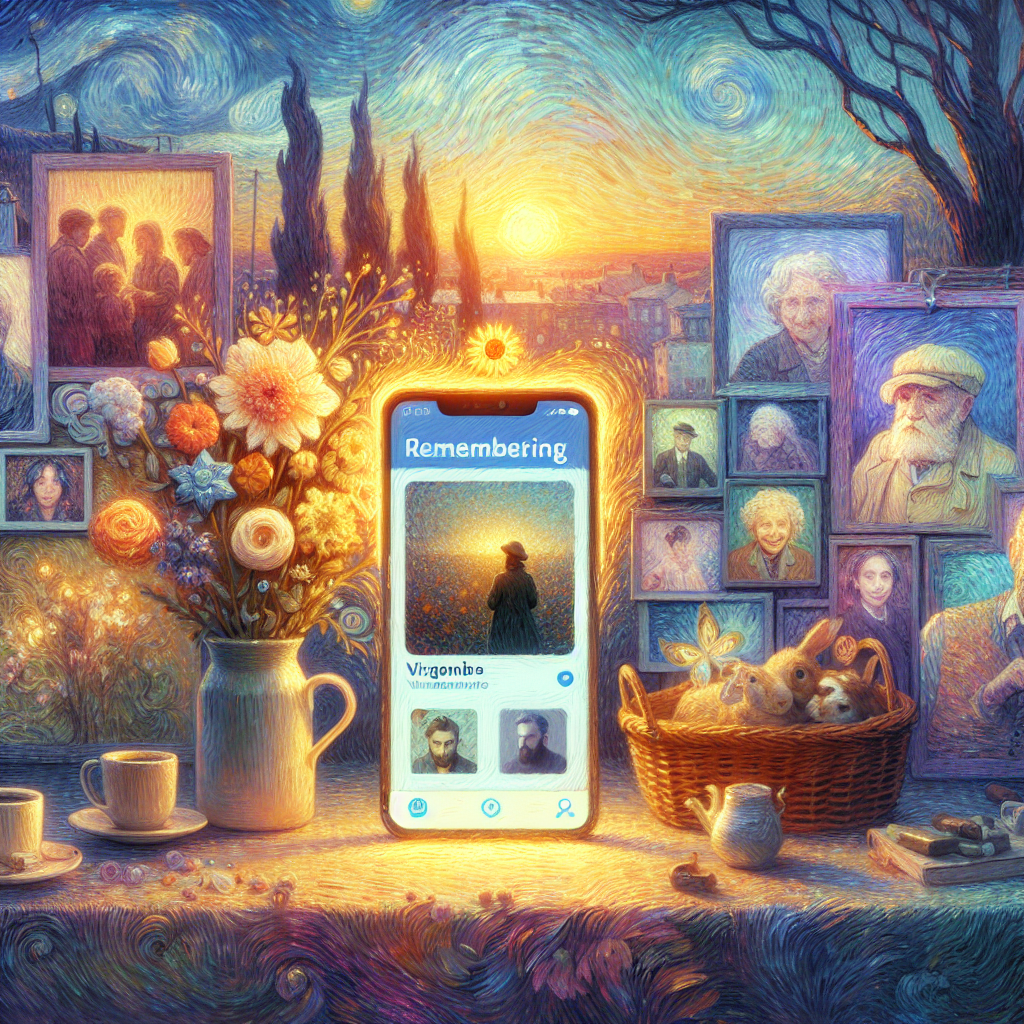
Poem
Checklist
How to Shutdown Or Memorialize a Mastadon Account? – A Checklist
Before You Make a Decision
_____ Reflect on your motivations for shutting down or memorializing your account.
_____ Consider the legacy you want to leave behind in your digital world.
_____ Discuss with family or friends to understand their feelings about your decision.
Shutting Down Your Mastodon Account
Preparation Steps
_____ Log into your Mastodon account.
_____ Navigate to “Account” settings.
_____ Review the options: “Deactivate Account” vs. “Delete Account. ”
Important Considerations
_____ Understand that deleting your account is permanent and will erase all content and contacts.
_____ Consider downloading your data before deletion (posts, followers, etc. ).
Execution Steps
_____ Confirm your choice by entering your password.
_____ Monitor your inbox for a confirmation email regarding the account shutdown.
Memorializing Your Mastodon Account
Preparation Steps
_____ Reach out to the server administrator.
_____ Provide the deceased’s full name, dates of birth and death, and account details.
Emotional Considerations
_____ Gather memorable anecdotes or quotes for a heartfelt tribute.
_____ Discuss with family and friends about how they would like to engage with the memorialized account.
Execution Steps
_____ Ensure all necessary steps are taken to adequately memorialize the account.
_____ Consider creating a space for shared memories within the community.
Data Privacy and Content Management
_____ Review privacy settings before shutting down or memorializing the account.
_____ Decide if any content should be deleted or preserved.
Support Contacts
_____ Note the contact information for Mastodon support for any issues that arise.
_____ Familiarize yourself with community forums for additional support options.
Final Thoughts
_____ Keep in mind that your online relationships may change, and prepare for the emotional impact of your decision.
_____ Always communicate your decisions with loved ones to ensure they understand your wishes.
This checklist aims to guide you through the thoughtful process of shutting down or memorializing your Mastodon account, ensuring a responsible and considerate approach to your digital presence.

Checklist
At LegacyExplorations, we help people plan and explore their legacy by collecting information and news regarding end-of-life planning.
Please share this post with your friends, family, or business associates who may want help to plan or explore their legacy.