

Managing Your Threads Account: Shutdown Or Memorialize
By Tom Seest
At LegacyExplorations, we help people plan and explore their legacy by collecting information and news regarding end-of-life planning.
Please share this post with your friends, family, or business associates who may want help to plan or explore their legacy.
How to Shutdown Or Memorialize a Threads Account?
In this digital age, social media accounts can feel like our virtual second homes, but sometimes the time comes to pack up and move on—or to honor a legacy. If you find yourself looking to say your final farewells or to leave a lasting tribute on Threads, let’s break it down into manageable steps, much like a job well done.
First, let’s talk about the straightforward process of shutting down your Threads account. Maybe you’ve had your fill of the constant scrolling, or perhaps you want to step away from the noise. No judgment here; we all need a break sometimes. To get started, simply navigate to your profile settings. Look for the option that says “Account” or “Privacy.” It may be tucked away like a forgotten toolbox in your garage, but it’s there, waiting to be discovered. Once you find it, select “Delete Account.”
Now, before you hit that button, take a moment to appreciate what you’re leaving behind—your witty posts, those lively debates, and that one time you went viral for the wrong reasons. Social media can be a wild ride, but if it’s time to get off, make sure you do it right. Remember, deletion is permanent, so consider downloading your data first if you want to hold onto those memories. Think of it like keeping a scrapbook of your digital shenanigans, something to chuckle about down the line.
Now, if you’re looking to memorialize an account instead—perhaps for a loved one who can no longer tend to their online business—there’s a different road to travel. The key here is to reach out directly to Threads customer support. It might involve filling out a form or sending an email, but don’t shy away from the challenge. You’re not just clicking a button; you’re ensuring that someone’s digital footprint is respectfully preserved.
In your message, provide necessary details: their username, a brief explanation of the situation, and any documentation you might need to upload, like a death certificate in the somber cases. It’s a bit like fixing up an old car to keep it on display; the goal is to celebrate the life that was lived—and, in this case, the posts that once sparked joy.
At the end of the day, whether you’re shutting down your account or memorializing someone else’s, both actions carry significance. They remind us that every digital interaction adds a layer to our story, one tweet, or post at a time. So tread thoughtfully, and remember, the online world can be as important as the one we see every day.

How to Shutdown Or Memorialize a Threads Account?
How to Shutdown Or Memorialize a Threads Account?
- Social media accounts, like Threads, may require shutdown or memorialization at some point.
- To shut down your Threads account, go to profile settings, select “Account” or “Privacy,” and choose “Delete Account.”.
- Before deleting, consider downloading your data to hold onto memories, as account deletion is permanent.
- To memorialize an account, contact Threads customer support by filling out a form or sending an email.
- Include necessary details in your message, such as the username and any required documentation (e.g., a death certificate).
- Memorializing honors a loved one’s digital legacy, preserving their posts and memories.
- Both shutting down and memorializing accounts emphasize the importance of our digital interactions and stories.

How to Shutdown Or Memorialize a Threads Account?
Table Of Contents
- How to Shutdown Or Memorialize a Threads Account?
- What Is The Process For Shutting Down A Threads Account?
- How Can I Memorialize A Threads Account?
- What Happens To My Data After Account Shutdown?
- Can I Reactivate My Threads Account After Deactivation?
- Are There Any Alternatives To Deleting My Threads Account?
- How Do Privacy Settings Change When Memorializing An Account?
- What Details Need To Be Provided To Memorialize A Threads Account?
- How Long Does It Take To Officially Shut Down A Threads Account?
- What Are The Reasons To Memorialize A Threads Account?
- Can I Transfer My Content From Threads Before Shutting Down?
- What Should I Consider Before Shutting Down My Threads Account?
- How Does Memorializing Impact Interactions On My Threads Profile?
- Will My Followers Be Notified If I Shut Down My Threads Account?
- Is There A Way To Keep My Threads Account Inactive Without Deletion?
- How Does Threads Handle Accounts Of Deceased Users?
- Conclusion
- Other Resources
- Glossary Of Terms
- Other Questions
- Haiku
- Poem
- Checklist
What Is The Process For Shutting Down A Threads Account?
Ah, the digital age—where friendships can flourish and wither in the blink of an eye, and social media accounts can be created or eliminated with just a few clicks. If you’ve found yourself yearning to step away from the vibrant world of Threads, the process of shutting down your account isn’t as daunting as it may seem. In fact, it’s almost as satisfying as finishing a big project after a long day.
Step one: prepare yourself. That might sound a bit melodramatic, but like any journey, deciding to step away from social media requires reflection. Ask yourself some hard questions: Are you truly ready to bid adieu to your Threads presence? Have you considered the memories, connections, and cute cat memes you might miss? Once you’ve weighed the pros and cons—grip onto that resolve like you’re holding onto a lifeboat in a sea of distraction.
Next up, log into your Threads account. Not a fan of tutorials? Don’t worry; this part is as easy as flipping a switch. Navigate to your profile settings—usually accessed from your profile icon or an easy-to-spot “Settings” menu. In this little sanctuary of options, you’ll find everything you need. Just keep your eyes peeled for the account management section, where you can usually find options related to account privacy, notifications, and, you guessed it, the ability to deactivate your account.
Once you’ve located the right option—bang! Click it to initiate the process. Threads will surely check in with you, like a concerned buddy asking if you’re sure this is what you want. There’s wisdom in that pause. After all, the digital door swings both ways—if you decide to take a break, you have the option to return whenever you like. In that spirit, embrace the moment and confirm your decision when you’re ready.
Now, let’s talk exit strategies. Upon confirming your choice, your account will be deactivated. This doesn’t mean it’s gone forever, though. Threads typically allows a grace period—a kind of digital cooldown—where your account can be reactivated should you change your mind. If you’re strong in your conviction and ready to sever ties completely, make sure to follow up with any specific steps on permanent deletion.
So, while you may not leave a footprint in the digital sands of Threads, you can walk away knowing you made a choice that suits you. Remember, taking a break can be just as important as staying connected.

What Is The Process For Shutting Down A Threads Account?
What Is The Process For Shutting Down A Threads Account?
- Friendships in the digital age can change quickly, and social media accounts are easily created or deleted.
- To shut down your Threads account, first prepare yourself and reflect on your decision.
- Consider the memories and connections you might miss before proceeding.
- Log into your Threads account and navigate to the profile settings for account management.
- Find the option to deactivate your account and confirm your choice when ready.
- Your account will be deactivated but can typically be reactivated during a grace period.
- Taking a break from social media can be just as important as remaining connected.

What Is The Process For Shutting Down A Threads Account?
How Can I Memorialize A Threads Account?
When it comes to creating a lasting tribute on social media, the process can be as complex as fitting a square peg into a round hole. But fear not; memorializing a Threads account is a noble endeavor that pays homage to those who have left an indelible mark on our lives. It’s a way to keep the conversation going, preserve cherished memories, and ensure that the spirit of an individual continues to resonate in a digital landscape.
First things first: if you want to memorialize a Threads account, ascertain whether the platform offers a specific feature for such occasions. Many social media sites have mechanisms in place to transform a living profile into a memorialized version, complete with a respectful tribute that honors the individual’s legacy. Start by diving into the settings and looking for options related to account management or memorialization. You might find a button or link specifically for this purpose, designed to simplify the process, much like a well-oiled machine.
Now, here’s where the rubber meets the road: if you can’t find a dedicated feature, you’ll need to go the old-fashioned route. Reach out to Threads Support for assistance—give them a shout, explain the situation, and let them know you wish to memorialize the account. Be honest, be concise, and be prepared for a little back-and-forth. The folks on the other end are generally willing to help, recognizing the weight of your request.
Once you get the green light, take a moment to reflect on what you’d like that account to represent moving forward. Maybe you want to preserve specific posts, photos, or moments that encapsulate the essence of the person. Although the account won’t be actively managed, you can create pinned posts or highlights that keep their voice alive. Plan out a way to celebrate their spirit with meaningful captions, tag meaningful friends, or even link to charities that align with the individual’s values.
Lastly, if you’re fortunate enough to have access to the account’s email, consider setting up an autoresponder—an automated message that reminds visitors who the person was, their values in life, and why they mattered. Whether you opt for a heartfelt message or something a little quirkier, it serves as a digital legacy, ensuring their remembrance doesn’t fade into the ether. Through careful thought and intentional actions, memorializing a Threads account can become a beautiful testament to a life well-lived.

How Can I Memorialize A Threads Account?
How Can I Memorialize A Threads Account?
- Memorializing a Threads account is a meaningful way to honor someone’s legacy and keep their memory alive.
- Check if Threads offers a dedicated memorialization feature in account settings to simplify the process.
- If no such feature exists, contact Threads Support for assistance with memorializing the account.
- Reflect on what the account should represent, including specific posts or highlights that capture the person’s essence.
- Create pinned posts or highlights with meaningful captions and tags to celebrate the individual’s spirit.
- Consider setting up an autoresponder if you have access to the account’s email, sharing messages about the person’s values and impact.
- Through thoughtful actions, memorializing a Threads account can serve as a beautiful testament to a life well-lived.

How Can I Memorialize A Threads Account?
What Happens To My Data After Account Shutdown?
Let’s face it: shutting down an online account might feel as liberating as peeling off a pair of tight shoes after a long day. But before you slip those digital shoes off for good, it’s worth thinking about what happens to your data once you hit that big “delete” button. Spoiler alert: it’s not as simple as tossing a soda can into a recycling bin.
First, you need to understand that your data isn’t exactly going to a peaceful afterlife. When you decide to delete your account, the company usually initiates a process that can seem as convoluted as a country road—lots of twists and turns. Many platforms have a retention policy. This means that your data might still exist on their servers for a defined period, even if your account is no longer active. Think about it as a posthumous existence; your digital remains live on, just in case they need them for legal or compliance reasons.
You might wonder where all that data goes, and the answer is it often resides in the Corporation’s version of a forgotten attic. Yes, it may be archived somewhere, a digital Indiana Jones’s treasure trove of the past, waiting to be accessed again if needed. Don’t get too cozy, though. While most companies claim to delete your information after a specified period, sometimes data simply hangs around longer than expected—lingering like an uninvited guest at a party.
Furthermore, if your data found its way to third-party vendors or partners during your time as an account holder, you might inadvertently have given away your digital secrets to more than just the platform. In these cases, you may need to go through additional channels or manage separate requests to have your information expunged from their hands. It’s like finding out your old buddy made a copy of your mixtape without asking—you still want it back!
And let’s not forget about the unending trail of cookies and cached data. Even after you’ve shut down your account, traces of your online presence could linger on shared devices, backup systems, and that pesky cloud storage you forgot you signed up for.
Shutting down an account isn’t just a click-it-and-forget-it situation. It’s a choice that deserves a little thoughtful reflection, because while you might be ready to move on, your data just might have other plans. So before you cut ties, consider how to properly manage and understand the fate of those precious bits and bytes you’ve created over time. After all, the digital world is just as real as the one we navigate every day—sometimes you can’t erase the footprints you leave behind.

What Happens To My Data After Account Shutdown?
What Happens To My Data After Account Shutdown?
- Shutting down an online account can feel liberating, but it’s important to understand the implications for your data.
- Deleting an account often starts a complex process; the data may not be permanently erased immediately.
- Many platforms have a retention policy, meaning your data can remain on servers for a defined period post-deletion.
- Your data could be archived, similar to being stored in a digital attic, waiting for potential future access.
- If your data was shared with third-party vendors, you may need to take additional steps to have it deleted from their systems.
- Traces of your online presence, such as cookies and cached data, might still exist on devices and cloud storage even after account closure.
- Shutting down an account requires thoughtful consideration of how to manage your data’s fate and the digital footprint left behind.

What Happens To My Data After Account Shutdown?
Can I Reactivate My Threads Account After Deactivation?
Let’s face it: In today’s world, we often find ourselves bound to social media in ways that can feel suffocating. Sometimes, the best remedy for digital overload is to hit that elusive “deactivate” button, step back, and take a breather. But what happens when the urge to reconnect suddenly strikes? Well, if you’ve found yourself pondering the question, “Can I reactivate my Threads account after deactivation?” you’re not alone.
The good news is yes, you can breathe life back into your Threads account. When you deactivate, it’s more like pulling the plug than throwing the whole machine out the window. While you hit pause on your digital life, your account remains nestled in the background, waiting for the day you decide to pull it back to the forefront. It’s not gone; it’s hibernating, just like you sometimes wish you could do during a particularly long workweek.
To reactivate, the process is as straightforward as finding your favorite pair of boots in the closet. Fire up the app or website, log in with your credentials, and like flipping a light switch, your account will spring back to life. All those precious posts, comments, and connections you thought you lost? They’ll reappear as if you never left—no need to chase down old memories or recreate past interactions.
But hold your horses! It’s essential to remember that while reactivation is a breeze, there might be a slight delay before your account is fully operational again. Sometimes social media platforms need a moment to catch up, much like the time it takes to clear your inbox after a week away. Be patient; it’ll all come back.
However, if you’ve decided to take the leap and delete your account for good, that’s a different story. Deletion means cutting ties completely, and there’s no turning back. So, before you click that destructive button, take a moment to think about what you’re letting go. If you truly believe Threads isn’t for you anymore—then by all means, do what feels right and move on.
We all have our own digital journeys. Whether you’re a social media butterfly or a cautious lurker, understanding the nuances of reactivation can empower you to navigate the online landscape on your terms. So, take a deep breath, weigh your options, and remember—sometimes it’s okay to step away, but when you’re ready to return, the door to Threads is wide open.

Can I Reactivate My Threads Account After Deactivation?
Can I Reactivate My Threads Account After Deactivation?
- Many people feel overwhelmed by social media and consider deactivating their accounts for a break.
- You can reactivate your Threads account after deactivation; it remains in the background, waiting to be reactivated.
- Reactivating your account is easy—just log in through the app or website, and it will restore your previous posts and connections.
- There may be a slight delay for the account to become fully operational after reactivation.
- Deleting your Threads account is permanently irreversible, so think carefully before choosing this option.
- Understanding account reactivation can help you manage your online presence and take control of your digital journey.
- It’s okay to step away from social media, but when you’re ready to return, you can easily reactivate your Threads account.

Can I Reactivate My Threads Account After Deactivation?
Are There Any Alternatives To Deleting My Threads Account?
Before you push that big, red delete button on your Threads account, it’s worth considering a few alternatives that might keep your digital door ajar, without the need for a full-on exit strategy. Let’s face it: social media can feel a bit like walking on a tightrope—balancing thrilling engagement with the risk of an endless vortex of cat videos and influencer selfies. So, if you’re feeling overwhelmed but not quite ready to sever ties, fear not! There are plenty of options to streamline your experience.
First up, think about unfollowing accounts that drain your energy. Every digital feed can become a cluttered junk drawer if we let it. Take a moment to examine the content filling your Threads feed: is it inspiring you, or is it more like a noisy neighbor who won’t stop blasting questionable tunes? By trimming your feed to only include accounts that provide meaningful, enjoyable content, you can lighten the load without losing your account entirely.
Next, don’t overlook the magic of muting notifications. The pinging and flashing can make it feel like you’re on call for a 24/7 social media emergency. Adjusting your notification settings allows you to engage with Threads on your own terms. Maybe you peek in during your coffee break instead of being pulled in at all hours. This approach can help you take control of your time, managing your social media interactions more mindfully.
If you’re grappling with those infamous FOMO feelings, consider temporarily deactivating your account instead of deleting it outright. Most platforms, including Threads, offer the ability to take a break without completely bailing on your presence. It’s a chance to step back, catch your breath, and decide if you miss it enough to return. You’ll live, and you may find your online life feels a bit more invigorating when you decide to dive back in.
Lastly, consider reaching out to like-minded friends or groups to curate your experience. Engaging in private conversations or smaller communities can make your experience feel more personal and relevant. After all, connecting with others is a key part of what makes these platforms tick—but it doesn’t have to be overwhelming.
There are numerous ways to dial back the chaos while maintaining a foothold in the Threads arena. So before you go for the drastic measure of deletion, explore these options. You might just find a new balance.

Are There Any Alternatives To Deleting My Threads Account?
Are There Any Alternatives To Deleting My Threads Account?
- Consider alternatives to deleting your Threads account for a more manageable experience.
- Unfollow accounts that drain your energy to declutter your feed.
- Mute notifications to engage with Threads on your own terms.
- Temporarily deactivate your account to step back without fully leaving.
- Reach out to like-minded friends or groups for a more personal connection.
- Explore options to reduce chaos while still maintaining a presence on Threads.
- Find a new balance before resorting to account deletion.

Are There Any Alternatives To Deleting My Threads Account?
How Do Privacy Settings Change When Memorializing An Account?
When a social media account is converted to memorial status following a user’s passing, the privacy settings undergo a significant transformation, akin to flipping a switch from vivid color to somber grayscale. It’s a delicate process, respecting the legacy of the person while also safeguarding their digital footprint. After all, a memorialized account isn’t just a cold collection of memories; it’s a digital tribute that invites friends and family to share recollections while keeping unwanted visitors at bay.
To put it plainly, when an account is memorialized, the privacy settings are tightened. The intent? To keep the memories intact while mitigating the noise that sometimes accompanies online platforms. For instance, the account transforms to a more closed environment. This means that only friends who were previously connected to the deceased can see their posts and the timeline. It’s a respectful way to ensure that every comment, photo, or shared memory feels intimate, like a whispered conversation rather than a public shout into the void.
But that’s not all. The memorialized account also locks down the ability to make changes. No one can log in and start deleting posts or editing memories. In fact, only designated “legacy contacts” can manage certain aspects of the account. It’s a smart move, really—kind of like placing a sturdy fence around a cherished garden, so only those who truly appreciate its beauty can wander through.
Another noteworthy change is in the way friend requests are handled. When someone passes away, their account can’t accept new friend requests—no random acquaintances or friends from long ago can suddenly pop up to reminisce. This serves a dual purpose: it maintains the sacredness of the space while ensuring that only those with shared memories can commemorate the individual’s life in their own way.
In addition, the memorialized account won’t appear in suggestions or searches; it becomes a hidden gem, only visible to those who knew and loved the person. This way, the essence of who they were isn’t diluted by the chaos of internet life. So, if you find yourself needing to honor a loved one’s memory online, know that these privacy settings aren’t just technical adjustments. They’re heartfelt modifications that ensure their digital legacy remains a meaningful reflection of life, not just a profile collecting dust in the binary ether.

How Do Privacy Settings Change When Memorializing An Account?
How Do Privacy Settings Change When Memorializing An Account?
- Memorial accounts undergo a significant change in privacy settings, enhancing their confidentiality.
- These accounts serve as a digital tribute, allowing friends and family to share memories while shielding against unwanted visitors.
- Only friends previously connected to the deceased can view their posts and timeline, promoting intimate sharing of memories.
- Changes to memorialized accounts are restricted; only designated ‘legacy contacts’ can manage certain aspects of the account.
- New friend requests are not accepted on memorialized accounts, preserving the sacredness of the space.
- Memorial accounts do not appear in suggestions or searches, keeping them private and meaningful for loved ones.
- These privacy settings are designed to honor and protect the digital legacy of the deceased.

How Do Privacy Settings Change When Memorializing An Account?
What Details Need To Be Provided To Memorialize A Threads Account?
When it comes to memorializing a Threads account, it’s not just about flipping a switch and calling it a day. This process takes finesse, thoughtfulness, and, surprisingly, a bit of paperwork. The goal is to ensure that the deceased’s presence is honored in the digital landscape, allowing friends and family to reminisce and celebrate the life lived. So, what should you expect when you find yourself in this delicate situation?
First off, the username is paramount. You need the exact handle of the account you wish to memorialize. Just like you’d want the right spelling of a loved one’s name on a gravestone, the same goes for their digital identity. Any variation could lead to headaches down the line.
Next on the list is verification of death. This might feel like an overly formal step, but it’s a necessary one. Typically, you’ll need to provide some form of proof, such as an obituary or death certificate, something that translates the tragic loss into concrete terms for the folks at Threads. It’s an unfortunate task, but think of it as a way to ensure that the memories shared on that account remain a tribute rather than a source of confusion or unintended chaos.
Once you have those initial details in order, you’ll want to provide additional identifiers linked to the account. We’re talking things like the email address associated with the account or even the phone number registered. Each of these details helps the platform verify your identity as the person authorized to make this request. After all, in a world where online impersonation can run rampant, a few extra security checks are not only prudent but essential.
Another essential detail involves any specific wishes the deceased may have expressed about their social media presence. Did they want their account preserved for posterity, or did they prefer it to be scrubbed clean? If they left behind a digital footprint regarding their wishes, it’s best to honor that.
Lastly, don’t forget to articulate any thoughts or memories you’d like to accompany the memorialized account. A personal statement can greatly enhance the experience for every visitor who stumbles upon that page, reminding them of the life that once filled their feed with laughter, wisdom, and connection.
So, with a bit of preparation and some heartfelt documentation, you can successfully navigate the process of memorializing a Threads account. It’s a labor of love, ensuring that the digital echoes of our loved ones don’t fade away too quickly.

What Details Need To Be Provided To Memorialize A Threads Account?
What Details Need To Be Provided To Memorialize A Threads Account?
- Memorializing a Threads account requires care, thoughtfulness, and documentation.
- The exact username is crucial; any variations can cause complications.
- Verification of death is necessary, typically needing proof like an obituary or death certificate.
- Additional identifiers, such as the associated email or phone number, help verify the requester’s identity.
- Consider any specific wishes the deceased had about their social media presence.
- A personal statement or memories can enhance the memorialized account’s impact.
- Proper preparation and heartfelt documentation help ensure a respectful digital memorial.

What Details Need To Be Provided To Memorialize A Threads Account?
How Long Does It Take To Officially Shut Down A Threads Account?
When it comes to shutting down a Threads account, the process might seem simple, but the intricacies can be a little more complex than you’d expect. Just like the fine art of disassembling a carburetor, it requires a bit of understanding and patience. Let’s dive into the nuts and bolts of it!
First off, you need to navigate over to the app. That might sound pedestrian, but we’re in the digital age now, and even the simplest tasks require a guiding compass—your smartphone. Once you’re in, you’ll want to find the settings. This is akin to locating the right tool in a cluttered garage; it can be a daunting task if you don’t know where to look.
In the app settings, you’ll come across the option to manage your account. Here’s where the magic happens, or rather, where things start to get serious. Clicking on “Deactivate Account” is like flipping the main switch on your power tools: once it’s off, the whole operation grinds to a halt. But before you click that button, you might want to consider your choices—after all, there’s no going back once you commit.
Now, you might be wondering, “How long does this take?” Well, the actual deactivation process can be instantaneous, but that doesn’t mean you’re totally in the clear. The sun won’t set on your account status right away. Threads might take a little time, usually a few days, to officially process that deactivation. During this time, your profile may still exist, lingering like a ghost of social media past. That’s why if you have any second thoughts, you might want to act fast.
Don’t ditch your account if you’re just feeling overwhelmed. Lots of folks go through phases where they think they need a break from the digital chatter. If you’re still intrigued or unsure, remember—Threads is a bit like a train; it won’t leave the station unless you really pull the lever.
Ultimately, the process may seem simple, but the emotional weight can linger a bit longer than expected. So, whether you’re swiping right on your new digital life or swiping left on your old one, just know that shutting down a Threads account is, at its core, a reflection of where you stand today. Whatever decision you make, make sure it’s the one that resonates with you.

How Long Does It Take To Officially Shut Down A Threads Account?
How Long Does It Take To Officially Shut Down A Threads Account?
- Shutting down a Threads account may seem simple but involves complexities.
- Accessing the app and finding the settings is a crucial first step.
- Under app settings, choose “Deactivate Account” to initiate the process.
- Account deactivation can be instantaneous, but full processing may take a few days.
- Your profile may linger for a while after deactivation, allowing for second thoughts.
- Consider the emotional impact; choosing to deactivate should reflect your current feelings.
- Make a decision that aligns with your needs; don’t rush into shutting down your account.

How Long Does It Take To Officially Shut Down A Threads Account?
What Are The Reasons To Memorialize A Threads Account?
In a world where social media plays a significant role in our lives, the decision to memorialize a Threads account can often feel like a personal and poignant choice. Many users may wonder why they should even consider this option, yet there are several compelling reasons to take a step back and reflect on the implications of a dedicated digital commemoration.
First and foremost, social media is a chronicle of our existence in real time. Every post, comment, and shared image is a snapshot of who we are at that moment. When a person passes away, their Threads account becomes a virtual time capsule that preserves their thoughts, humor, and personality for family, friends, and admirers. Memorializing an account ensures that these treasured memories remain accessible, allowing loved ones to revisit and celebrate the life of someone they cherished.
The act of memorialization serves a deeper purpose as well. It offers an opportunity for closure for those left behind. For many, scrolling through a loved one’s posts can evoke a flood of memories—some bittersweet, others filled with joyous laughter. By maintaining the account in a memorial state, friends and family can engage with the material, share their own memories, and foster a communal sense of grieving and healing. It transforms a moment of loss into a shared space for remembrance, facilitating conversations that might otherwise be too difficult.
Moreover, memorializing a Threads account also honors the individuality of the departed. Every post represents a piece of their character—those silly anecdotes, the candid self-portraits, and the passionate declarations all contribute to the legacy of who they were. In a world that often prioritizes the fleeting nature of content, this act of preservation stands as a testament to the significance of one life among billions.
Another consideration is the educational component. To the uninitiated, scrolling through a loved one’s account can prompt questions and curiosity. It can spark conversations with younger generations about the values, experiences, and passions that shaped the deceased. This process of storytelling can keep the spirit of the individual alive, ensuring that their influences and lessons extend far beyond their physical presence.
Memorializing a Threads account is more than just a digital act; it’s a tribute to a life lived, a chance for connection, and an opportunity to honor those who have left an indelible mark on our hearts. It transforms a simple social media profile into a lasting legacy.

What Are The Reasons To Memorialize A Threads Account?
What Are The Reasons To Memorialize A Threads Account?
- Memorializing a Threads account is a personal and poignant choice, reflecting on digital commemoration.
- Social media serves as a real-time chronicle, capturing thoughts, humor, and personality through posts and images.
- The account acts as a virtual time capsule, allowing loved ones to celebrate and revisit memories of the deceased.
- It offers closure for friends and family, facilitating shared grieving and healing through reminiscence.
- Each post honors the individuality of the departed, contributing to their legacy amidst a transient digital landscape.
- Memorialization can spark educational conversations with younger generations, preserving values and experiences of the deceased.
- This act transforms a social media profile into a lasting tribute and connection to those we cherish.

What Are The Reasons To Memorialize A Threads Account?
Can I Transfer My Content From Threads Before Shutting Down?
In the fickle world of social media, it’s easy to feel like you’re riding a roller coaster designed by a toddler. One minute, you’re indulging in witty exchanges and vibrant community discussions, and the next, rumors swirl about potential platform shutdowns. This is precisely the situation facing Threads users who might find themselves wondering, “Can I transfer my content before the lights go out?” Well, let’s dive in.
First, let’s clear the air: the reality is that transferring content from a social platform like Threads isn’t as straightforward as packing up your belongings before a move. Many users might have spent countless evenings crafting insightful posts, sharing stellar photos, or building connections. The thought of leaving all that behind can feel like abandoning a loyal friend at the corner of a busy street. However, the tools at your disposal are limited, and understanding them is key to retaining as much of your digital legacy as possible.
Currently, Threads doesn’t offer a one-click solution for exporting your posts, comments, and likes. Unlike some of its more established counterparts, there is no built-in feature to download all your content in a neat, tidy package. This means that, unless the platform rolls out a data-export tool before any potential shutdown, your best bet may boil down to some good old-fashioned elbow grease.
What does that look like? Well, you can start by manually saving your favorite posts. Take screenshots or jot down impactful interactions that encapsulate your experience. If you’ve shared any substantial media—think photos, videos, or artwork—be sure to collect those files, too. It’s a bit like rummaging through an overstuffed attic, but it can be worth it when you unpack those memories later.
Another option is to copy your written content and archive it elsewhere. Think of a digital journal or word processor where you can curate your own collection of thoughtful musings and snippets of your online life. While not a perfect solution, creating a scrapbook of your contributions could bridge the gap between platform and personal record.
While the prospect of saving your Threads content may feel daunting, a combination of manual archiving and creativity can help you hold onto those cherished digital moments. So grab that screenshot tool and get to work; consider it a farewell mission that preserves the essence of your journey, even if the platform itself fades into the ether.

Can I Transfer My Content From Threads Before Shutting Down?
Can I Transfer My Content From Threads Before Shutting Down?
- The volatile nature of social media can lead to uncertainty for Threads users, raising concerns over transferring content.
- Transferring content from Threads is complicated; there’s no straightforward way to export posts and interactions.
- Currently, Threads lacks a one-click data-export tool, making it difficult to download all content easily.
- Users must manually save important content by taking screenshots or collecting significant interactions and media files.
- Alternatively, users can copy written content into a digital journal or word processor for archiving.
- Creating a scrapbook of posts and interactions can serve as a personal record of one’s online contributions.
- A proactive approach involving manual archiving can help users preserve their digital memories, even if the platform shuts down.

Can I Transfer My Content From Threads Before Shutting Down?
What Should I Consider Before Shutting Down My Threads Account?
Before you take that final, irreversible step to shut down your Threads account, let’s pause for a moment. What you’re about to do is akin to tossing out your old toolbox just because you’ve misplaced one screwdriver. Sure, it may seem like a simple option, but let’s dig a little deeper.
First, think about your connections. Who are you leaving behind? In this digital landscape, social media accounts are more than just digital real estate; they’re a network of relationships. Friends, family, and acquaintances are all linked to your profile. Have you considered how cutting ties with Threads might impact those connections? Semantically, it might feel insignificant to you, but for someone else, a simple message or a shared moment could mean the world.
Next, give a thought to the memories and content you’ve created on the platform. Every post, every thread, every comment is a part of your digital biography. Sure, you might feel that deleting your account is a clean break, but is it worth sacrificing your digital legacy? Consider downloading or backing up your photos and posts before making the plunge. Once it’s gone, it’s gone.
Then there’s the question of your reasons for wanting to shut it down. Are you frustrated with the platform? Annoyed by a few negative comments? That frustration can turn into a rash decision. Sometimes it’s beneficial to step back and take a break instead of pulling the plug entirely. A hiatus can provide perspective, give you time to reflect, and maybe—just maybe—restore your appreciation for the community you once enjoyed.
Lastly, let’s not overlook the potential for a return. Many folks burst through the digital door only to find they’re much happier reentering once the dust has settled. If your Threads account is shut down permanently and you later change your mind, reclaiming your presence may not be as easy as rearranging the living room furniture. Rebuilding those connections isn’t just tedious; it could lead to a sense of alienation, and you might find that the community you left behind has moved on without you.
So, before you make that decision, take a breath. Think it over. After all, shutting down an account may seem easy, but the repercussions could be more complex than swiping left in a moment of frustration.

What Should I Consider Before Shutting Down My Threads Account?
What Should I Consider Before Shutting Down My Threads Account?
- Consider the impact on your connections before shutting down your Threads account.
- Social media accounts represent a network of relationships, and cutting ties may affect others.
- Reflect on the memories and content you’ve created; they contribute to your digital legacy.
- Think about backing up important posts and photos before making a final decision.
- Assess your reasons for wanting to delete the account; frustration can lead to impulsive actions.
- A break from the platform might offer new perspective and appreciation for your community.
- Reconsider the potential difficulty of reclaiming your account and relationships after deletion.

What Should I Consider Before Shutting Down My Threads Account?
How Does Memorializing Impact Interactions On My Threads Profile?
Imagine a digital landscape where the echoes of laughter and wisdom linger long after the voices have faded. This is what memorializing on Threads brings to your profile—a powerful, contemplative space that reshapes the way people engage with your online presence. When a Threads account is memorialized, it not only pays tribute to the memory of a person but also redefines the nature of interactions among friends, family, and followers.
First and foremost, memorializing a profile creates a sacred space for remembrance. Users can leave messages, stories, or simply share their love and fond memories, creating an ongoing conversation across the digital divide. Instead of the frenetic pace typical of social media, these interactions slow down, becoming more meaningful and reflective. The threads of shared experiences lead to deeper connections, much like the way an old photograph can evoke nostalgia and shared history. In a world driven by likes and shares, this shift in focus fosters authenticity over superficiality, allowing people to truly engage with the memory of the individual.
Moreover, memorializing serves as a poignant reminder of the impact one person can have on many lives. When someone reminisces about shared moments or conveys a lesson learned from the deceased, it encourages others to reflect on their own relationships and experiences. The content on the memorialized profile begins to transform into a collective narrative—one rich with stories that inspire conversation and connection. Such a narrative can draw others closer, forging bonds between people who may have never met, united instead by shared memories of the person they have lost.
However, it’s not all sunshine and reminiscence; memorializing also prompts important discussions around grief and loss. Conversations that may have once felt heavy or uncomfortable can find their footing as followers share supportive comments or offer insights into their own experiences with loss. This exchange cultivates empathy, creating a community where vulnerability is not only accepted but celebrated.
Lastly, when others engage with a memorialized profile, it brings to light the essence of what social media should be about: connection, understanding, and shared humanity. It’s an opportunity to celebrate life and to honor the person behind the screen, transforming a simple digital interaction into a heartfelt encounter that transcends the ordinary. Memorializing isn’t just about the past; it’s also a bridge to more profound interactions today and into the future.

How Does Memorializing Impact Interactions On My Threads Profile?
How Does Memorializing Impact Interactions On My Threads Profile?
- Memorializing on Threads creates a contemplative space that reshapes online presence.
- It establishes a sacred environment for remembrance, allowing users to share messages and fond memories.
- The interactions become more meaningful and reflective, contrasting with the typical pace of social media.
- This shift fosters authenticity over superficiality, enabling deeper connections among users.
- Memorialized profiles encourage conversations about shared experiences and the impact of the deceased.
- They facilitate discussions around grief and loss, promoting empathy and vulnerability in a supportive community.
- Overall, memorializing transforms digital interactions into heartfelt encounters, celebrating life and connection.

How Does Memorializing Impact Interactions On My Threads Profile?
Will My Followers Be Notified If I Shut Down My Threads Account?
In the world of social media, decisions are rarely as straightforward as they seem. If you’re pondering the weighty question of whether to shut down your Threads account, you might be wondering what that means for your loyal following. Are they going to get a little notification like a digital farewell card? Will the world know you’ve decided to pull the plug? Let’s dive into the murky waters of online etiquette and notifications.
First off, it’s crucial to understand the mechanics of the platform. When you decide to close your account, it’s more akin to locking the doors of a favorite local dive rather than putting up a flashy neon “Closed” sign. Your followers won’t receive an alert—no shouts of “Hey, where did you go?” echoing through their notifications. That’s the nature of social media: it’s a landscape filled with constant chatter, and unfortunately, you won’t be the headline in your followers’ feeds when you hit that delete button.
Now, why is that? Part of it lies in the sheer volume of information circulating at any given moment. With countless posts and updates vying for attention, individual users often slip into the background noise when they choose to say goodbye. Threads, much like its counterparts, prioritizes engagement and interaction. If every user received a notification every time someone decided to exit stage left, you might find your inbox bursting at the seams. So, stepping off the stage often goes unnoticed by the audience.
However, while there might not be a formal announcement, your absence will eventually be felt. Friends and followers take note when their digital interactions dwindle. If you’ve been a regular contributor to the community, leaving might leave a void that they’ll fill with curiosity or concern. Yet, by the time they notice you’re gone, it could be days, weeks, or even longer, depending on how often they check in.
So, if you do decide to pull the rug out from under your Threads account, prepare for the soft rumble of silence rather than a grand exit parade. Your followers won’t receive notification bells ringing in their ears, but the connections you’ve forged could very well linger in their memories, waiting for a potluck reunion that might never happen. Remember, it’s your decision. Whether you choose to vanish quietly or toast to new beginnings, the choice is yours to make.

Will My Followers Be Notified If I Shut Down My Threads Account?
Will My Followers Be Notified If I Shut Down My Threads Account?
- Closing a Threads account does not notify followers; they won’t receive any alerts.
- Account closure is likened to locking the doors of a local establishment without a flashy announcement.
- The volume of posts and updates on social media contributes to users often going unnoticed when leaving.
- Threads focuses on engagement, meaning personal departures might blend into the background noise.
- While there’s no formal announcement of your departure, followers may notice a change in interaction over time.
- Your absence could lead to curiosity or concern from the community; however, this may take time to manifest.
- The decision to leave your Threads account is personal, and you can choose to exit quietly or celebrate new beginnings.

Will My Followers Be Notified If I Shut Down My Threads Account?
Is There A Way To Keep My Threads Account Inactive Without Deletion?
Ah, the grand conundrum of the modern digital age: how to maintain a presence online without the relentless churn of constant activity. Maybe you’ve signed up for Threads and realized that social media isn’t your cup of tea, or perhaps life’s demands have you stepping back from the virtual racket. Whatever the reason, you’re left wondering: Can I keep my Threads account in a state of peaceful dormancy without hitting the delete button?
First things first, let’s clarify a few terms. Deleting an account is like handing over your ticket and strolling away from the concert—no chance of revisiting that experience without buying a new seat. On the flip side, the idea of an “inactive” account is akin to parking your car in a quiet lot, locking it up, and leaving the keys at home. It’s still there, but you’re not taking it for a spin.
Now, Threads, like many social platforms, doesn’t have a built-in “pause” button. But fret not; you can still take steps to keep your account intact while not engaging with it. The simplest approach is to simply stop using it. Log off, step away, and let the notifications pile up like winter snow. The good news is that Threads won’t delete your account automatically for inactivity, so you have the opportunity to return whenever you’re ready.
While you’re on hiatus, you can also adjust your privacy settings. Doing this will help you maintain your comfort zone. Consider making your profile private, ensuring that only those you approve can see what’s still lurking there in cyberspace. You can also limit notifications, so you’re not bombarded with reminders to log in. Think of it as putting your account in a cozy little corner, away from the noise but still accessible when nostalgia strikes.
And let’s talk about purpose. Why would you want to preserve that account? Maybe you’re a collector—of connections, memories, or even just the progress you made in digital interactions. Keeping your Threads account means holding onto those intangible assets, ready for when curiosity or the desire to connect bubbles back to the surface.
Your Threads account doesn’t have to be an all-or-nothing proposition. It can rest, waiting patiently for your return, making it an accessible option in the grand theater of social networking. So put your feet up and take that break; the digital world will be right where you left it.

Is There A Way To Keep My Threads Account Inactive Without Deletion?
Is There A Way To Keep My Threads Account Inactive Without Deletion?
- Managing an online presence without constant activity is a modern dilemma.
- Deleting an account means losing access, while an inactive account can be kept without engagement.
- Threads does not have a built-in “pause” button but allows for account retention without use.
- You can log off and avoid notifications, keeping your account in a dormant state.
- Adjust privacy settings to make your profile private and limit notifications during your hiatus.
- Preserving your account allows you to hold onto connections and memories for future use.
- Your Threads account can remain accessible and waiting for your return without pressure.

Is There A Way To Keep My Threads Account Inactive Without Deletion?
How Does Threads Handle Accounts Of Deceased Users?
In the ever-evolving landscape of social media, the handling of accounts belonging to deceased users is a topic that often bears more weight than we might initially think. It’s a delicate dance, a heart-wrenching issue that’s laden with emotion, respect, and the complexities of digital legacy. Enter Threads, the newer player in the social media arena. So, how does it tackle the sensitive task of managing accounts belonging to those who have shuffled off this mortal coil?
First off, it’s important to note that Threads recognizes the profound impact of online presence even after someone has passed. These accounts can serve as digital memorials, a place where memories are shared, loved ones can engage, and a life once lived can be celebrated, despite the bittersweet reality of loss. Threads understands that each post, each follow, and each like is more than just a digital interaction — it’s a fragment of someone’s life and legacy.
When a user passes away, Threads offers a process for family members or close friends to request memorialization of the account. They have a well-outlined procedure that ensures this sensitive request is treated with the utmost respect. This often involves verification, of course — think of it as an emotional gatekeeping mechanism. The last thing anyone wants is for an account to be manipulated or misrepresented posthumously.
Once the account is memorialized, it is transformed into a space that honors the individual. Changes reflect this transition; the profile typically features a distinct designation indicating this account belongs to a deceased user. This helps to create an atmosphere of remembrance, ensuring that visitors tread lightly, aware that they are journeying through the digital remains of someone’s life story.
However, Threads also faces the important challenge of balance. While it wants to create a respectful environment, it also needs to navigate the delicate line of privacy, ensuring that only authorized individuals can make alterations or access certain information. This consideration is pivotal in today’s digital era, where privacy is a precious commodity and respect for the dead is paramount.
In essence, Threads is treading carefully through this poignant terrain. It acknowledges the significance of digital footprints and is committed to treating the memories of departed users with reverence. In a world that can sometimes feel fast-paced and indifferent, Threads is making an effort to slow down, reflect, and honor the lives that once animated its platform. This approach not only speaks to their values but also to the heartbeats of all those left behind.

How Does Threads Handle Accounts Of Deceased Users?
How Does Threads Handle Accounts Of Deceased Users?
- Handling accounts of deceased users is a complex and emotional issue in social media.
- Threads acknowledges the significance of online presence as a form of digital memorial.
- Family members can request memorialization of accounts, ensuring respect for the deceased.
- A verification process acts as emotional gatekeeping to prevent account manipulation.
- Memorialized accounts have distinct designations to honor the deceased and create a respectful atmosphere.
- Threads balances the need for respect with privacy concerns, allowing access only to authorized individuals.
- The platform emphasizes the importance of digital footprints and honors the memories of departed users.

How Does Threads Handle Accounts Of Deceased Users?
Conclusion
In the end, whether you’re pulling the plug on your Threads account or crafting a lasting tribute to a beloved soul, you’re navigating a digital landscape that can feel as labyrinthine as a job site. The process isn’t just about hitting buttons; it’s about understanding the layers of sentiment, memory, and connection that lie beneath.
First, let’s address the shutdown. It may seem like a straightforward move, like clapping your hands to signal the end of a meeting. But think about it: everything you’ve posted, the jokes shared, the intellectual sparring over trending topics—these aren’t just digital footprints. They’re markers of moments shared in a space that’s peculiarly intimate, filled with both the mundane and the exceptional. Before you click “delete,” ask yourself: Are you ready to bid your online persona goodbye? If you decide to move forward, don’t forget to download your data. It’s a bit like taking a souvenir from a memorable trip; you don’t want to leave those moments behind in the dust.
On the other hand, if your aim is to memorialize a Threads account, it’s a profoundly heartfelt endeavor—a digital homage that carries weight and respect. To do this right, you’ll need to interact with Threads support, providing all the necessary details like usernames and documentation to validate your request. It’s akin to holding a candle in the dark—illuminating cherished memories while ensuring they don’t fade into the ether.
Navigating these decisions demands an awareness of the emotional ripples they can create. With a shutdown, you might sever ties with meaningful connections. Conversely, immortalizing someone’s account can facilitate shared healing and community remembrance—allowing the stories, laughs, and lessons to echo in a space that’s now memorialized.
So, before cutting ties or preserving a digital life, reflect on the essence of what these platforms mean to you. In a world where online interactions can become overwhelming, there’s no rush. Step back, weigh your options, and remember that it’s okay to pause, to savor the connections made, or to conclude a chapter. It’s not just about deactivation or memorialization; it’s about respect for the complexities of our digital landscapes and the lives that inhabit them. Whether you choose to move on or leave a legacy, tread thoughtfully. Your choices today will echo in the digital narratives of tomorrow—one thread at a time.

Conclusion
Conclusion:
- Navigating digital landscapes requires understanding emotional layers behind actions like account deletion or memorialization.
- Shutting down an account may seem simple, but it involves reflecting on shared moments and connections.
- Prior to deleting your Threads account, consider downloading your data to retain cherished memories.
- Memorializing an account is a meaningful process that involves interaction with Threads support for validation.
- Navigating these decisions can impact relationships and community ties, highlighting the significance of the online connections.
- Take time to reflect on the meaning of social media interactions before making decisions about shutdown or memorialization.
- Your digital choices today will shape the narratives of tomorrow, so approach them with thoughtfulness and respect.

Conclusion
Other Resources

Other Resources
Here is a list of other resources you can review online to learn more:
- “Instagram Threads | About Instagram”
- “Introducing Threads: A New Way to Share With Text”
- “Connecting your instagram to your threads account can be …”
- “How to set up privacy and security in Threads”
- “Why Threads’ Privacy Policy Is Sparking Concern”
Other Resources
Glossary Terms
How to Shutdown Or Memorialize a Threads Account? – Glossary Of Terms
1. Account Closure: The process of permanently deleting a Threads account, resulting in the loss of all associated data and content.
2. Memorialization: A status applied to a deceased user’s account that preserves their posts and profile while limiting interactions.
3. Threads: A text-based social media platform developed by Meta Platforms, designed for sharing short messages and content.
4. User Privacy: The right and ability of Threads users to control their personal information and how it is used or shared on the platform.
5. Personal Data: Information related to a user’s identity, such as their name, email address, and activity on Threads.
6. Account Deletion Request: A formal notification submitted by the user to permanently remove their Threads account.
7. Verification: The process of confirming identity, often required to memorialize or delete a Threads account, especially in the case of a deceased user.
8. Data Backup: The act of saving a copy of content and information from a Threads account prior to deletion or memorialization.
9. Profile Settings: The section in the Threads app where users can manage account details, privacy settings, and other preferences.
10. Inactive Account: A Threads account that has not been accessed for a specified period, potentially eligible for deletion based on platform policies.
11. User Agreement: The legal terms and conditions that users accept when creating an account on Threads.
12. Content Retention Policy: The guidelines that govern how long Threads keeps user data and under what circumstances accounts can be deleted or memorialized.
13. Report an Account: The action taken by users to notify Threads of accounts that may violate community standards or be of concern.
14. Family Member Request: A formal application made by a family member or close friend to either memorialize or delete a deceased user’s account.
15. Support Center: The help and resource section provided by Threads for users to find information on account management.
16. Legacy Contact: A person designated by a user to manage their account after they have passed away, if Threads provides this feature.
17. Terms of Service: The rules established by Threads that outline user rights, responsibilities, and acceptable behavior on the platform.
18. Deactivation: A temporary suspension of a Threads account, allowing users to reactivate it later while hiding their profile and content.
19. Profile Visibility: The extent to which a user’s profile and posts are visible to other users on Threads.
20. Community Standards: The set of guidelines that govern acceptable behavior and content sharing on Threads.
21. Post Archive: A feature that allows users to save and store their past posts, potentially for later use or review.
22. Account Recovery: The process by which users can regain access to their Threads account after a lockout or forgotten credential incident.
23. Content Deletion: The act of removing specific posts or media shared on Threads while keeping the account active.
24. Email Confirmation: A verification step typically required when initiating actions like account deletion or memorialization.
25. Documentation: Required paperwork or identification that may be needed to support requests for account changes, especially in the case of memorialization.
26. Security Questions: Private questions set by the user to help verify their identity when attempting to access or change account settings.
27. Policy Update: Changes made to Threads’ rules and procedures that users should be aware of, often communicated via official announcements.
28. User Experience (UX): The overall experience a user has when interacting with the Threads platform, especially regarding ease of navigation in account settings.
29. Notification Preferences: Settings that allow users to customize how and when they receive alerts from Threads about account activity.
30. Help Desk: The support team or online resource offered by Threads to assist users with account issues, including deletion and memorialization processes.
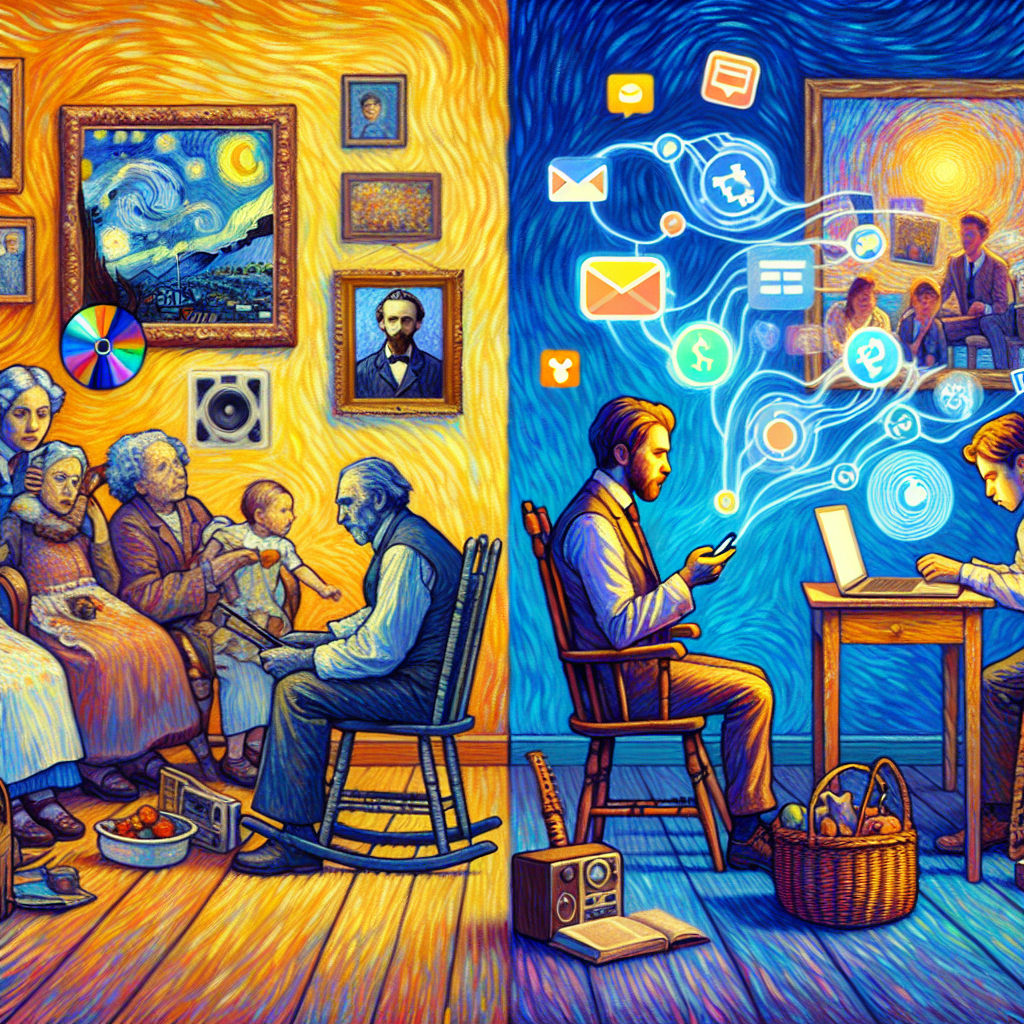
Glossary Of Terms
Other Questions
How to Shutdown Or Memorialize a Threads Account? – Other Questions
If you wish to explore and discover more, consider looking for answers to these questions:
- What steps should I take to prepare for shutting down my Threads account?
- How can I download my data before deleting my account?
- Is there a way to temporarily disable my Threads account instead of deleting it?
- What are the emotional impacts of shutting down my Threads account?
- What do I need to consider before memorializing someone else’s Threads account?
- What specific types of documentation are required to memorialize an account?
- How do I communicate with Threads customer support for account memorialization?
- Will other users be able to view the memorialized account and its posts?
- What happens to messages and interactions that I had with the account being memorialized?
- How can I ensure my memories and interactions are preserved after memorialization?
- Can I change my mind after memorializing an account?
- Are there alternative platforms that offer better memorialization features?
- How do the privacy settings differ once an account is memorialized compared to a regular account?
- What are the benefits of keeping a Threads account rather than deleting it?
- How can friends and family contribute to a memorialized account on Threads?

Other Questions
Haiku
How to Shutdown Or Memorialize a Threads Account? – A Haiku
Threads account exit,
Memories held, choices weigh,
Legacy’s soft light.

Haiku
Poem
How to Shutdown Or Memorialize a Threads Account? – A Poem
In realms of Threads, our lives unfold,
A tapestry of tales, both new and old.
Yet when the time for parting draws near,
We seek the path, through joy and fear.
To shut it down, a click away,
Navigate settings, let memories stay.
Reflect, remember the laughter and strife,
Each post a fragment of digital life.
But what if sorrow we aim to honor,
In memory’s embrace, a soft, warm corner?
Request to memorialize with love and care,
A requiem in bytes, in the online air.
Provide the name, the proof of loss,
A testament that mourns, yet helps us cross.
Through this tribute, the past can thrive,
A sacred space where memories survive.
Your data lingers, a bittersweet thought,
A mix of freedom and ties that you’ve wrought.
Before farewell, consider the cost,
Connections and moments not to be lost.
Yet in grief’s wake, new bonds can be formed,
With each shared story, the community warmed.
In silence and memory, we gather and speak,
In the tapestry of Threads, it’s connection we seek.
So tread with care, as you choose your way,
To shut down or memorialize, come what may.
For in this digital age, where echoes persist,
Our lives leave a mark; they cannot be missed.

Poem
Checklist
How to Shutdown Or Memorialize a Threads Account? – A Checklist
Preparing to Shut Down Your Threads Account
1. Reflect on Your Decision
_____ Consider your reasons for wanting to shut down the account.
_____ Think about your connections and memories associated with the account.
2. Backup Important Data
_____ Download and save any posts, images, or content you want to keep.
_____ Consider creating a digital scrapbook of your favorite memories.
3. Navigate to Your Profile Settings
_____ Log into your Threads account.
_____ Find the “Settings” or “Account” option in your profile settings.
4. Initiate Account Deactivation
_____ Select the option to “Delete Account” or “Deactivate Account. ”
_____ Confirm your choice when prompted.
5. Consider Reactivation Options
_____ Remember you may have a grace period to reactivate your account if you change your mind.
Steps for Memorializing a Threads Account
1. Determine Your Intent
_____ Confirm that you want to memorialize the account of a deceased loved one.
2. Contact Threads Support
_____ Reach out to Threads customer support for the memorialization process.
3. Gather Required Information
_____ Prepare the following details:
_____ The deceased’s username.
_____ A brief explanation of the situation.
_____ Verification of death (obituary or death certificate).
_____ Account identifiers (email and phone number associated with the account).
4. Express Personal Wishes
_____ Write a personal statement or share memories to accompany the memorialized account.
5. Plan for Account Management Post-Memorialization
_____ Understand that only approved legacy contacts can manage the account.
_____ Know that privacy settings will be tightened for the memorialized account.
Additional Considerations
_____ Evaluate Alternatives to Deletion
_____ Consider temporarily deactivating instead of deleting.
_____ Unfollow or mute accounts that drain your energy.
_____ Adjust privacy settings to limit notifications and access.
_____ Understand Data Retention Policies
_____ Be aware that data may persist for a time even after deletion.
_____ Know about the fate of your data with third-party services.
_____ Assess Impact on Followers
_____ Remember that followers will not be notified of your decision to shut down or memorialize the account.
_____ Engage Meaningfully in Memorializing
_____ Create an autoresponder message for visitors to remember and understand the account’s significance.
Final Thoughts
_____ Take your time to ensure you’re making the right choice for you or in memorializing a loved one.
_____ Acknowledge that digital footprints carry emotional weight and significance. Consider the long-term impact of your decision on your digital legacy and relationships.
Checklist
At LegacyExplorations, we help people plan and explore their legacy by collecting information and news regarding end-of-life planning.
Please share this post with your friends, family, or business associates who may want help to plan or explore their legacy.