

Taking Control Of Your YouTube Presence
By Tom Seest
At LegacyExplorations, we help people plan and explore their legacy by collecting information and news regarding end-of-life planning.
Please share this post with your friends, family, or business associates who may want help to plan or explore their legacy.
How to Shutdown Or Memorialize a YouTube Account?
Ah, YouTube—the vast digital ocean where cats perform daring acrobatics, and unsuspecting viewers fall into the endless black hole of DIY tutorials and conspiracy theories. But what happens when the creator or user decides it’s time to bid farewell or honor a memory? Whether you want to take a step back from the digital realm or preserve a legacy, shutting down or memorializing a YouTube account is a process that requires a bit of thought and a sprinkle of know-how.
First, let’s talk about shutting down that account. If you’ve decided that your days of posting culinary disasters or thrifting hauls are behind you, here’s how to take that leap. Start by logging into your YouTube account and navigate to the settings—think of it as your account’s backstage pass. Once you’re there, look for the ‘Advanced Settings’ or ‘Manage Your Account’ option. Don’t be scared—it’s not as intimidating as it sounds! From here, you’ll see the option to delete your YouTube channel. Click it, and follow the prompts. Keep in mind that this is a one-way ticket; once it’s gone, it’s gone. All that eccentric commentary, dance moves, and meme-worthy moments will evaporate into the ether. So, if you have any cherished videos, make sure to download them beforehand. You don’t want to find yourself grieving a lost gem later on!
Now, if you’re not quite ready to erase the tapestry of your contributions but want to turn the lights down low, memorializing your account might be the avenue you’re looking for. This option is suitable for those whose presence online still deserves a place, even if they’re no longer able to contribute. To kickstart this process, your first stop is reaching out to YouTube directly—think of it as sending a digital smoke signal. Provide them with the necessary documentation to verify the request—this could include links to obituaries or any official documents stating the situation.
YouTube will then convert the channel into a memorialized state, which ensures that the content remains accessible and can serve as a tribute to the memories shared through the videos. It’s a poignant way to honor a life’s work in the crazy world of online videos.
Whether you decide to wave goodbye or leave a lasting legacy, remember that both decisions are a part of the narrative you’ve crafted in this vast digital expanse. Take a moment, make a thoughtful choice, and know that it’s okay to move on or memorialize the moments you shared. The curtain may fall, but the memories linger on.

How to Shutdown Or Memorialize a YouTube Account?
How to Shutdown Or Memorialize a YouTube Account?
- YouTube accounts can be shut down or memorialized based on user choice.
- To shut down an account, log into YouTube and navigate to ‘Advanced Settings’ or ‘Manage Your Account.’.
- Click on the option to delete your channel; be aware that this action is irreversible.
- Download any cherished videos before deleting the account to avoid losing them permanently.
- To memorialize an account, contact YouTube directly and provide necessary documentation (like obituaries).
- Memorializing keeps content accessible as a tribute, honoring the creator’s contributions.
- Both shutting down and memorializing accounts reflect personal narratives within the digital landscape.

How to Shutdown Or Memorialize a YouTube Account?
Table Of Contents
- How to Shutdown Or Memorialize a YouTube Account?
- How Can I Permanently Delete My YouTube Account?
- What Happens To My Videos?
- Can I Recover A Deleted YouTube Account?
- How Do I Download My YouTube Data?
- What Are The Steps To Memorialize A YouTube Account?
- Who Can Request To Memorialize A YouTube Account?
- Will My Subscribers Be Notified If I Delete My Account?
- How Does YouTube Handle Account Memorialization?
- What Information Is Displayed On A Memorialized Account?
- How To Manage My YouTube Account’s Settings Before Deletion?
- Can I Change My Mind After Starting The Deletion Process?
- Is There A Time Limit For Account Deletion Requests?
- How To Inform YouTube Of A Deceased Account Holder?
- What Are The Implications Of Account Memorialization?
- Can Friends Or Family Control A Memorialized Account?
- Conclusion
- Other Resources
- Glossary Of Terms
- Other Questions
- Haiku
- Poem
- Checklist
How Can I Permanently Delete My YouTube Account?
If you’ve found yourself asking how to permanently delete your YouTube account, you’re not alone. Maybe you’re tired of endless notifications, or perhaps you’ve decided to take a step back from the digital chaos that seems to rule our lives. Whatever the reason, going cold turkey on YouTube isn’t as daunting as it sounds. Let’s break it down in a clear, straightforward way.
First things first: making this decision isn’t a small feat. YouTube represents countless hours of entertainment, information, and maybe a few late-night rabbit holes that you’d rather forget. However, if you’ve come to the conclusion that it’s time to bid adieu, the first thing you’ll want to do is back up any content you might want to keep. YouTube allows you to download your videos if you’ve created any. So, before you pull the plug, ensure you’ve preserved any precious footage that deserves a second look.
Now, when you’re ready, head over to YouTube’s settings. You’ll find it tucked away in the menu under your profile icon. Once you’re in, navigate to the “Advanced settings” section. This is where the magic happens. You’ll see an option to “Delete channel.” But before you click that ominous button, remember: this isn’t just about hitting delete and walking away. It’s a commitment, like deciding to stop eating your favorite snacks. It feels freeing at first—but that initial thrill can quickly turn into regret.
After you hit the delete button, YouTube will ask you to confirm your decision—twice! They want to make sure you’re absolutely certain. It’s like a digital handshake, sealing the deal. Take a breath, read the fine print, and understand what’s at stake: all your comments, likes, playlists, and subscriptions will vanish into the ether. It’s a permanent move, so make sure you’ve reflected on the impact.
Lastly, once you’ve followed through, take a moment to appreciate the newfound quiet. Disconnecting from YouTube means more mental space, less distraction, and an opportunity to engage with the world outside your screen. There’s a certain satisfaction that comes from taking control of your digital footprint—and sometimes, saying goodbye is the best hello you can give to your time and attention. So, if you’re set on this path, embrace it wholeheartedly; you’ve earned every bit of that peace.

How Can I Permanently Delete My YouTube Account?
How Can I Permanently Delete My YouTube Account?
- Permanently deleting your YouTube account is a common consideration for those overwhelmed by digital distractions.
- Before deleting, back up any content you want to keep, as YouTube allows users to download their videos.
- Access YouTube’s settings via your profile icon and navigate to the “Advanced settings” section.
- Select the “Delete channel” option but be aware that this is a significant commitment.
- YouTube requires confirmation of the deletion decision twice to ensure you are certain about it.
- Understand that deleting your account will result in the loss of all comments, likes, playlists, and subscriptions.
- Taking a break from YouTube can lead to mental clarity and greater engagement with the real world.

How Can I Permanently Delete My YouTube Account?
What Happens To My Videos?
In a world brimming with digital content, it’s easy to splash our creativity across the screen and expect it to be celebrated. But have you ever paused to ponder, “What happens to my videos after the click?” It’s a question as old as the internet itself, and while the answers can be as varied as the content itself, let’s dig into the whys and wherefores of your digital creations.
Once you hit that “upload” button, your video takes a journey more intricate than a squirrel navigating traffic. First, it lands in a cyberspace netherworld—a cloud, or maybe a server farm, populated with more blinking lights than a disco ball in the ‘70s. Here’s where the magic starts. The video is compressed, formatted, and squished into bits so it can stream through the interwebs with the efficiency of a well-oiled machine. Think of it like sending a meticulously packed lunch through an obstacle course floor.
At this point, you might wonder who’s watching your masterpiece. Well, your video might end up popping up on recommendation algorithms that are more intricate than your Aunt Marge’s holiday fruitcake recipe. These algorithms shadow your audience, learning their preferences and calculating how best to serve your content alongside cute cat videos or that influencer’s latest makeup tutorial. Depending on the platform, your video could be favored, buried, or even rediscovered under a mountain of other uploads.
And let’s not forget about the social sharing aspect. If someone finds your video resonates with them—a good laugh, a poignant moment, or a slice of life they just can’t ignore—they may share it, giving your creation wings. It can soar across social media platforms, snagging views, likes, and, if you’re lucky, those coveted comments that make you smile and perhaps break a little sweat imagining what will happen next.
But here’s the kicker: as much as we cherish our videos, they often become part of a larger ecosystem—one driven by trends, engagement metrics, and fleeting moments of virality. They bounce about, finding their way into playlists, compilations, and even unsuspecting memes. Before you know it, your video is living a life of its own, sort of like a rebellious teenager who just won’t call home.
So, what happens to your videos? They become part of the digital tapestry, woven into the fabric of internet culture, morphing and evolving in ways you may never have anticipated. You might just find your creation has touched more lives than you ever imagined, whether through a nostalgic chuckle or a shared tear. And that’s a pretty remarkable journey, if you ask me.

What Happens To My Videos?
What Happens To My Videos?
- The journey of a video begins after hitting the upload button, moving to cloud storage or server farms.
- Videos are compressed and formatted for efficient streaming across the internet.
- Recommendation algorithms analyze viewer preferences to promote content alongside similar videos.
- Social sharing allows videos to reach larger audiences if they resonate with viewers.
- Videos become part of a larger ecosystem influenced by trends, engagement metrics, and virality.
- Creative works can evolve into memes, playlists, and compilations within internet culture.
- Ultimately, videos may touch more lives than anticipated, creating unexpected connections.

What Happens To My Videos?
Can I Recover A Deleted YouTube Account?
Well, let’s dive right into this question that probably has some folks feeling a little bit like they’ve just lost the last piece of a jigsaw puzzle. Recovering a deleted YouTube account isn’t as simple as flipping a switch, but it’s not entirely out of reach either. Now, if you’ve hit that delete button thinking you were making a clean break, you may find that YouTube has a bit more grace than you expected.
First off, if you’ve merely “suspended” your account rather than fully deleting it, congratulations—you’re in the clear. Just log back in, and you’re golden like a freshly polished trophy. But if you took the plunge and clicked “Delete,” well, here’s where the waters get a bit murky.
YouTube operates on a strict schedule when it comes to account deletion. Once you’ve cast that proverbial ball into the abyss, there’s a short window—usually around 30 days—during which you can reclaim your precious account. This grace period is like a last call at a bar; after the clock strikes midnight, all bets are off. Once those 30 days have slipped silently by, your content and account get permanently wiped off the face of the Earth. No more cherished videos, comments, or even your carefully curated playlist. It’s like losing a part of your digital soul.
Now, if you find yourself before the fateful 30 days are up, you can try to recover your account through YouTube’s recovery options. You’ll need to provide some ID—no, not the one from high school that makes you wince. We’re talking about account information or linked emails. Make sure you’ve got it handy and follow the prompts. It’s a bit like trying to find your way out of a corn maze—frustrating at times, but manageable if you keep your wits about you.
If you’re trying to resurrect an account that’s gone beyond that 30-day threshold, your chances are slimmer than a Thanksgiving turkey that’s been through a diet. The hard truth is that once it’s gone, it’s usually gone for good. So, consider this a learning experience. It’s always best to think twice before hitting the delete button on anything that holds value, digital or otherwise.
So, can you recover a deleted YouTube account? If you act fast and have the right information, you just might. But once those 30 days have passed, all that’s left are echoes of a once vibrant collection of your digital creations. Make every click count!

Can I Recover A Deleted YouTube Account?
Can I Recover A Deleted YouTube Account?
- Recovering a deleted YouTube account is challenging but possible within a specific timeframe.
- If you suspended your account instead of deleting it, you can simply log back in to regain access.
- YouTube provides a grace period of about 30 days for account recovery after deletion.
- After the 30-day period, content and accounts are permanently deleted and cannot be recovered.
- To recover an account within the 30-day window, users must provide identification and account information.
- The likelihood of recovery is extremely low after the 30 days have elapsed.
- Think carefully before deleting accounts or valuable digital content to avoid permanent loss.

Can I Recover A Deleted YouTube Account?
How Do I Download My YouTube Data?
In a world where digital footprints can often feel as elusive as a greased pig, sometimes you just want to wrangle your online history and see what you’ve left behind. YouTube, that vast treasure trove of cat videos, music, and how-to guides, keeps a record of your engagement, and believe it or not, you can access all of that data with just a few clicks.
First things first, you’ll need to put on your gloves and roll up those sleeves—it’s time to get down to business. Start by signing into your YouTube account, that gateway to hours upon hours of video content. Navigate over to your account settings; it’s where all the behind-the-scenes magic happens. Think of it as the control centre for your digital life.
Once you’re in, look for “YouTube Studio.” This is essentially the cockpit of your video aircraft, where you can manage everything from uploads to your audience stats. Now, keep your eyes peeled for the “Settings” option, usually lurking in the lower-left corner. Click that, and you’ll uncover a treasure chest of options.
You’re going to want to focus on that “Privacy” tab because, well, that’s where your data resides like the gold in a pirate’s chest. It’s here that you can choose to make certain data public or keep it close to the vest. But we’re not interested in peeking at what everybody else has been doing; we want our own data!
Now, it’s time to enlist the help of Google Takeout, the data equivalent of calling in reinforcements. Head over to Google Takeout, where you can sift through all of the data associated with your Google account—not just YouTube. You’ll see tons of categories; don’t get overwhelmed. Deselect everything but YouTube, or if you’re feeling a bit like a hoarder, leave it all checked.
After you’ve made your selections, hit the “Next” button. You’ll be prompted to choose how you want to receive your data—via a download link or direct transfer to another cloud service. Once you make your choice, click “Create Export.”
Now, you’ll just have to sit tight. Depending on how much data you’ve amassed, this could take a little time. When your data is finally ready, you’ll receive an email giving you the green light. Click the link, and you’re on your way to examining your entire YouTube history—your likes, your uploads, and maybe even some forgotten gems from the deep recesses of your viewing habits.
And there you have it, folks—a straightforward guide to diving into the depths of your YouTube data. Happy exploring!

How Do I Download My YouTube Data?
How Do I Download My YouTube Data?
- Sign in to your YouTube account to access your data.
- Navigate to your account settings, located in the control center of your digital life.
- Access “YouTube Studio” to manage uploads and audience statistics.
- Click on the “Settings” option, typically found in the lower-left corner.
- Focus on the “Privacy” tab to manage how your data is viewed.
- Use Google Takeout to select and export your YouTube data.
- Wait for an email notification when your data export is ready for download.

How Do I Download My YouTube Data?
What Are The Steps To Memorialize A YouTube Account?
When it comes time to memorialize a YouTube account, it’s important to approach the process with a mix of respect and understanding. After all, this isn’t just a streamlined digital procedure; it’s a tribute to someone’s creativity, passion, and legacy. If you’re faced with the daunting task of handling a loved one’s YouTube channel, here’s a straightforward guide to help you navigate the waters.
Step 1: Confirm Your Role
Before embarking on this journey, ensure that you’re in a position to act on behalf of the channel owner. You’ll need to be a family member, legal representative, or someone with express permission from the account holder. YouTube isn’t handing out keys to just anyone, and rightly so. This protects the feelings and memories tied to those videos.
Step 2: Gather Documentation
Much like preparing for a road trip—packing your essentials and ensuring you have all the right tools—gather the necessary documentation. You’ll need proof of death, which could be a death certificate or an obituary. Additionally, be ready to show your connection to the deceased, whether that’s through a shared account or a familial tie. Think of it as gathering credentials that will unlock the door to memorialization.
Step 3: Submit the Request
Once you’ve got everything in order, it’s time to reach out to YouTube. Head on over to their Help Center and look for their specific process for memorialization. They have a dedicated form for this kind of request, and trust me, filling out forms isn’t anyone’s favorite pastime, but it’s crucial. Be clear and concise when describing the situation. YouTube appreciates direct communication, and you want your request to stand out for the right reasons.
Step 4: Be Patient
Now, once the paperwork is in, it’s time to exercise a little patience. YouTube receives a bevy of requests every day, so don’t expect a speedy response. Think of it like watching paint dry. It’s frustrating, but when the time comes, the results are often worth the wait. When the channel is memorialized, it will typically receive a special indication, often including a note denoting the account as a memorial, which will keep the memories alive for fans and followers alike.
Step 5: Consider Future Management
Finally, think about how you want to handle the account moving forward. Memorialized accounts often remain as online tributes, and you might want to preserve their essence as a celebration of everything they created. Whether it’s keeping comments disabled or allowing friends and family to reminisce in a dedicated space, the choice is yours.
Memorializing a YouTube account isn’t just about following steps. It’s about honoring a legacy that meant something to someone—emotionally, creatively, and personally. So take your time, handle the process with care, and remember: this isn’t just an account; it’s a slice of someone’s life captured on video.

What Are The Steps To Memorialize A YouTube Account?
What Are The Steps To Memorialize A YouTube Account?
- Approach the memorialization of a YouTube account with respect and understanding.
- Confirm your role as a family member, legal representative, or someone with permission from the account holder.
- Gather necessary documentation, including proof of death and your connection to the deceased.
- Submit a request through YouTube’s Help Center, using their dedicated form for memorialization.
- Be patient while waiting for YouTube to process the request, as response times may vary.
- Consider how to manage the account in the future, keeping in mind its purpose as a tribute.
- Remember that memorializing an account is about honoring a person’s creative and emotional legacy.

What Are The Steps To Memorialize A YouTube Account?
Who Can Request To Memorialize A YouTube Account?
When the unthinkable happens and a loved one passes away, the whirlwind of emotions can be overwhelming. Amid the grief and adjustments that life demands, there’s often a pressing concern regarding the digital footprints left behind. With millions of people using platforms like YouTube, the question of what happens to those accounts becomes important. That’s where the concept of memorialization comes into play.
Memorializing a YouTube account is not just a technical process; it is a way to honor the legacy of someone who touched hearts through their content. But who gets to initiate this process? Well, there are a few key players in this arena.
First in line are family members. If you are a spouse, child, parent, sibling, or any immediate family member, you’re equipped with the ability to request memorialization. YouTube recognizes that these connections are often the strongest, and thus gives priority to those who were closest to the deceased. So, if you find yourself in this position, you’re not just honoring a digital presence; you’re preserving memories and stories for future generations to cherish.
Next up are legal representatives. If the deceased left a will or appointed someone to manage their affairs, that individual has the right to make this request as well. Executors of estates understand the importance of managing not just physical assets but digital ones too. They play a crucial role in ensuring that the online presence of the departed is treated with the same respect as their other belongings.
Now, let’s not forget the good folks at YouTube themselves. They have a vested interest in maintaining the integrity of their platform and protecting users’ legacies. This is why they require certain documentation to confirm that the account belongs to someone who has passed away. Family members or legal representatives should be ready to provide proof of identity and, in some cases, other verification documents that stipulate their relationship to the deceased.
In essence, the process of memorializing a YouTube account involves a few key players: family members, legal representatives, and YouTube’s own policies. It’s a process that takes a little effort, but it’s well worth it in the end. After all, preserving the digital echoes of loved ones can be a comforting reminder that their stories and laughter continue to resonate, even in the quiet aftermath of their absence.

Who Can Request To Memorialize A YouTube Account?
Who Can Request To Memorialize A YouTube Account?
- Memorialization of YouTube accounts provides a way to honor the legacy of deceased individuals.
- Immediate family members (spouse, child, parent, sibling) can request to memorialize an account.
- Legal representatives, such as executors of estates, may also initiate the memorialization process.
- YouTube requires documentation to verify the account belongs to someone who has passed away.
- Family members or legal representatives must provide proof of identity and their relationship to the deceased.
- The memorialization process involves family members, legal representatives, and YouTube’s policies.
- Preserving digital footprints serves as a comforting reminder of loved ones’ stories and memories.

Who Can Request To Memorialize A YouTube Account?
Will My Subscribers Be Notified If I Delete My Account?
When it comes to the digital world, we often find ourselves knee-deep in a landscape that’s constantly shifting, like a river that can’t make up its mind which way to flow. You’ve built a community of subscribers, nurtured those relationships, and maybe shared an intimate glimpse into your life or your passions. So, the thought of pulling the plug on your account raises a multitude of questions, the most pressing being: “What happens to my subscribers when I disappear?”
Let’s break it down, shall we?
In most cases, if you choose to delete your account—whether it’s a social media profile, a blog, or an email list—your subscribers will not receive a notification that you’ve made this decision. It’s a bit like slipping out the back door of a raucous party without saying goodbye; most folks won’t even notice you’re gone until they realize they can no longer see your posts or updates. Their feeds will remain empty, and perhaps they’ll scratch their heads wondering where you’ve gone, but they won’t be alerted by the platform that you’ve decided to take your ball and go home.
However, if you’ve built a strong rapport with your audience, don’t just assume they’ll forget about you. Some devoted followers might go looking for you, armed with nothing but memories of your last post. In that sense, it’s crucial to consider how you wish to go about this transition. A final message, a last post, or a heartfelt email can go a long way in letting your loyal subscribers know that you’re stepping back—keeping that bridge intact for any future endeavors.
Moreover, if you’ve used email newsletters to stay in touch, it’s worth noting that simply hitting delete won’t effectively notify anyone. It might be a good idea to send a farewell message, thanking them for their support and perhaps suggesting where they can connect with you later, should you decide to reemerge in the ever-churning digital landscape.
While your subscribers won’t receive an automated notification about your account deletion, it’s still in your best interest to make your exit memorable—your digital footprint doesn’t have to vanish without a trace. After all, it’s the relationships you’ve built along the way that matter most, and a thoughtful farewell can leave a lasting impression, even when you’re no longer online.

Will My Subscribers Be Notified If I Delete My Account?
Will My Subscribers Be Notified If I Delete My Account?
- The digital world is constantly changing, causing uncertainty when considering account deletion.
- Deleting an account usually does not notify subscribers; they may notice your absence over time.
- Strong relationships may lead some loyal followers to seek you out after you disappear.
- A final message or post can help ease the transition and maintain connections for future endeavors.
- Sending a farewell email can be an effective way to notify your email newsletter subscribers.
- Your digital footprint can be memorable, as thoughtful farewells can leave a lasting impression.
- Ultimately, the relationships built with subscribers are what truly matter, even after leaving.

Will My Subscribers Be Notified If I Delete My Account?
How Does YouTube Handle Account Memorialization?
In the digital age, the loss of a loved one is often intertwined with their online presence. For many, platforms like YouTube are more than just repositories of videos; they’re troves of memory, containing everything from birthday celebrations to candid moments captured on camera. When someone passes away, managing their digital footprint becomes a sensitive issue, and YouTube has a process in place to honor the legacies of those who have departed.
So, how does it all work? It starts with the family or loved ones of the deceased reaching out to YouTube. You see, they have a pretty straightforward policy: a tribute via an account memorialization. This isn’t just about locking down an account; it’s about a respectful transition, allowing the memories to remain accessible while protecting the privacy and integrity of the account. Family members can request this by filling out a form and providing necessary documentation, like a death certificate. It might seem a bit morbid, but it’s a vital step in the process.
Once an account is memorialized, the changes are subtle yet significant. The account’s handle is changed to indicate its memorial status, making it clear that the account is a tribute to a life lived and a legacy left behind. Additionally, the playlist remains intact, allowing friends and family to gather around those shared memories, reliving moments that were once joyful and are now bittersweet.
It’s also worth noting that privacy becomes paramount during this phase. While the content is still viewable, comments are typically disabled to protect the emotional space of those reminiscing. It’s YouTube’s way of saying, “Let’s keep this respectful.” And, it’s not restricted to just videos; any subscriptions, likes, and playlists are left untouched, preserving the essence of the person. However, no new content can be uploaded, as that would stray from the intent of honoring what was already there.
Ultimately, YouTube’s approach to account memorialization serves one crucial purpose: to keep memories alive while safeguarding the dignity of those we’ve lost. In a world where every click tells a story, it’s comforting to know that even in death, the stories of our loved ones can continue to resonate with us. It’s a simple yet profound gesture, proving that even in the vastness of cyberspace, our humanity shines through.

How Does YouTube Handle Account Memorialization?
How Does YouTube Handle Account Memorialization?
- YouTube offers an account memorialization process to honor the legacies of deceased users.
- Families or loved ones must contact YouTube to initiate the memorialization, providing necessary documentation like a death certificate.
- The account is marked with a special handle indicating its memorial status, preserving the memories of the individual.
- The original playlist remains intact, allowing friends and family to reminisce and share joyful moments.
- Comments are disabled to maintain a respectful environment while the content remains viewable.
- No new content can be uploaded, ensuring that the account honors the original multimedia legacy.
- YouTube’s memorialization process aims to keep memories alive while safeguarding the dignity of the deceased.

How Does YouTube Handle Account Memorialization?
What Information Is Displayed On A Memorialized Account?
When someone passes away, the digital footprints they leave behind often need a bit of a makeover. One of the most poignant examples of this transformation happens on social media platforms, where profiles can be memorialized. But what does that really mean? Well, let’s unpack it in simple, straightforward terms.
A memorialized account is essentially a digital tribute, a way to honor a person’s life long after they’ve departed. When an account is memorialized, it remains as a living archive of memories, allowing family and friends to reminisce, share stories, and celebrate the life of the individual. What you see on these accounts can be both touching and bittersweet.
First off, the profile picture generally remains as it was at the time of memorialization. This means that the dash of personality captured in that image is preserved, acting as a snapshot of the person’s life. Friends and family can still post memories, photos, and condolences, keeping the conversation alive, albeit tinged with nostalgia.
However, while you may find a lovely virtual gathering of well-wishers sharing memories, some features are locked down tighter than a drum. For starters, memorialized accounts can’t be logged into by anyone other than the immediate family members or those authorized by the deceased. This ensures that the integrity of the space remains intact and protected.
Additionally, the timeline of a memorialized account is generally free from the clutter of advertisements and irrelevant posts. Instead, it becomes a curated collection of shared memories, tributes, and reflections, creating a serene space to honor the deceased. You can find a permanent tribute wall filled with heartfelt messages, photos, and videos—an evolving tapestry of love.
Do you miss birthdays or anniversaries? Well, those important dates don’t go unnoticed in this virtual realm. The memories posted or shared on those dates can serve as gentle reminders to reflect and cherish what once was.
Also, keep in mind that people won’t be able to tag the loved one in new posts, which means the account becomes a static repository of memories rather than a continuing narrative. And the timeline? It’s focused solely on memories and tributes, bypassing life as it was once lived.
In short, a memorialized account stands as a heartfelt testament to a life well-lived, fostering a place for remembrance, sharing, and a touch of shared healing for those who knew and loved them.

What Information Is Displayed On A Memorialized Account?
What Information Is Displayed On A Memorialized Account?
- A memorialized account serves as a digital tribute to honor a deceased person’s life.
- It remains a living archive of memories for family and friends to reminisce and celebrate.
- The profile picture is preserved as a snapshot of the person’s life at the time of memorialization.
- Family and friends can still post memories, although access to the account is restricted to authorized individuals.
- Memorialized accounts are free from advertisements, focusing on curated tributes and reflections.
- Important dates like birthdays and anniversaries are acknowledged through shared memories.
- The account becomes a static repository of memories, emphasizing remembrance over ongoing life updates.

What Information Is Displayed On A Memorialized Account?
How To Manage My YouTube Account’s Settings Before Deletion?
Let’s face it: making the choice to delete your YouTube account isn’t a light one. It’s a bit like cleaning out your garage—daunting at first, but deeply satisfying when it’s done. Before you hit that delete button, it’s crucial to manage your account’s settings properly. By doing so, you’ll ensure that everything you’ve built over time doesn’t just vanish into the digital ether without a trace.
First and foremost, let’s talk about backups. Just like you wouldn’t toss out a family heirloom without a second thought, don’t leave your videos and playlists behind. Download your content and save it to an external drive or cloud storage. YouTube offers a handy tool called “Google Takeout,” allowing you to export your data, including videos, comments, and playlists. Take the time to review what you don’t want to lose, and for heaven’s sake, save it.
Next on the list is your channel’s privacy settings. If you have private videos or unlisted content that you wish to keep away from prying eyes, you’ll want to ensure you’ve adjusted those settings before going full throttle on the delete mission. Navigate to your “Video Manager,” select the videos in question, and make sure they’re set exactly how you want them. This is your chance to “Double-check” up on everything.
Once you’ve secured your precious data, it’s time to consider your subscriptions. Go through the channels you’ve subscribed to. Maybe you’ve grown out of some content or aren’t interested in others anymore. Unsubscribing now not only tidies up your account but helps you mentally declutter before the big delete.
Don’t forget about your comments section. Have you left your mark on the YouTube community? If you’re concerned about your presence lingering after deletion, you might want to delete your comments before the account evaporates into the digital abyss.
Lastly, think about any connected services or third-party apps linked to your YouTube account. Review those connections and, if you wish, disassociate them as necessary. This isn’t just about deleting your account; it’s about seizing control of your digital footprint.
So, take your time with this process. Channel your inner handyman or handywoman and approach this task with diligence. There’s no rush here. You want to know that your decision to delete was as informed and thorough as it could be, leaving you free to forge ahead with peace of mind.

How To Manage My YouTube Account’s Settings Before Deletion?
How To Manage My YouTube Account’s Settings Before Deletion?
- Deciding to delete your YouTube account is a significant choice and should be approached thoughtfully.
- Backup your content using “Google Takeout” to export videos, comments, and playlists to avoid losing them.
- Adjust your channel’s privacy settings to keep private or unlisted videos safe before deletion.
- Review and unsubscribe from channels that you are no longer interested in to mentally declutter your account.
- Consider deleting any comments you’ve made if you want to minimize your digital footprint post-deletion.
- Review connected services and third-party apps linked to your YouTube account and disassociate them if necessary.
- Take your time with the process to ensure a well-informed decision and maintain peace of mind.

How To Manage My YouTube Account’s Settings Before Deletion?
Can I Change My Mind After Starting The Deletion Process?
Now, let’s tackle a question that’s been swirling around like dust in the wind: once you dip your toes into the deletion process, can you pull them back out? The short answer is, it depends. But let’s dig deeper, like a mechanic probing an engine for a stubborn rattle.
First off, let’s clarify what we mean by “deletion.” Whether you’re talking about your social media accounts, email, or any other digital footprint, the stakes can feel pretty high. When you hit that “delete” button, you’re not just tossing a few files into the virtual trash can; you’re potentially erasing years of memories, connections, and maybe even some pretty valuable information. So, it’s no wonder you might be having second thoughts.
Many platforms have a built-in grace period when you decide to bail. This can range from a few hours to several weeks. During this time, you can usually reverse the decision and reclaim your account. It’s almost like putting your car in reverse before you smash into a wall—if you act fast, you might just avoid a mess. But don’t kid yourself; waiting too long could land you in hot water. Once the grace period passes, the data begins to disappear like a magician’s trick, and you may find your options thinner than a pancake.
Now, every platform has its own rules, much like a well-greased machine. Some might make it easy for you to backtrack, offering a simple “restore” option with all your previous posts, photos, and connections intact. Others, however, might require you to jump through hoops—think call centers, verification codes, and possibly even a digital interrogation. And in some cases, well, once it’s gone, it’s gone.
So, here’s where we stand: if you find yourself experiencing a little buyer’s remorse after starting the deletion process, your chances of reversing course depend entirely on the specifics of the platform. When in doubt, remember to read the fine print. Knowledge is power, and the more you know about those terms and conditions, the more equipped you’ll be to make a decision that you won’t regret later. In today’s digital age, it pays to think twice before pulling the trigger—because once that data is gone, it isn’t coming back.

Can I Change My Mind After Starting The Deletion Process?
Can I Change My Mind After Starting The Deletion Process?
- The ability to reverse a deletion depends on various factors.
- “Deletion” refers to the removal of digital accounts and data, which can impact important memories and connections.
- Many platforms offer a grace period ranging from hours to weeks during which you can reverse the deletion.
- Once the grace period is over, data starts to disappear, making recovery more difficult.
- Recovery processes vary by platform, with some offering simple restoration options while others may involve complex procedures.
- Understanding the specific rules of each platform is crucial for making informed decisions about deletion.
- Reading terms and conditions can help prevent regret after starting the deletion process.

Can I Change My Mind After Starting The Deletion Process?
Is There A Time Limit For Account Deletion Requests?
When it comes to digital life, one of the trickiest topics is account deletion. We’ve all been there – the moment of realization that maybe, just maybe, that old social media account or forgotten subscription isn’t doing us any favors. Our digital footprints can weigh us down, and many of us feel the urge to erase our online past. But before you hit that deletion button, you might wonder: Is there a time limit for account deletion requests?
Ah, the fine print! It’s like a layer of dust on an old tool—you know it’s there, but you might not want to get into it. Many companies have specific policies laid out, and they can vary as wildly as the weather in a midwestern summer. Some services allow you to delete your account at your leisure, while others impose deadlines. For instance, if you’ve signed up for a subscription that you’ve enjoyed—or maybe just tolerated for a few months—you might have a set window to pull the plug. This could be a few days after your last payment or maybe tied to a trial period.
Then you have the more complicated scenarios. Depending on the platform, a request for account deletion could set off a flurry of automated responses, folks digging through your data, and even a few upsells to keep you around. In some cases, you might find yourself facing a ticking clock. “Act now or lose your chance!” seems to be the mantra of modern tech.
Here’s a little nugget of advice: always read the user agreement. I know, I know—nobody wants to sift through legal jargon, but this is where you’ll find the gold. Look for phrases about data retention, account deactivation, and yes, those time-limited deletion requests. Some companies, due to compliance or policy, may retain your information for a designated period even after an account has been officially “deleted.”
In short, the time limit for account deletion requests isn’t a one-size-fits-all answer. It’s a murky debate that hinges on the policies of each individual company. So, whether you want to reclaim your peace of mind or simply get a little more space in your digital toolbox, make sure you know what you’re up against before you click that button. Your past may hang around longer than you’d like, but being informed is the best way to put it all to rest.

Is There A Time Limit For Account Deletion Requests?
Is There A Time Limit For Account Deletion Requests?
- Account deletion is a complex topic in our digital lives.
- Many users consider deleting old social media accounts and subscriptions to manage their online presence.
- Different companies have varying policies regarding account deletion and time limits.
- Some services may allow account deletion at any time, while others impose specific deadlines.
- Account deletion requests can trigger automated processes and marketing tactics from the company.
- It’s crucial to read user agreements, as they contain information on data retention and deletion policies.
- Understanding individual company policies is essential before proceeding with account deletion.

Is There A Time Limit For Account Deletion Requests?
How To Inform YouTube Of A Deceased Account Holder?
When the heart-wrenching reality of losing a loved one sinks in, the last thing on anyone’s mind is dealing with a digital footprint. Yet, as we’ve all come to realize, the internet is a vast landscape that doesn’t easily forget. YouTube, like many online platforms, ultimately becomes a part of the legacy left behind – and sometimes, that legacy needs a little help from the living to make it right.
First things first: take a breath. Notify friends and family about the loss, and ensure you have all necessary information about the deceased account holder. You’ll need their full name, email address linked to the account, and ideally, a link to their channel. Having this information on hand will make the process smoother.
Next, head over to YouTube’s Help Center. They’ve set up a specific process for handling situations like this, recognizing that loss comes with its own set of challenges. Navigate to the section dedicated to managing accounts of deceased users – their guidelines might feel a bit bureaucratic, but there’s a purpose behind it. They want to ensure that the sensitive information of those who have passed is treated with respect.
YouTube’s help page will guide you to fill out a form. This is your opportunity to articulate the situation clearly. Don’t skimp here; be honest and detailed about your relationship with the account holder and the reason for your request. Remember, this isn’t just a request; it’s a call for respect to the memory of someone who once created, shared, and perhaps touched the hearts of others through their videos.
Once you submit the form, patience becomes your best companion. While YouTube isn’t known for its lightning-fast response times, they will eventually contact you. In the meantime, be prepared for a few follow-up questions. Verification is important for them, and while it might feel cumbersome, it helps maintain the integrity of the platform.
If everything goes as planned, YouTube will either facilitate memorialization—transforming the account into a tribute—or allow you to delete the account altogether. Either way, the goal here is to handle the digital remnant with the same care and respect you would give to the physical belongings of the deceased. It’s a tough journey, but ultimately, one that pays tribute to those who have left us, ensuring their online presence reflects the honor they deserve.

How To Inform YouTube Of A Deceased Account Holder?
How To Inform YouTube Of A Deceased Account Holder?
- Dealing with a loved one’s digital footprint is often overlooked after a loss.
- YouTube is a part of the legacy, requiring attention to manage effectively.
- Gather necessary information, including the deceased’s full name, email address, and channel link.
- Visit YouTube’s Help Center for specific guidelines on handling deceased user accounts.
- Fill out a form detailing your relationship with the deceased and the request’s purpose.
- Be patient after submission; YouTube may take time to respond and may ask for follow-up verification.
- YouTube will either memorialize the account or allow for deletion, honoring the deceased’s memory.
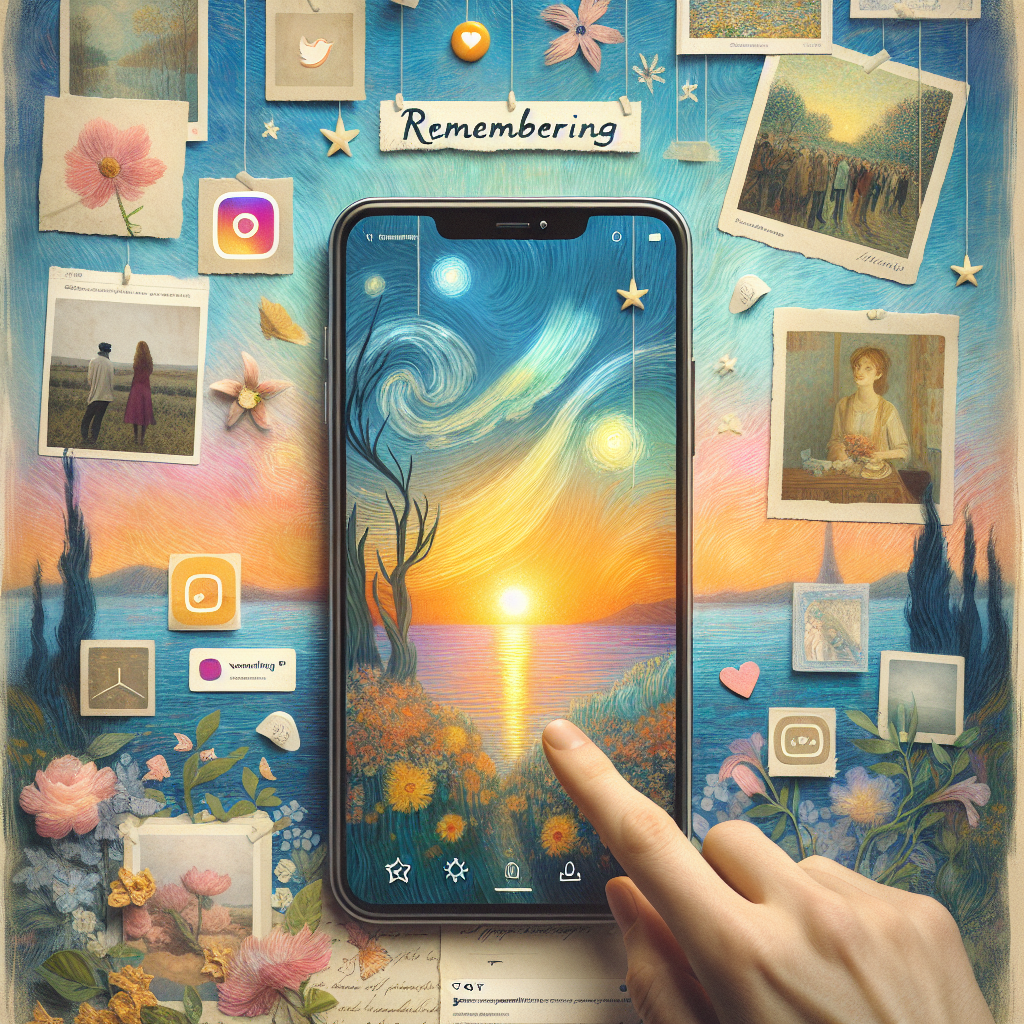
How To Inform YouTube Of A Deceased Account Holder?
What Are The Implications Of Account Memorialization?
In our increasingly digital world, the phenomenon of account memorialization raises questions that reverberate far beyond the virtual realm. As we grapple with loss, how we remember those who have passed shapes not only our personal grieving processes but also our societal norms around death and memory. When someone dies, their online presence can remain, preserved like a time capsule in the vast expanse of the internet. But what does this really mean for those left behind?
First off, let’s talk about legacy. Memorialized accounts provide a unique opportunity to celebrate a deceased person’s life and achievements. Family and friends can revisit cherished memories, share anecdotes, or simply find solace in the ability to scroll through pictures and posts that tell a story of who that person was. This online repository can help foster a sense of ongoing connection—a way to keep the memory alive, even when reality is too painful to bear. Yet, how do we approach this with grace? Navigating these digital remnants can be a double-edged sword. While some find comfort, others might feel suffocated by the constant reminder of their loss.
Then, there’s the practical side—a vital consideration. Managing these accounts becomes a task. Who gets to decide what remains visible? Should a loved one’s posts stay untouched, or is it time to prune the digital garden? The ambiguity can lead to conflict within families, stirring emotions that might already be raw. It prompts discussions that we often shy away from until it’s too late, making the digital footprint of a person a pivotal factor in estate planning and grieving processes.
Finally, we must acknowledge the implications for our collective memory. Each memorialized account contributes to a digital tapestry of humanity that might outlast us all. It raises questions about identity and the essence of being remembered—do we want to be defined by our online personas, curated and calculated, or by the authentic moments shared in physical spaces?
In navigating the complexities of account memorialization, we tread a fine line between remembrance and resolution. As we adapt to the realities of death in the digital age, we must consider the emotional, ethical, and societal dimensions that these virtual memorials entail. It’s about finding a balance between honoring those we’ve lost and allowing ourselves the space to heal.

What Are The Implications Of Account Memorialization?
What Are The Implications Of Account Memorialization?
- Account memorialization shapes personal grieving processes and societal norms around death and memory.
- Memorialized accounts serve as a time capsule, allowing family and friends to celebrate a deceased person’s life and achievements.
- Such accounts can foster ongoing connections, helping to keep the memory of the deceased alive in times of grief.
- Navigating digital remnants may offer comfort to some while suffocating others, highlighting the duality of online memorials.
- Managing these accounts can lead to conflicts within families about visibility and preservation of posts, impacting estate planning.
- Memorialized accounts contribute to a collective digital memory, prompting questions about identity and the essence of being remembered.
- Finding a balance between honoring lost loved ones and allowing for personal healing is essential in the digital age.

What Are The Implications Of Account Memorialization?
Can Friends Or Family Control A Memorialized Account?
When it comes to the digital legacies we leave behind, the rules are often as murky as a swamp at dusk. Imagine, if you will, your favorite haunt online—a vibrant collection of memories, thoughts, and moments shared with friends and family. Now, what happens when that person is no longer around to update their status or respond to comments? They may not be posting any more selfies, but their social media accounts don’t just evaporate into thin air. Instead, they go through a transformation, becoming what we call “memorialized accounts.”
So, can friends or family manage these accounts? The short answer is: it depends. Each social media platform has its own set of rules regarding what happens to an account when a user passes away. In most cases, only the account’s immediate family can request a memorialization. Once this occurs, the digital space becomes a kind of shrine, untouched by the daily grind of life. Friends can still post tributes, comment on old photos, and share stories, but generally, they can’t take charge of the account as if it were their own.
Now, let’s dive a little deeper. Some platforms allow designated legacy contacts—think of them as digital guardians. These folks can manage certain aspects of the account, like accepting friend requests or posting a final farewell message, but they’re not free to go full-blown digital curator. Content, privacy settings, and even personal messages remain off-limits, ensuring that the deceased’s digital footprints retain their integrity. This isn’t a free-for-all; it’s a careful balancing act aimed at respecting the person who has passed while allowing loved ones to honor their memory.
Of course, there’s always a gray area. Friends might feel they know the deceased well enough to “take over” the account, but this sort of thinking can lead to complications. Posting as if they were still alive could create confusion, not to mention potential unrest among family members who may want to preserve the account as a lasting tribute rather than an active platform.
It’s a matter of respect: for the departed, for their family, and for the precious digital traces of a life once lived. Navigating this path requires care to ensure that even in the realm of social media, the memories remain as cherished and genuine as they were in life.

Can Friends Or Family Control A Memorialized Account?
Can Friends Or Family Control A Memorialized Account?
- Memorialized accounts serve as digital legacies after a user passes away.
- Each social media platform has its own rules regarding the management of memorialized accounts.
- Generally, only the immediate family can request the memorialization of an account.
- Friends can post tributes and share stories, but they typically cannot manage the account.
- Some platforms allow designated legacy contacts to manage limited aspects of the account.
- Content and personal messages are usually off-limits to protect the deceased’s digital integrity.
- Navigating memorialized accounts requires respect for the deceased and their family’s wishes.

Can Friends Or Family Control A Memorialized Account?
Conclusion
Conclusion: Taking Control of Your YouTube Presence
In this vast digital landscape we call home, your YouTube account is more than just a portal to view the latest cat videos or DIY hacks; it’s a collection of your stories, creativity, and hard work. But what happens when the time comes to hang up your hat or honor the memory of someone close to you? The process of shutting down or memorializing a YouTube account can feel a bit overwhelming, like setting out on a road trip without a map.
Let’s face it—deciding to delete your account is no small feat. While it may feel liberating to cut ties with that incessant stream of notifications or the pressure to upload, it’s essential to first think about what you may be leaving behind. Your treasured videos, those moments you captured, and the communities you built—gone in a click if you’re not careful. So, before you dive headfirst into that sea of uncertainty, back up your data using Google Takeout. Review your privacy settings, clean up your subscriptions, and even contemplate saying goodbye to your loyal subscribers to ensure your digital footprint leaves behind a positive mark.
On the other hand, if you’re looking to memorialize a loved one’s account, the steps can seem equally daunting. But remember, it’s about honoring their legacy, keeping their memories alive in a respectful way. Gathering necessary documentation and approaching the task with love and consideration is the best path forward. YouTube’s memorialization process allows friends and family to revisit cherished content while preserving the dignity and creativity of the channel’s owner.
In the end, whether you’re shutting down your own account or memorializing someone else’s, it’s a powerful reminder of the impact we leave in this digital age. Take the time to reflect—you’ve built a narrative over the years, and each decision is a chance to shape it further. Determine the legacy you want to create or keep alive. After all, while we can hit a reset button in this digital world, the memories we share and the impact we’ve had will linger on long after the curtain falls. So, make your choice with intention, and remember—your digital legacy is worth protecting, documenting, and cherishing.

Conclusion
Conclusion:
- Your YouTube account is a representation of your stories and creativity.
- Deciding to delete your account requires careful consideration of what you may leave behind.
- Before deleting, back up your data with Google Takeout and review privacy settings.
- Consider the impact of deleting on your loyal subscribers and the communities you’ve built.
- Memorializing a loved one’s account involves gathering documentation and approaching the task with care.
- YouTube’s memorialization process allows friends and family to preserve cherished content respectfully.
- Your digital legacy is important; make choices that shape and protect it thoughtfully.

Conclusion
Other Resources

Other Resources
Here is a list of other resources you can review online to learn more:
- How to Close the Social Media Accounts of a Dead Relative: This article discusses how to handle the digital estate of a deceased person, including their social media accounts. It provides information on how to delete or manage these accounts.
- How to Close a YouTube Account When Someone Dies – Lyfeguard: This guide walks you through the steps for closing a YouTube account when someone dies.
- How to Delete Your YouTube Account: Desktop & Mobile – wikiHow: This article provides a step-by-step guide on how to delete your YouTube account.
- How to close a YouTube account when someone dies – Lexikin: This article explains how to delete a YouTube account by accessing the associated Google+ account.
Please note that the policies and procedures may change over time, so it’s always a good idea to double-check the most up-to-date information on the respective websites.

Other Resources
Glossary Terms
How to Shutdown Or Memorialize a YouTube Account? – Glossary Of Terms
1. YouTube Account: A user profile on YouTube that allows individuals to upload videos, comment, and subscribe to other channels.
2. Delete Account: The process of permanently removing your YouTube account and all associated data, such as videos, playlists, and comments.
3. Memorialization: The act of preserving a YouTube account as a tribute to a deceased user, allowing for their existing content to remain available while disabling some features.
4. Google Account: The overarching account used to access all Google services, including YouTube. Deleting a YouTube account typically means deleting the associated Google account.
5. YouTube Partner Program: A program that enables creators to monetize their content. Deleting or memorializing an account often affects participation in this program.
6. Privacy Settings: Options that control who can see your profile, videos, and comments. Adjusting these settings is essential before closing an account.
7. Content Ownership: The legal rights associated with the videos uploaded to YouTube, especially important when considering account deletion.
8. Community Guidelines: YouTube’s rules and policies that govern acceptable content and behavior on the platform, crucial for understanding account standing before deletion or memorialization.
9. Account Recovery: The process of regaining access to a YouTube account after it has been compromised or forgotten.
10. Data Download: An option allowing users to save a copy of their videos, playlists, and other account information before deletion.
11. Deactivation: Temporarily disabling an account, making it invisible to others but allowing the owner to reactivate it later.
12. Legacy Contact: A designated person who can manage your account after your death, applicable to some services but not directly to YouTube.
13. Video Unlisting: Changing the visibility of a video so only people with a direct link can view it, an option considered before account deletion.
14. Support Form: An online form used to submit requests to YouTube for account-related issues, including deletion and memorialization.
15. Content Policy: Official guidelines outlining what is considered acceptable content on YouTube, important for maintaining a user account.
16. Channel Name: The name associated with a YouTube account, which can be modified or changed prior to deletion or memorialization.
17. Family Policies: Guidelines regarding how accounts can be managed or memorialized after the death of a user, which may differ based on jurisdiction.
18. User Feedback: Comments and suggestions provided by users regarding their experience on YouTube, influencing policy changes.
19. Video Metadata: Information related to each video, such as title, description, and tags, which can be affected by account deletion.
20. Notification Settings: Preferences that dictate how and when you receive alerts from YouTube, which may need adjustment prior to account shutdown.
21. Channel Art: Visual branding elements for a YouTube channel, which become irrelevant if the account is deleted or memorialized.
22. Comments Section: The area beneath videos where viewers can leave feedback; if an account is deleted, all comments from that account will also be removed.
23. Two-Step Verification: An extra layer of security for your Google account that can prevent unauthorized access prior to account management tasks.
24. Terms of Service: The overarching rules set by YouTube regarding account use, important to understand before initiating deletion or memorialization.
25. Account Suspension: A temporary ban on accessing a YouTube account, often due to violation of policies.
26. Digital Footprint: The online presence created by an individual, including videos, comments, and subscriptions, which is affected by account deletion.
27. Public Visibility: The state of being accessible to all users on the platform, which can change with account settings before deletion.
28. User Interface (UI): The visual layout of the YouTube platform that guides users in managing their accounts, affecting how they navigate options to delete or memorialize.
29. Notification Emails: Messages sent by YouTube regarding account activity, which cease when an account is deleted.
30. Account Verification: The process of confirming the identity of a user or entity, often needed for discussions around account management and memorialization.

Glossary Of Terms
Other Questions
How to Shutdown Or Memorialize a YouTube Account? – Other Questions
If you wish to explore and discover more, consider looking for answers to these questions:
- How do I download the videos I already uploaded to my YouTube account?
- What should I do if I’ve forgotten my YouTube account password?
- Are there any consequences for deleting my YouTube account?
- How long does it take for YouTube to memorialize an account after the request is made?
- Will comments on a memorialized account still be visible to the public?
- Can other users still view or share videos from a memorialized account?
- What types of identification and documents does YouTube require for memorialization requests?
- What happens to my YouTube subscriptions if I delete my account?
- How can I notify my subscribers about my decision to delete my account?
- Will my account data be permanently deleted immediately after deletion?
- Can I change privacy settings on my videos before deleting my account?
- What are the emotional impacts of memorializing someone’s YouTube account?
- How do I ensure my family knows my wishes for my YouTube account after I pass away?

Other Questions
Haiku
How to Shutdown Or Memorialize a YouTube Account? – A Haiku
Digital farewells,
Memories in videos—
Choose love or silence.

Haiku
Poem
How to Shutdown Or Memorialize a YouTube Account? – A Poem
In the vast sea of bytes and frames,
Where laughter lingers, and memory claims,
YouTube beckons with wonders and dreams,
But what of the ones who’ve bid us adieu?
A dance of pixels, a legacy spun,
In the echo of silence, the stories are done.
When creators choose to fade from the light,
How do we honor their journey, their fight?
To delete is to sever, to vanish without trace,
A choice made in thought, no time to replace.
Back up the laughter, the dance, the song,
Or watch as the world forgets where they belong.
Yet for some, the curtain needn’t fall tight,
Memorialize moments, let memories ignite.
Reach out to the keepers of digital realms,
With proof of love’s tether, their legacy dwells.
Family and friends navigate grief’s shadowed path,
Holding stories close, in every aftermath.
A tribute emerges, where memories thrive,
Honoring lives in the place they once jived.
Ah, but beware the ghost in the screen,
For the echoes may haunt, and the longing can gleam.
Manage the whispers, with care and with grace,
As whispers of loss find their rightful place.
Through popularity’s wave or a quiet retreat,
The digital world keeps our souls on repeat.
In the heart of the ocean, where the pixels abound,
We carve out remembrance in the silence profound.

Poem
Checklist
How to Shutdown Or Memorialize a YouTube Account? – A Checklist
Before Deleting or Memorializing Your YouTube Account
1. Backup Your Content
_____ Log into your YouTube account.
_____ Navigate to “YouTube Studio” and access the “Settings”.
_____ Use “Google Takeout” to download your videos, comments, and playlists.
2. Review Privacy Settings
_____ Check and adjust the privacy settings for unlisted or private videos.
_____ Confirm the visibility settings on your channel.
3. Manage Your Subscriptions and Comments
_____ Unsubscribe from channels that no longer interest you.
_____ Delete any comments you’ve made that you wish to remove.
4. Disconnect Third-Party Services
_____ Review and disassociate any connected third-party apps linked to your YouTube account.
If You Choose to Delete Your Account
5. Confirm Decision to Delete
_____ Understand the permanence of this decision—once deleted, content cannot be retrieved after a certain period (30 days).
_____ Review the implications of deleting your account on your channel’s subscribers and content.
6. Deletion Process
_____ Navigate to the “Settings” and find the “Advanced Settings” option.
_____ Select the “Delete channel” option and follow the prompts to confirm.
7. Notify Your Subscribers (Optional)
_____ Consider posting a final message to your subscribers about your decision to leave.
If You Choose to Memorialize the Account
8. Confirm Your Role
_____ Ensure that you are a family member, legal representative, or have permission to act on behalf of the deceased.
9. Gather Necessary Documentation
_____ Collect required documents such as a death certificate or obituary to verify the request.
10. Submit the Memorialization Request
_____ Go to YouTube’s Help Center and locate the memorialization request form.
_____ Clearly state your relationship with the deceased when filling out the form.
11. Wait for YouTube’s Response
_____ Be patient as you await a response from YouTube, prepared to provide any additional information they might require.
12. Manage Future Settings
_____ Decide on how to manage the memorialized account (e. g. , disable comments, allow postings from family).
After the Process is Complete
13. Follow Up
_____ Once the account is deleted or memorialized, review how it appears to others and ensure everything is in order.
14. Reflect on the Experience
_____ Take a moment to acknowledge your journey and the impact of digital footprints.
Use this checklist to guide your decision-making process regarding the future of your or a loved one’s YouTube account, ensuring every detail is thoughtfully addressed.

Checklist
At LegacyExplorations, we help people plan and explore their legacy by collecting information and news regarding end-of-life planning.
Please share this post with your friends, family, or business associates who may want help to plan or explore their legacy.